

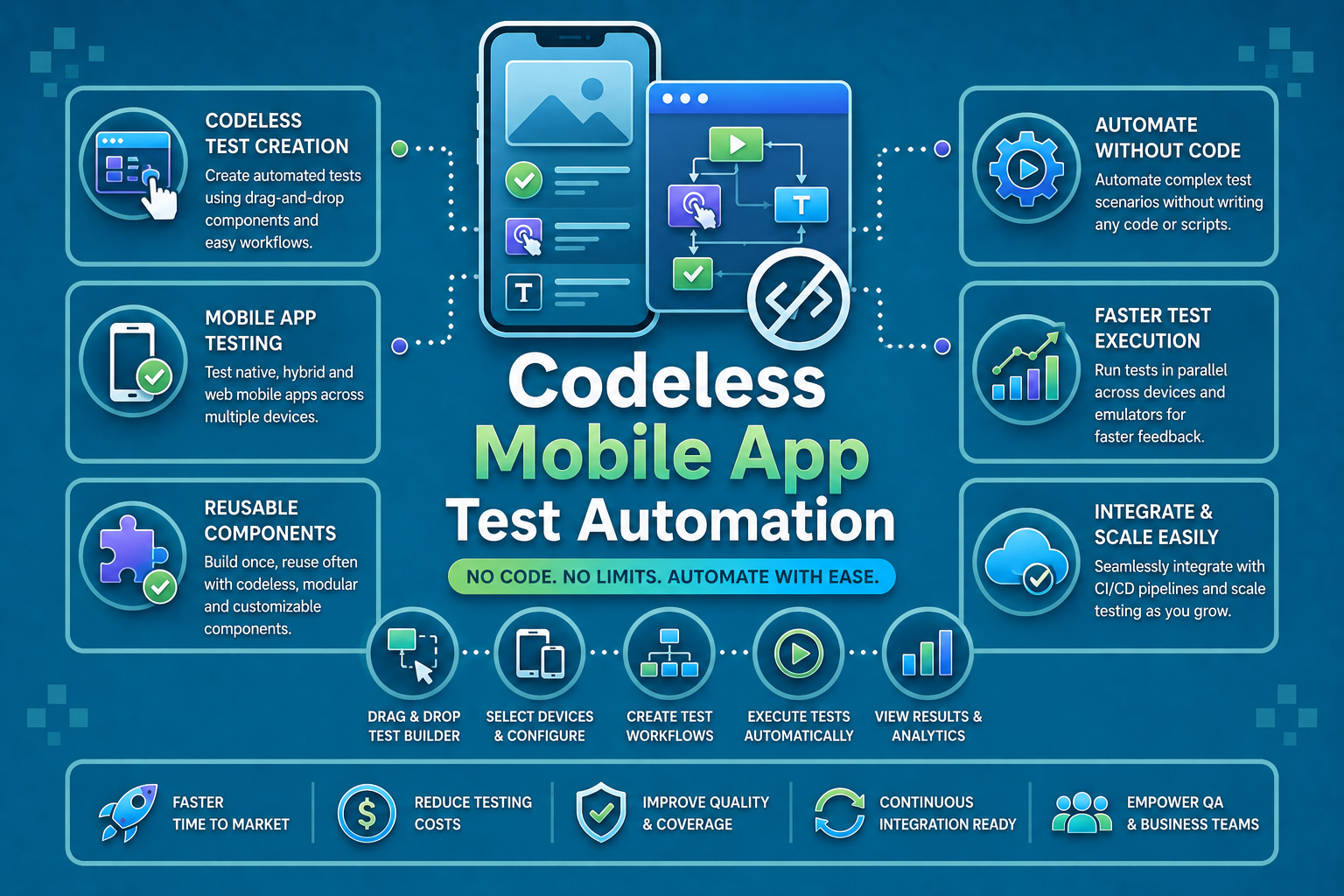

Codeless mobile app test automation has moved from a niche experiment to the default strategy for QA teams that need to move fast without adding headcount.
By replacing hand-written scripts with visual interfaces, drag-and-drop builders, and machine learning models that adapt to UI changes automatically, codeless test automation platforms let testers of all skill levels create, run, and maintain comprehensive test suites in a fraction of the time.
This guide covers everything your team needs: how the technology works, a market sizing snapshot, a native mobile deep dive, a full platform comparison, and the best-practice playbook for implementation.
What Is Codeless Mobile App Test Automation?
Definition and Core Concepts
Codeless mobile app test automation enables testers to create and execute automated tests through visual interfaces, drag-and-drop components, and pre-built action libraries, with no programming experience required.
The platform captures user interactions (taps, swipes, text inputs, gestures), converts them into editable visual storyboards, and translates those storyboards into executable test cases that run across real devices, emulators, and cloud device farms.
Three principles underpin every mature codeless test automation platform in 2026:
- Visual test design: Testers arrange predefined action blocks on a canvas instead of writing syntax. Conditional logic, loops, and data-driven parameters are all available through graphical controls.
- AI and ML assistance: Machine learning models handle element identification, detect when the UI has changed, and automatically update test steps so the suite stays green without manual intervention.
- Cross-platform execution: A single test design runs across iOS, Android, hybrid, and progressive web app targets by abstracting away platform-specific framework details.
Industry Metrics: Manual vs. Scripted vs. Codeless (2026)
| Metric | Manual Testing | Scripted Automation | Codeless Automation |
| Test creation time (per case) | 2–3 hours | 3–4 hours | 30–45 minutes |
| Execution time (per test) | 30 min avg | 5 min avg | 4–5 min avg |
| Test coverage capability | 40–60% | 70–85% | 75–90% |
| Cost reduction vs. manual | Baseline | 50–60% | 60–75% |
| ROI breakeven period | N/A | 6–12 months | 2–4 months |
| Regression cycle time | 3–5 days | 4–8 hours | 2–4 hours |
| Annual maintenance (per 20 runs) | Ongoing manual | 40–60 hrs | 5–10 hrs |
| Parallel test execution | Limited | 50–200 concurrent | 100–500+ concurrent |
| Skill level required | Intermediate | Advanced | Beginner–Intermediate |
Key Benefits of Codeless Automation for Mobile App Testing
- Speed: Non-technical testers can build a test case in under an hour vs. half a day for scripted equivalents. Teams can automate 100 test cases in 50–75 hours rather than 300–400 hours.
- Reduced maintenance: AI-driven element recognition adapts tests automatically when developers change the UI, cutting annual maintenance hours from 40–60 down to 5–10 per 20 test runs.
- Broader participation: Product managers, business analysts, and manual testers can contribute test cases, incorporating domain knowledge that pure automation engineers often miss.
- CI/CD readiness: Codeless test automation platforms expose APIs and webhook triggers, making it straightforward to fire test runs on every commit and block deployments on quality gate failures.
How Machine Learning Powers Codeless Test Automation
The shift from record-and-playback to genuinely intelligent codeless automation platforms rests almost entirely on machine learning. Here is exactly what ML does inside a modern codeless mobile test automation platform and why it matters for your team.
ML-Based Element Recognition
Traditional automation locates UI elements using fixed attributes: an XPath, a resource ID, an accessibility label. When a developer renames a component or restructures a layout, the locator breaks and a human has to fix it.
ML-based element recognition works differently. The model learns a fingerprint for each element based on its visual appearance, position relative to sibling elements, semantic role, and historical interaction patterns.
When the UI changes, the model searches for the element that best matches the fingerprint rather than looking for an exact attribute match. In practice this means tests that would have failed due to a minor layout refactor continue to pass, with no manual update required.
Platforms like Panto AI layer this ML model on top of the underlying Appium or XCUITest framework, so teams benefit from mature device communication while getting intelligent element matching on top.
Predictive Test Generation
Given enough usage data such as crash reports, analytics events, user session recordings, ML models can suggest which test cases a team is missing. The model maps high-traffic user journeys and flags paths that lack test coverage, effectively prioritising where to automate next based on real-world risk rather than gut feel.
Some platforms go further: they analyse historical defect data to identify which application areas produce the most bugs and automatically weight test generation toward those areas. The result is a test suite that concentrates effort where failures are most likely, not just where it was convenient to record.
Self-Learning from Repeated Test Runs
Each test execution is a data point. ML-powered codeless platforms accumulate these data points to improve timing heuristics, learning how long a particular screen takes to load on a specific device class, for example, and to refine element confidence scores over time.
This self-learning loop is what separates codeless platforms with genuine ML integration from those that merely market the term. After a few hundred test runs, a well-implemented ML layer will produce noticeably fewer false positives, faster execution, and more accurate self-healing than it did on day one.
Natural Language Test Creation (Emerging)
A growing number of codeless automation platforms now accept plain-English test descriptions and use large language models to generate the corresponding test steps automatically.
This is still maturing in 2026, but early implementations from multiple tools like Panto AI reduce test creation time by an additional 40–60% on top of the gains already offered by visual builders.
How Codeless Test Automation Works
Visual Test Creation and Record-and-Playback
Testing begins by recording user interactions on a real device or emulator. Every tap, swipe, text entry, and navigation gesture is captured and converted into an editable visual storyboard where each step appears as a labelled action block.
Testers can add assertion points, insert conditional waits, and define error-handling preferences entirely within the graphical interface, with no terminal required.
Because the storyboard is human-readable, product managers and business analysts can review test logic directly, improving alignment between what gets tested and what the business actually cares about.
Drag-and-Drop Interfaces and Modular Test Components
Beyond recording, testers can build tests from scratch by dragging predefined action blocks onto a canvas. Actions for common mobile gestures like pinch, long-press, two-finger swipe, are available as first-class components.
Conditional logic (if/else branching), loops, and data-driven parameters are exposed through visual controls so testers never need to write code to handle complex scenarios.
Modular components are the multiplier. A login module built once can be dropped into any test that requires authentication. When the login flow changes, updating the module propagates the fix to every test that uses it instantly.
Integration With Mobile Testing Frameworks
Under the hood, codeless platforms translate visual designs into commands that Appium, UIAutomator2 (Android), or XCUITest (iOS) can execute. This architecture means teams get the reliability of battle-tested open-source frameworks without the need to understand their internals.
CI/CD hooks such as REST APIs, webhooks, CLI tools allow test runs to be triggered automatically by Jenkins, GitHub Actions, GitLab CI, or Azure DevOps pipelines, turning codeless automation into a first-class citizen of the development workflow.
Native Mobile Automation Without Code: iOS & Android Deep Dive
Generic automation guides treat iOS and Android as interchangeable targets. They are not.
Native mobile apps, generally built with Swift/Objective-C, Kotlin/Java, React Native, or Flutter, have platform-specific interaction models, accessibility trees, and rendering pipelines that require dedicated support from any serious codeless automation platform.
Native iOS Codeless Automation (XCUITest-Backed)
Codeless platforms targeting iOS execute tests through the XCUITest framework, which Apple officially supports and maintains. This gives teams access to the full accessibility hierarchy of any native iOS app without writing a single line of Swift.
Key capabilities to look for in an iOS-focused codeless tool: support for Face ID / Touch ID simulation, deep linking into specific app states, iCloud sign-in flows, and permission dialog handling (camera, location, notifications).
Native Android Codeless Automation (UIAutomator2-Backed)
Android automation in a codeless platform relies on UIAutomator2, Google’s official UI testing framework. The platform translates visual test steps into UIAutomator2 commands that work across the full Android ecosystem, from stock Pixel devices to heavily customised OEM skins.
Android-specific scenarios to validate: back-button handling, notification tray interactions, system permission dialogs, deep links via intent, and multi-window mode. A codeless platform that abstracts these correctly means testers never need to understand Android intents or the UIAutomator API.
React Native and Flutter App Testing
React Native apps expose a dual accessibility tree; one for the JS layer and one for the native layer — which trips up simpler automation tools.
Mature codeless platforms handle this transparently, identifying elements by their semantic role regardless of which layer renders them.
Flutter presents a different challenge: its custom rendering engine bypasses the native accessibility tree entirely by default. Codeless platforms that support Flutter rely on the Flutter Driver protocol or the newer integration_test package to locate and interact with widgets.
When evaluating a codeless automation platform for Flutter apps, always validate element recognition against your actual widget tree before committing.
Gesture Automation in Codeless Environments
Native mobile apps rely heavily on gestures that have no desktop equivalent: pinch-to-zoom, two-finger swipe, long-press context menus, drag-and-drop list reordering.
Quality codeless platforms expose these as first-class action types with configurable speed, pressure, and coordinate parameters, which is all set through sliders and dropdowns rather than coordinate calculations in code.
Device-Specific Feature Testing Without Code
Camera inputs, GPS location simulation, biometric authentication, push notification delivery, and Bluetooth pairing are all testable through codeless platforms that expose device feature APIs via graphical configuration panels.
This is one of the starkest differences between basic record-and-playback tools and full-featured codeless mobile automation platforms: the latter make hardware feature testing accessible to non-engineers.
The Codeless Testing Market in 2026: Size, Growth & Enterprise Adoption
The codeless testing market has moved from early-adopter territory to mainstream enterprise infrastructure in the span of three years. Understanding the market context helps justify budget, choose vendors with staying power, and benchmark your team’s maturity against industry peers.
Market Size and Growth Trajectory
The global codeless testing market is valued at approximately USD 2.7 billion in 2026 and is projected to reach USD 11.4 billion by 2035, representing a compound annual growth rate of roughly 17%.
This growth is driven by three converging forces: the acceleration of mobile app release cycles, the shortage of experienced automation engineers, and the maturation of AI/ML capabilities that make codeless tools genuinely reliable for production-grade testing.
Who Is Adopting and Why
Financial services firms are among the heaviest adopters, driven by the need to test transaction flows across dozens of device types and OS versions without exposing proprietary code to large external engineering teams.
Healthcare app teams cite compliance testing — HIPAA-required audit trails of test execution, for example — as a primary driver. Codeless platforms that generate test execution reports automatically satisfy this need at a fraction of the cost of maintaining scripted suites.
E-commerce teams adopt codeless automation primarily for regression coverage during peak sale periods, when the cost of a production bug is directly measurable in lost revenue. The ability to spin up 100–500 parallel test runs on a cloud device farm and get results back before a deployment window closes is the core value proposition.
The Shift from Scripted to Codeless as the Default
As recently as 2023, scripted automation (Appium scripts, Espresso, XCUITest) was considered the gold standard and codeless tools were seen as a compromise for teams without engineering resources.
That perception has reversed.
The combination of ML-based self-healing, framework-level reliability, and measurable cost advantage has made codeless the default choice for new test automation programmes, with scripted automation reserved for genuinely unique or highly complex edge cases.
Top Features of a Codeless Mobile Automation Platform
Cross-Platform Testing
A true codeless automation platform runs the same test design across iOS, Android, hybrid, and PWA targets without requiring platform-specific rewrites.
Look for platforms that abstract framework differences transparently and provide unified reporting across all targets, with a single pass/fail dashboard rather than separate iOS and Android result streams.
AI and ML-Driven Self-Healing
Self-healing is the feature that makes codeless automation maintainable at scale. When a developer renames a button or restructures a screen layout, the ML model identifies the functionally equivalent element and updates the test step automatically.
Teams report 80–90% reductions in test maintenance time after adopting self-healing platforms, compared to brittle XPath-based scripted suites.
Reusable Test Modules and Shared Libraries
Modular test design, where common workflows like authentication, checkout, or onboarding are built once and reused across hundreds of test cases, is the structural feature that makes large test suites maintainable.
Platforms with strong module libraries also accumulate organisational testing knowledge over time, reducing ramp-up time for new team members.
Cloud Device Farm and Parallel Execution
Cloud-based execution on real devices eliminates the infrastructure overhead of maintaining an in-house device lab. Parallel execution across 100–500+ device/OS combinations means a regression suite that would take 8 hours sequentially completes in under 30 minutes.
This is the capability that makes codeless automation compatible with continuous deployment pipelines.
Mobile QA Platforms Built to Eliminate Flaky Tests
Flaky tests are tests that pass and fail inconsistently without changes to the application. They are the single biggest threat to confidence in a mobile automation suite.
When 10% of your test results are unreliable, the team stops trusting the other 90%. Investigating phantom failures consumes more time than the automation was supposed to save.
Mobile apps are especially prone to flakiness for reasons that desktop web automation does not face:
- asynchronous UI rendering frameworks (React Native’s bridge, Flutter’s widget tree)
- network-dependent features that behave differently on cell vs. Wi-Fi
- device-state dependencies (battery level, available storage)
- OS-level animation timing that varies between device models
Root Causes of Flaky Tests in Mobile Apps
- Timing issues: The test taps a button before the async data load has completed and the button is in a disabled state. Basic automation retries after a fixed wait, which either adds unnecessary delay or is still too short on a slow device.
- Element visibility: A UI element is technically present in the accessibility tree but covered by a loading overlay, tooltip, or system dialog. Locator-only approaches identify the element but cannot determine whether it is actually interactable.
- Device state: Storage-full conditions, interrupted network requests, and background app lifecycle events (iOS backgrounding rules, Android Doze mode) all introduce non-deterministic behaviour that scripted automation cannot anticipate.
- Test isolation failures: Tests that do not properly reset app state before running contaminate each other, producing failures that only occur when tests run in a specific order.
Platform Features That Prevent Flakiness
- Smart waits: Instead of fixed sleep() calls, ML-powered platforms learn how long each screen transition takes on each device class and insert dynamic waits calibrated to that specific environment. This eliminates both premature interactions and unnecessary delays.
- Interactability checks: Before executing a tap or text entry, the platform verifies that the element is visible, enabled, and not obscured, and not just present in the DOM. This single check eliminates a large percentage of timing-related failures.
- Quarantine mode: Persistently flaky tests are automatically flagged and moved to a quarantine suite. They continue to run and report, but they no longer block CI/CD pipelines or pollute pass-rate dashboards while the team investigates root cause.
- Test isolation enforcement: The platform resets app state between test runs automatically, preventing state contamination without requiring testers to write teardown scripts.
- Stability scoring: Each test accumulates a stability score based on its pass/fail history. Tests below a threshold are automatically flagged for review, giving QA leads an actionable signal rather than a wall of red-and-green test results to interpret manually.
| Flakiness Type | Platform Prevention Feature | Panto AI Support |
| Timing / async rendering | Smart waits (ML-calibrated) | Yes |
| Obscured elements | Interactability pre-check | Yes |
| Persistent flakey tests | Quarantine mode | Yes |
| State contamination | Auto reset between runs | Yes |
| Device-specific variance | Per-device timing profiles | Yes |
| Trend visibility | Stability scoring dashboard | Yes |
Codeless Mobile Test Automation Platforms: 2026 Comparison
The market has consolidated around a handful of serious players. The comparison below focuses on the features that actually differentiate platforms for mobile-first teams in 2026.
| Platform | Best For | Native Mobile Depth | ML Self-Healing | Flaky Test Tools | CI/CD Integration |
| Panto AI | End-to-end mobile QA with AI debugging | iOS + Android + RN + Flutter | Advanced (self-learning) | Quarantine mode + smart waits | GitHub, GitLab, Bitbucket, Azure DevOps |
| Testsigma | Cloud-first teams, NLP test creation | iOS + Android | Strong | Smart waits | Jira, Slack, Jenkins |
| Katalon Studio | Mixed codeless + scripting teams | iOS + Android | Moderate | Basic retry logic | Jenkins, GitHub Actions |
| Apptest.ai | Real-device validation focus | iOS + Android | Strong | Smart waits | REST API trigger |
| Leapwork | Enterprise, flowchart-driven | iOS + Android | Moderate | Basic | Jenkins, Azure DevOps |
| Ranorex Studio | Desktop + mobile hybrid teams | iOS + Android | Moderate | Basic retry logic | Jenkins, Azure DevOps |
Panto AI: The Codeless Mobile Testing Platform
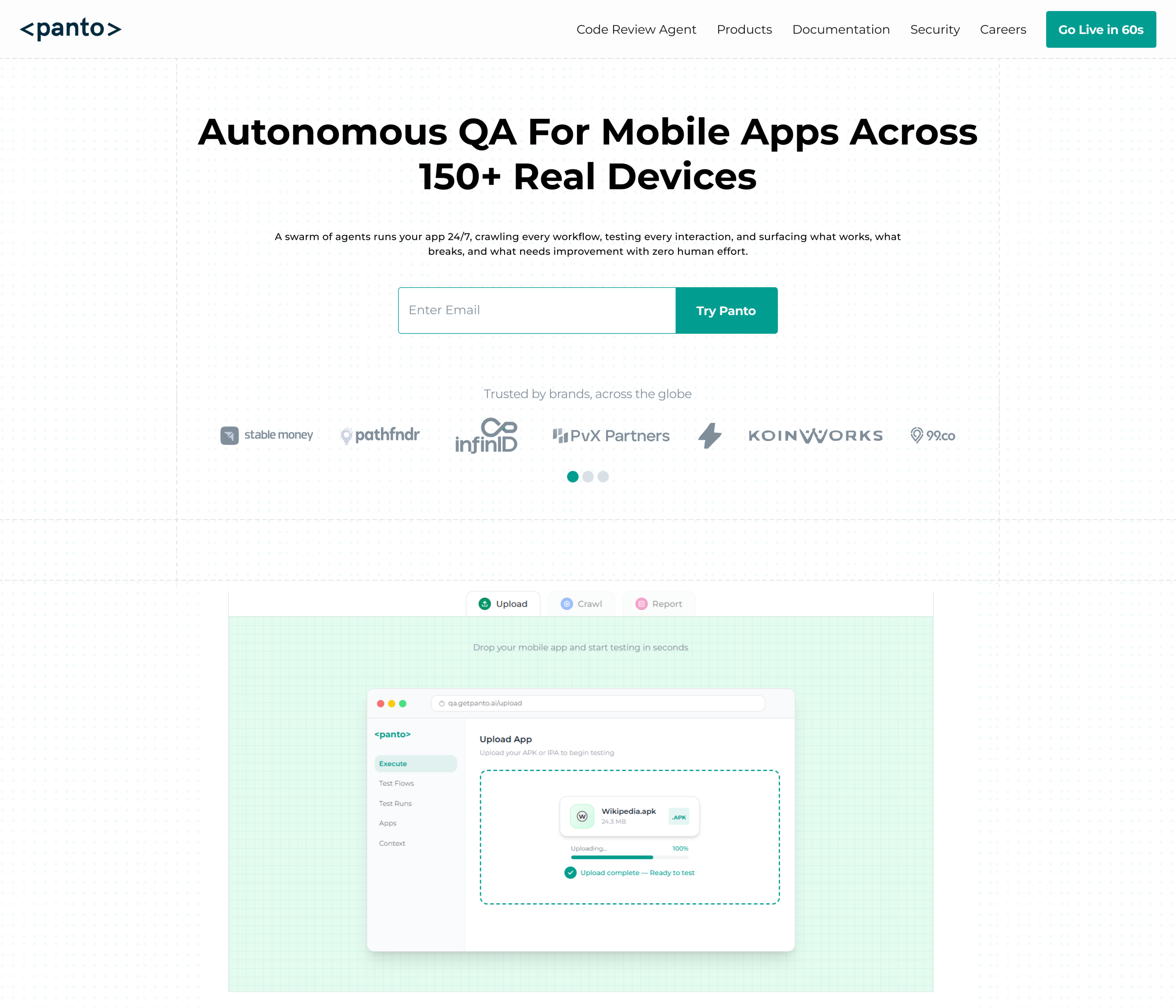
Panto AI is built specifically for teams shipping mobile apps who need quality coverage without dedicating an engineer to every test script.
The platform’s end-to-end approach combines visual codeless test creation with vibe debugging, a context-aware analysis layer that surfaces the root cause of failures rather than just reporting a red test.
For native mobile automation, Panto AI supports iOS (XCUITest-backed), Android (UIAutomator2-backed), React Native, and Flutter apps through a single visual interface.
ML-based self-healing adapts tests automatically as the UI evolves, and the quarantine mode isolates persistently flaky tests from the main suite without requiring manual triage.
Pipeline integration covers GitHub, GitLab, Bitbucket, and Azure DevOps out of the box, with a REST API and webhook support for custom workflows. Open-source projects get the platform free, no credit card required.
How to Choose the Right Codeless Automation Platform
| Evaluation Criteria | What to Verify |
| Native mobile depth | Does it support XCUITest (iOS) and UIAutomator2 (Android) natively — not just via Appium wrappers? |
| ML self-healing quality | Ask for the false-positive rate and maintenance hours saved after 3 months on real customer apps. |
| Flaky test tooling | Look for smart waits, quarantine mode, and test stability scoring — not just a basic retry count. |
| CI/CD integration | Validate REST API access, webhook triggers, and CLI support for your specific pipeline tool. |
| Framework (RN / Flutter) | If your app uses React Native or Flutter, test element recognition against your actual widget tree before committing. |
| Parallel execution scale | Check concurrent test limits on the pricing tier you can actually afford, not the enterprise tier. |
| Pricing model | Per-user vs. per-execution vs. per-device-minute — model your actual usage against each before signing. |
Best Practices for Codeless Automation Implementation
Test Case Design for Codeless Environments
- Design for modularity from day one. Break every user journey into small, independently executable steps and build a reusable module for any workflow that appears in more than two test cases.
- Parameterise everything that might vary: usernames, product IDs, prices, dates. External data sources (CSV files, environment variables, API responses) feed these parameters at runtime, enabling a single test design to cover multiple data scenarios without duplication.
- Prioritise coverage by risk, not convenience. Map your first 20 test cases to the user journeys that generate the most revenue or carry the highest defect history, not to the flows that happen to be easiest to record.
Team Collaboration and Skill Development
The biggest cultural shift in codeless automation is getting non-engineers to own test creation. The technology makes this possible; the organisation has to make it happen.
- Start with a structured half-day workshop using the platform on your actual application. Teams that invest in this upfront training see adoption rates 3–4x higher than those who send people to self-serve documentation.
- Create test design templates and naming conventions before anyone creates their first test. Standardisation is much harder to retrofit than it is to install from the beginning.
- Establish a shared test module library with clear ownership. Someone needs to be accountable for each module, particularly the core ones (login, navigation, checkout) that many tests depend on.
CI/CD Pipeline Integration
- Treat test failures in the pipeline with the same urgency as build failures. If a failing test does not block a deployment, developers quickly learn that test failures are optional reading, and the value of automation collapses.
- Configure quarantine mode before you go live with pipeline integration. The first week of a new test suite always surfaces flaky tests; having quarantine in place means they do not immediately undermine confidence in the automation programme.
- Start with a fast feedback loop: identify the 20–30 test cases that cover the highest-risk paths and run those on every commit.
- Run the full regression suite on a schedule (nightly or pre-release). Trying to run 500 tests on every commit before optimising for speed kills developer velocity and generates resentment toward the QA process.
Test Maintenance and Long-Term Reliability
- Schedule a monthly test hygiene session. Review stability scores, delete tests that have been quarantined for more than 30 days without resolution, and update modules that cover recently changed features.
- Track three metrics over time: test creation velocity (cases per week), pass rate trend (are things getting more reliable or less?), and maintenance hours per 20 runs. These metrics tell you whether your codeless automation programme is healthy or quietly accumulating debt.
Future Trends in Codeless Mobile App Testing
Deeper AI and LLM Integration
Natural language test creation is moving from demo feature to production capability in 2026. Early implementations show 40–60% reductions in test creation time on top of visual builder gains.
By 2027, expect NLP-based test creation to be table stakes rather than a differentiator.
Reinforcement learning models that continuously improve element recognition and timing heuristics based on execution history are already deployed in leading platforms.
The compounding effect of these models will become a significant switching cost for teams that commit early.
Expanded Platform Coverage
Codeless platforms are expanding beyond mobile UI testing into API testing, performance testing, and accessibility validation, all through the same visual interface
By 2027, a single codeless automation platform will cover the full quality assurance surface area of a mobile app, eliminating the need for separate tools and the integration overhead that comes with them.
IoT app testing and AR/VR interface validation are early-stage capabilities on several roadmaps, driven by the growing number of apps that interact with connected hardware or use camera-based augmented interfaces.
Enterprise Standardisation
Enterprise organisations are increasingly standardising on a single codeless automation platform across all mobile QA teams, driven by the need for consistent reporting, shared test libraries, and centralised governance.
This trend favours platforms with strong role-based access controls, audit logging, and enterprise SSO, capabilities that smaller players are scrambling to build.
Conclusion
Codeless mobile app test automation has crossed the threshold from promising alternative to the established best practice for mobile QA in 2026. The combination of ML-based self-healing, native iOS and Android depth, flaky test prevention tooling, and accessible visual interfaces has removed the last credible objections to adopting it at scale.
The teams that move fastest are the ones that have chosen a codeless automation platform with genuine ML capabilities, built a modular test library around their highest-risk user journeys, and integrated quality gates directly into their deployment pipeline.
If you are ready to see what this looks like in practice on your actual app, Panto AI offers a free trial for all teams and unlimited access for open-source projects.