
Azure DevOps is a cornerstone for modern software delivery, but as engineering teams scale, manual pull request reviews quickly become a bottleneck. Long review cycles, inconsistent standards, and limited visibility into quality issues slow delivery and frustrate developers.
AI code review tools for Azure DevOps solve this problem by automating code analysis, security checks, and review feedback directly inside pull requests. The result: faster merges, higher code quality, and less manual overhead for engineering leaders.
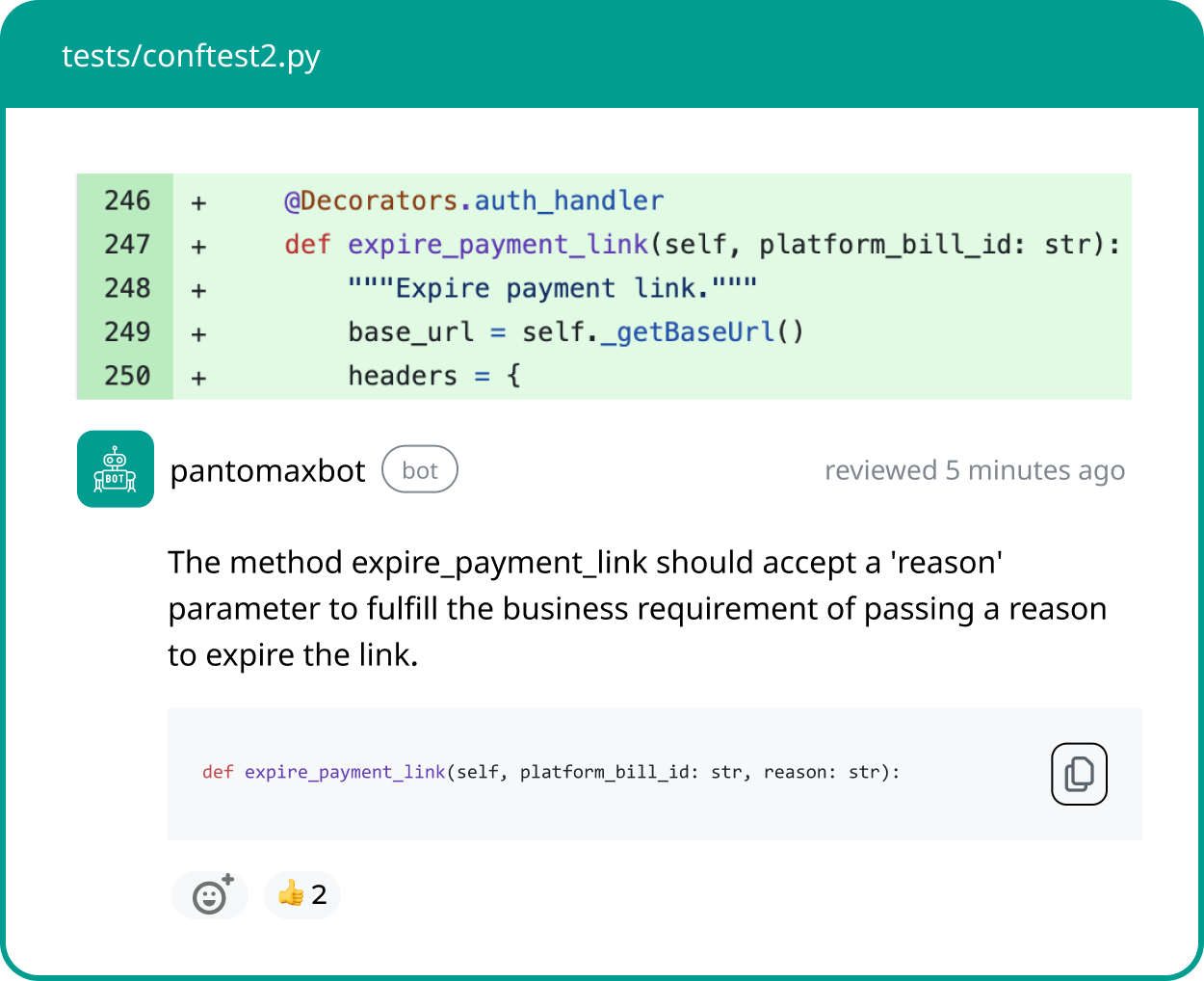
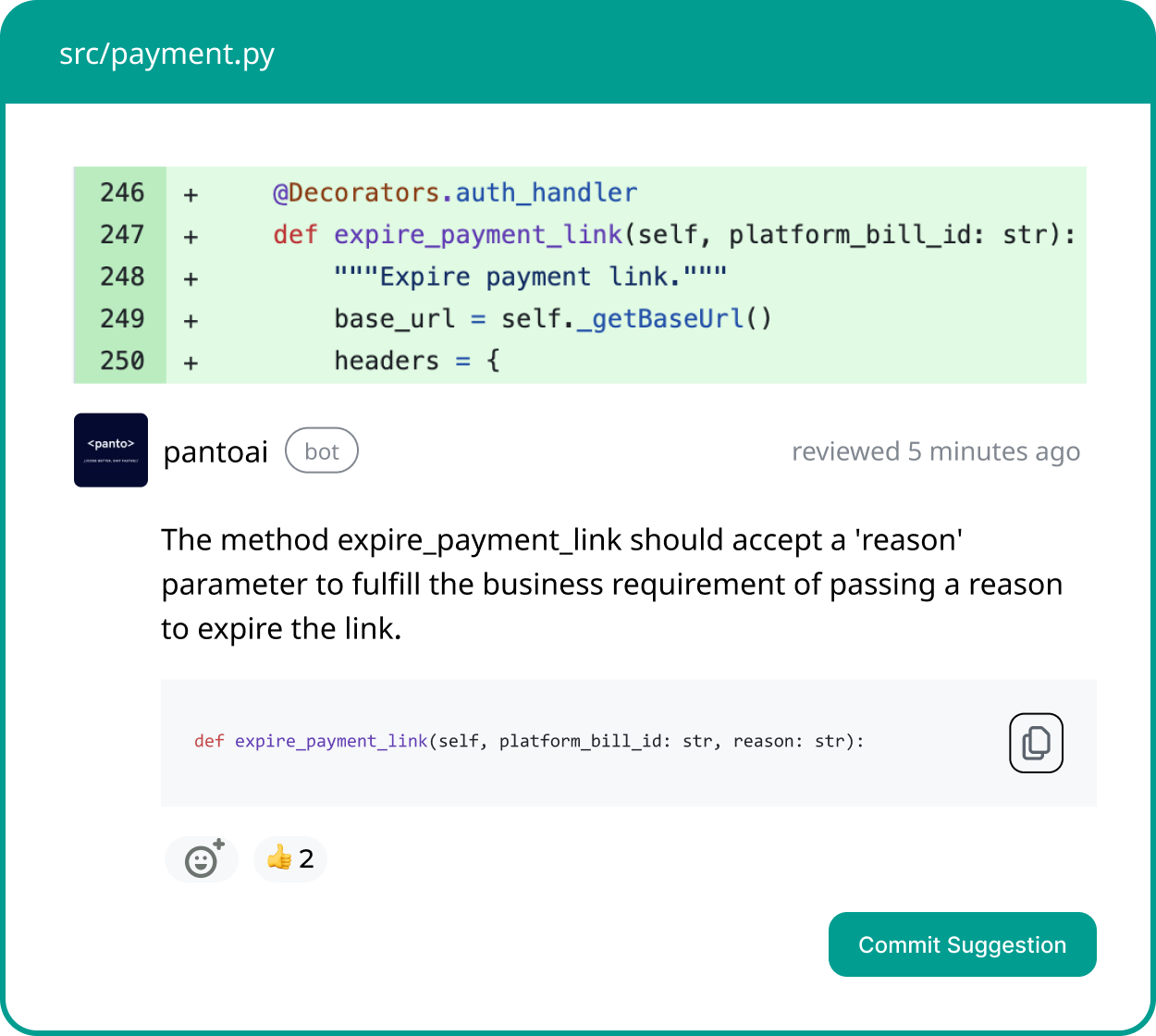
Panto AI helps teams reduce PR friction by combining stability-focused analysis with automated, inline PR feedback. Panto delivers high-confidence inline comments, remediation hints, and lightweight reliability metrics that slot directly into your Azure DevOps pull-request workflow — lowering cycle time without adding noise.
This guide explains how AI-powered code review works in Azure DevOps, what features matter most, and which tools are leading in 2026.
Azure Devops: A Deep Dive
What Is AI Code Review in Azure DevOps?
AI code review in Azure DevOps uses machine learning and static analysis to automatically review pull requests. These tools analyze code changes in real time to detect bugs, security vulnerabilities, performance issues, and violations of team standards—before code reaches production.
Unlike traditional manual reviews, AI-powered reviews deliver instant, consistent feedback across every pull request, regardless of reviewer availability.
How AI Pull Request Review Works
- Trigger — The AI runs on PR open/update via an Azure DevOps extension, webhook, or pipeline task.
- Scope — It analyzes the diff and context (files changed, test results, PR description, stack/language).
- Analysis — The engine runs bug detection, SAST checks, style and maintainability rules, and learned pattern detection.
- Output — Findings are posted as inline PR comments, a short severity-prioritized summary, and suggested code snippets or links to remediation docs.
- Action — Developers accept fixes, mark false positives, or apply automatic low-risk fixes; critical findings can be gated via branch policies.
Include both pre-merge (PR) scans and pipeline scans in your workflow: pre-merge provides immediate developer feedback; pipeline scans enforce org policy and reporting.
What Is an AI Code Review Agent?
An AI code review agent is an automated reviewer that lives in your repo or CI pipeline and behaves like a human reviewer: it comments on diffs, summarizes risk, suggests fixes, and can enforce policies. Compared with classic static analyzers, an AI agent:
- Understands PR intent and natural language in descriptions.
- Produces human-readable explanations and suggested remediations.
- Prioritizes findings by likely business impact (security > correctness > style).
- Can optionally propose or create automated fixes for low-risk issues.
Quick rollout checklist: enable as non-blocking first, measure false positive rate on a sample of 25–50 PRs, tune severity thresholds, then enable gating for critical issues.
Why Azure DevOps Teams Need AI Code Review & Automated PR Reviews
Engineering leaders at SMB and mid-market companies face constant pressure to improve delivery speed without sacrificing code quality. Traditional Azure DevOps review workflows struggle in three key areas:
- Slow pull request cycles caused by overloaded reviewers
- Inconsistent review standards across teams and repositories
- Limited visibility into where reviews stall or quality degrades
AI code review tools address these challenges by providing immediate feedback, enforcing standards automatically, and surfacing only actionable insights—without noisy dashboards or micromanagement. These tools run automated PR reviews and act as an AI code review agent inside Azure DevOps, cutting manual review time and surfacing high-confidence fixes.
How AI-Powered Code Review Improves Azure DevOps Workflows
Instant Feedback and Shorter Review Cycles
Manual code reviews often take 24 hours or more. AI reviews deliver feedback within minutes, allowing developers to fix issues while context is fresh and significantly reducing cycle time.
Consistent Standards Across Teams
AI tools enforce the same coding rules, security policies, and best practices on every pull request. This consistency eliminates subjective reviews and reduces long-term technical debt.
Actionable, Lightweight Reporting
Instead of flooding teams with metrics, modern AI code review platforms focus on what matters: critical issues, recurring bottlenecks, and high-impact fixes that improve velocity and quality.
Common Azure DevOps Code Review Pain Points
Bottlenecks in Pull Request Cycles
- Long wait times for approvals
- Delayed detection of critical bugs or security flaws
Inconsistent Review Practices
- Different reviewers applying different standards
- Vague feedback that frustrates junior developers
Ineffective Dashboards
- Too many metrics with little context
- Poor visibility into where PRs actually stall
Your AI Code Review Agent
Panto reviews every pull request with business context, architectural awareness, and consistent standards—so teams ship faster without hidden risk.
- ✓ Aligns business intent with code changes
- ✓ Catches bugs and risk in minutes, not days
- ✓ Hallucination-free, consistent reviews on every commit
Best AI Code Review Tools for Azure DevOps in 2026
1. Panto AI
Panto AI is built for fast-growing engineering teams that require clear, actionable pull-request reviews within Azure DevOps. It performs real-time analysis on every PR, surfacing critical issues early in the development lifecycle. The platform emphasizes signal over noise to keep reviews efficient and focused.
The tool prioritizes development workflow efficiency by identifying review bottlenecks and quality risks without adding operational overhead. Its rule engine can be aligned with internal standards and compliance requirements. Reporting is intentionally lightweight, centered on cycle time and code quality metrics.
Key strengths:
- Real-time PR analysis with prescriptive feedback
- Advanced security scanning and compliance checks
- Customizable review rules aligned to team standards
- Lightweight reporting focused on speed and quality
Best for: SMB and mid-market teams seeking consistent, high-quality reviews with minimal process overhead.
2. CodeAnt AI
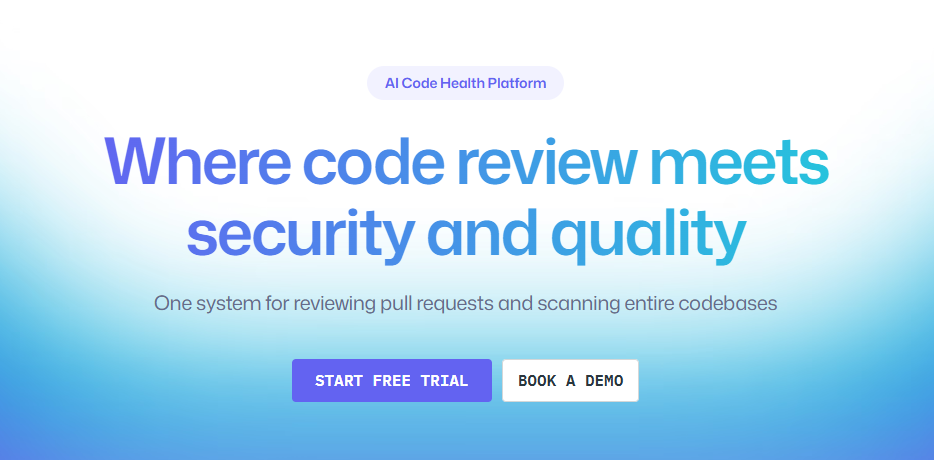
CodeAnt AI is purpose-built for Azure DevOps and applies reinforcement learning to assess code quality and security during pull requests. It operates directly within existing workflows, minimizing disruption to developers. Feedback is delivered in real time to accelerate remediation.
The platform places a strong emphasis on security alongside traditional code review automation. It supports a broad range of coding languages, making it suitable for polyglot teams. Centralized dashboards provide visibility into security posture and trends.
Key strengths:
- Real-time feedback embedded in Azure DevOps
- SAST, secret scanning, and security dashboards
- Support for 30+ programming languages
Best for: Teams that require strong security coverage in addition to automated code reviews.
3. Mend.io
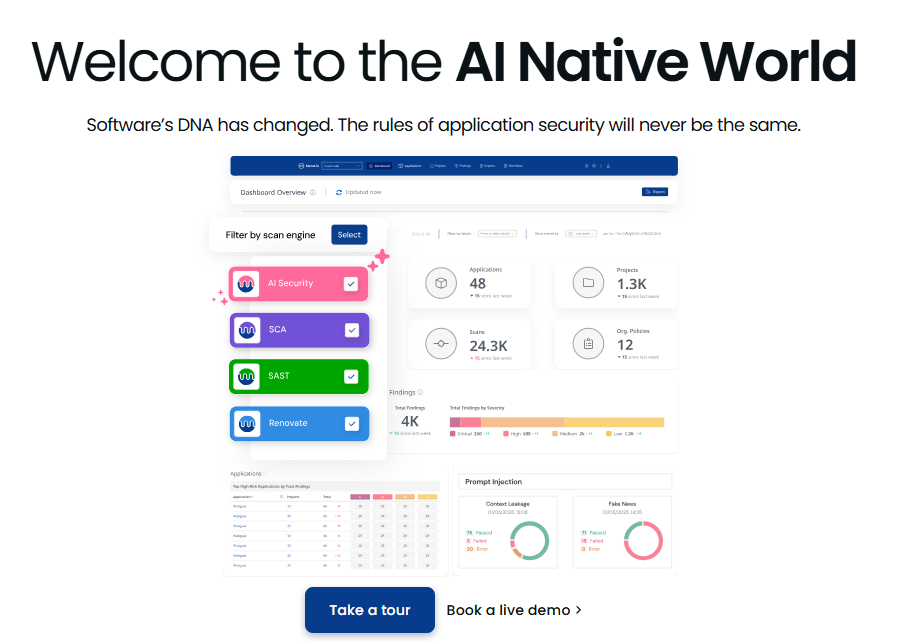
Mend.io focuses primarily on securing open-source dependencies rather than reviewing proprietary application logic. It continuously scans libraries for known vulnerabilities and license risks. This makes it a complementary tool rather than a full replacement for AI code review.
The platform automates remediation guidance by recommending patches and safer dependency versions. Its strength lies in code governance and compliance for open-source usage. However, it does not analyze business logic or code structure in depth.
Key strengths:
- Dependency vulnerability detection
- License compliance monitoring
- Automated patch recommendations
Best for: Teams heavily reliant on open-source libraries with strict security and compliance needs.
4. OpenAI Extensions for Azure DevOps
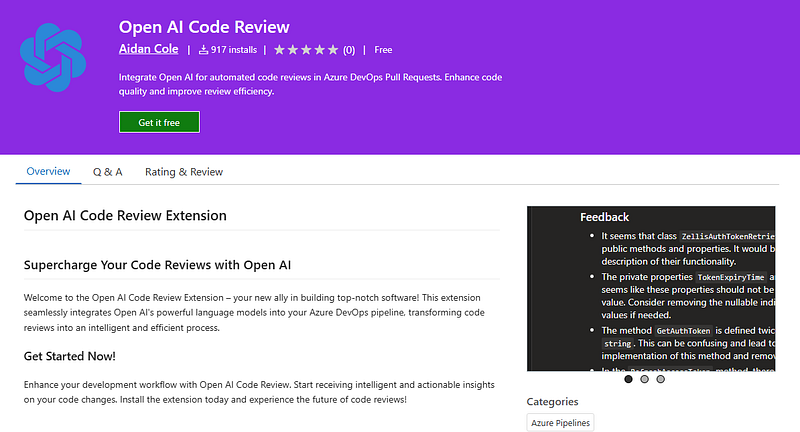
OpenAI-based Azure DevOps extensions provide generalized AI-driven pull request reviews. They analyze logic errors, code quality issues, and potential bugs across repositories. Feedback is injected directly into PR threads and, in some cases, IDEs.
These extensions require minimal configuration and can scale across multiple teams quickly. They offer broad, language-agnostic insights rather than deeply customized rule sets. The approach favors coverage and convenience over precision tuning.
Key strengths:
- Automated review of logic and code quality
- Direct feedback in PRs and IDEs
- Minimal setup and broad applicability
Best for: Teams seeking hands-off, generalized AI feedback across many repositories.
5. Diamond (via Graphite)
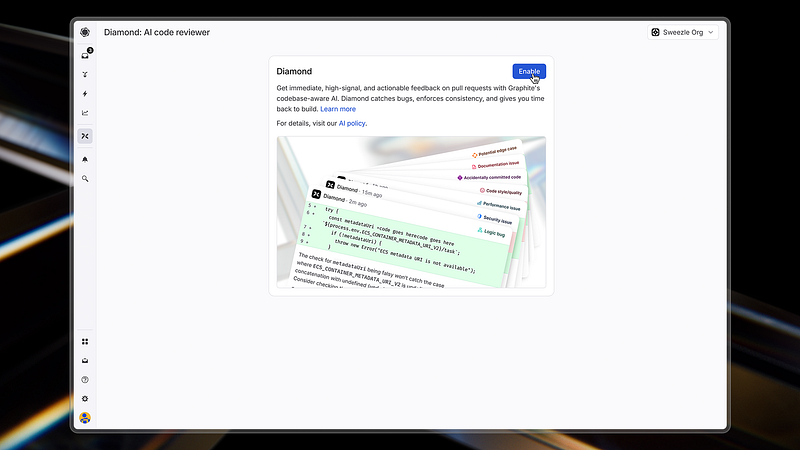
Diamond delivers instant pull request feedback with an emphasis on simplicity and speed. It requires little to no configuration, enabling teams to adopt it quickly. Privacy is a core design consideration, appealing to security-conscious organizations.
The tool avoids complex dashboards and rule management in favor of immediate, actionable insights. Its lightweight nature makes it easy to integrate into existing workflows. Diamond is optimized for fast iteration rather than deep customization.
Key strengths:
- Instant PR feedback
- Minimal configuration and setup
- Strong privacy focus
Best for: Teams that want fast feedback without managing complex rules or analytics.
6. CodeRabbit
CodeRabbit provides contextual AI-driven feedback directly within pull requests. It generates PR summaries, suggests fixes, and enables conversational interaction with the review output. This encourages faster understanding and resolution of issues.
CodeRabbit is designed to enhance collaboration rather than replace human reviewers. Its interactive chat model helps developers clarify feedback in real time. This makes reviews more engaging and less transactional.
Key strengths:
- Context-aware PR feedback
- Automated summaries and fix suggestions
- Interactive chat within pull requests
Best for: Teams that value collaborative, interactive reviews and rapid iteration.
7. Bito AI
Bito AI integrates directly into IDEs as well as pull request workflows. It surfaces bugs, vulnerabilities, and best practices while developers are actively writing code. This supports early detection and reduces downstream review friction.
The platform emphasizes incremental feedback rather than end-of-cycle analysis. By operating inside the coding environment, it shortens the feedback loop significantly. This approach aligns well with developer-centric productivity models.
Key strengths:
- IDE and PR workflow integration
- Detection of bugs, vulnerabilities, and best practices
- Continuous, incremental feedback
Best for: Developers who want real-time guidance directly in their coding environment.
8. DeepCode (Snyk Code)
DeepCode (now under Snyk) applies machine learning to analyze code and detect bugs, vulnerabilities, and best-practice violations. It scans pull requests and commits, offering suggestions that help improve quality and reduce security risk. The engine continually learns from a vast corpus of open-source code patterns to increase coverage and accuracy.
Its integration spans popular repositories and DevOps workflows, making it non-disruptive to existing processes. Feedback is presented inline, helping reviewers focus on substantive logic issues rather than surface problems. Real-time reporting accelerates remediation cycles for development teams.
Key strengths:
- AI-driven code and vulnerability detection
- Inline suggestions across multiple languages
- Continuous learning from open-source patterns
Best for: Teams seeking real-time, AI-enhanced code quality and security feedback.
9. Semgrep
Semgrep is an open-source static analysis and rule-based code review tool that can be extended with AI or custom rules. It identifies security vulnerabilities, enforce standards, and prevents insecure patterns early. Its flexible configuration enables teams to tailor rules to their own guidelines.
The tool integrates into CI/CD pipelines and pull requests, providing fast automated checks. It supports many languages and focuses on actionable, precise findings rather than generic suggestions. Since it’s open source, teams can adapt it without vendor lock-in.
Key strengths:
- Highly customizable rule engine
- Fast CI/CD integration for PR checks
- Precision-oriented vulnerability detection
Best for: Security-conscious and DevSecOps teams requiring fine-tuned rules.
10. Qodo
Qodo (formerly Codium) is an AI code review assistant that operates both inside IDEs and across pull requests. It provides contextually aware insights, helping developers catch logical errors and quality issues early in the lifecycle. Qodo integrates with Git and CI/CD systems to insert feedback into workflows.
Qodo, the platform, combines automated review with context from existing code and change history. This enables more relevant suggestions that align with the codebase’s structure. The end result is reduced manual review overhead and faster PR throughput.
Key strengths:
- Context-aware code analysis
- IDE and CI/CD integration
- Automated feedback on PRs
Best for: Teams wanting deeper review context and integrated quality feedback.
11. CodeScene
CodeScene applies behavioral code analysis and machine learning to detect code hotspots, technical debt, and risk areas that typical linters might miss. It uses repository history and key metrics, not just syntax, to highlight where maintenance costs are rising. This longitudinal view enables teams to prioritize refactoring where it matters most.
By automating code health insights and correlating with developer behavior, CodeScene helps engineering leaders make strategic decisions. It integrates into pull requests with feedback and risk predictions. This makes it useful as both an AI coding assistant and a project health monitor.
Key strengths:
- Risk and hotspot detection
- Technical debt insights
- Repository-wide historical analysis
Best for: Teams seeking strategic code health visibility alongside automated reviews.
Your AI Code Review Agent
Panto reviews every pull request with business context, architectural awareness, and consistent standards—so teams ship faster without hidden risk.
- ✓ Aligns business intent with code changes
- ✓ Catches bugs and risk in minutes, not days
- ✓ Hallucination-free, consistent reviews on every commit
Comparison Overview of AI Code Review Tools for Azure Devops
| Tool | Core Focus | Key Strengths | Best For |
|---|---|---|---|
| 1. Panto AI | Real-time PR quality & compliance reviews in Azure DevOps | Real-time PR analysis, prescriptive feedback, customizable rules, lightweight reporting | SMB / mid-market teams needing consistent, high-quality reviews with minimal overhead |
| 2. CodeAnt AI | Machine learning-driven code quality & security in Azure DevOps | Real-time feedback, SAST & secret scanning, security dashboards, wide language support | Teams requiring strong security coverage alongside automated reviews |
| 3. Mend.io | Open-source dependency security and governance | Dependency vulnerability detection, license compliance, patch recommendations | Teams reliant on open-source libraries with strict security/compliance |
| 4. OpenAI Extensions for Azure DevOps | Generalized AI feedback on code quality, logic, bugs | Logic error detection, code quality insights, minimal setup | Teams seeking broad, hands-off AI feedback across repos |
| 5. Diamond (via Graphite) | Instant feedback with simplicity and privacy | Instant PR feedback, minimal configuration, privacy focus | Teams that want fast insights without complex rules or dashboards |
| 6. CodeRabbit | Contextual AI guidance and interactive review | Context-aware feedback, PR summaries, collaborative chat | Teams valuing interactive reviews and quick fix suggestions |
| 7. Bito AI | Developer-centric feedback inside IDEs and PR workflows | IDE integration, incremental feedback, vulnerability detection | Developers wanting real-time guidance in their coding environment |
| 8. DeepCode (Snyk Code) | AI-driven code and vulnerability detection | ML-driven suggestions, inline insights, learning from patterns | Teams seeking real-time AI quality + security feedback |
| 9. Semgrep | Rule-based static analysis with customizability | Highly customizable rules, fast CI/CD integration, precision detection | DevSecOps teams requiring adaptable rules and security focus |
| 10. Qodo | Context-aware code analysis across IDE & PR | Contextual insights, IDE + CI/CD integration, automated feedback | Teams wanting deeper code context and integrated suggestions |
| 11. CodeScene | Behavioral code analysis & technical debt insights | Hotspot detection, risk & history analysis, project health | Teams needing strategic code health visibility alongside reviews |
How to Choose the Right Azure DevOps Code Review Tool
- Match the tool to team size and stack (especially for teams of 5–50 developers)
- Prioritize actionable insights over noisy dashboards
- Treat secret scanning as non-negotiable
- Ensure native PR and IDE integration
- Choose flexible customization for different repositories
How to Automate Code Reviews in Azure DevOps
- Install your AI code review tool from the Azure DevOps Marketplace
- Connect your organization and repositories
- Configure access tokens and service hooks
- Customize review rules and security policies
- Monitor results and iterate as standards evolve
AI code review tools reinforce best practices in context, helping junior developers ramp faster while giving senior engineers consistent, high-quality feedback. By removing review bottlenecks and subjective standards, teams collaborate more effectively and maintain a healthier engineering culture.
Final Thoughts
AI code review tools for Azure DevOps are no longer optional for modern engineering teams. They reduce pull request cycle times, enforce consistent quality standards, and give leaders the visibility needed to scale development efficiently.
Invest in solutions like Panto AI, CodeAnt or Qodo that prioritize actionable feedback, seamless integration, and security-first reviews. The payoff is faster delivery, higher-quality code, and a code review culture built for growth.
FAQ’S
Q: What is AI code review in Azure DevOps?
A: AI code review automatically analyzes pull request diffs and related context to identify bugs, security issues, style violations, and potential improvements. Findings are typically posted as inline comments and summary reports directly inside the pull request before code is merged.
Q: Can AI reviews run automatically on every pull request?
A: Yes. Most tools integrate with Azure DevOps using extensions, webhooks, or pipeline tasks. Reviews can automatically run whenever a pull request is opened or updated, and results are published directly within the PR interface.
Q: How do I avoid noisy or low-quality suggestions from an AI reviewer?
A: Begin with non-blocking mode and tune severity thresholds and rule scopes. Evaluate the tool on a representative sample of about 25–50 pull requests, whitelist or blacklist noisy patterns, and refine rule configurations before enforcing stricter review policies.
Q: Will AI reviewers find security issues or only style problems?
A: Modern AI review platforms combine static analysis, pattern detection, and machine learning models. They can identify security vulnerabilities such as exposed secrets or insecure patterns, along with correctness, maintainability, and stylistic issues.
Q: How do AI tools handle proprietary or sensitive code?
A: Data handling varies by vendor. Some tools analyze code in cloud environments, while others support on-premises or private cloud deployments. Teams should review the vendor’s policies on security, telemetry, and data residency before enabling automated reviews.
Q: What is an AI code review agent and how is it different from a linter?
A: An AI code review agent behaves like an automated reviewer that understands pull request intent and context. It can generate human-readable explanations, prioritize issues by impact, and suggest code changes. Linters, by contrast, rely on static rules focused primarily on syntax and formatting checks.
Q: Which metrics should teams track to measure AI code review impact?
A: Key metrics include pull request cycle time (time-to-merge), the number of review iterations per PR, false-positive rates, security issues detected before merge versus after release, and developer adoption rates across pull requests.
Q: Can AI tools automatically fix issues or create follow-up commits?
A: Some platforms can automatically apply low-risk fixes such as formatting corrections or simple refactors in a separate commit or branch. For more complex changes, most tools provide suggested fixes for developers to review rather than automatically modifying production code.
Q: How should teams choose an AI code review tool?
A: Teams should select a tool that integrates natively with their existing development stack and workflows. Important factors include pull request integration, security and data residency options, false-positive rates on real repositories, and the ability to roll out gradually with customizable rules.
Q: How quickly will teams see value from AI pull request reviews?
A: Teams usually see immediate qualitative benefits such as faster feedback cycles and improved reviewer throughput. Quantitative improvements—such as reduced cycle time and fewer post-release defects—typically appear within four to eight weeks once rules are tuned and developers adopt the workflow.