

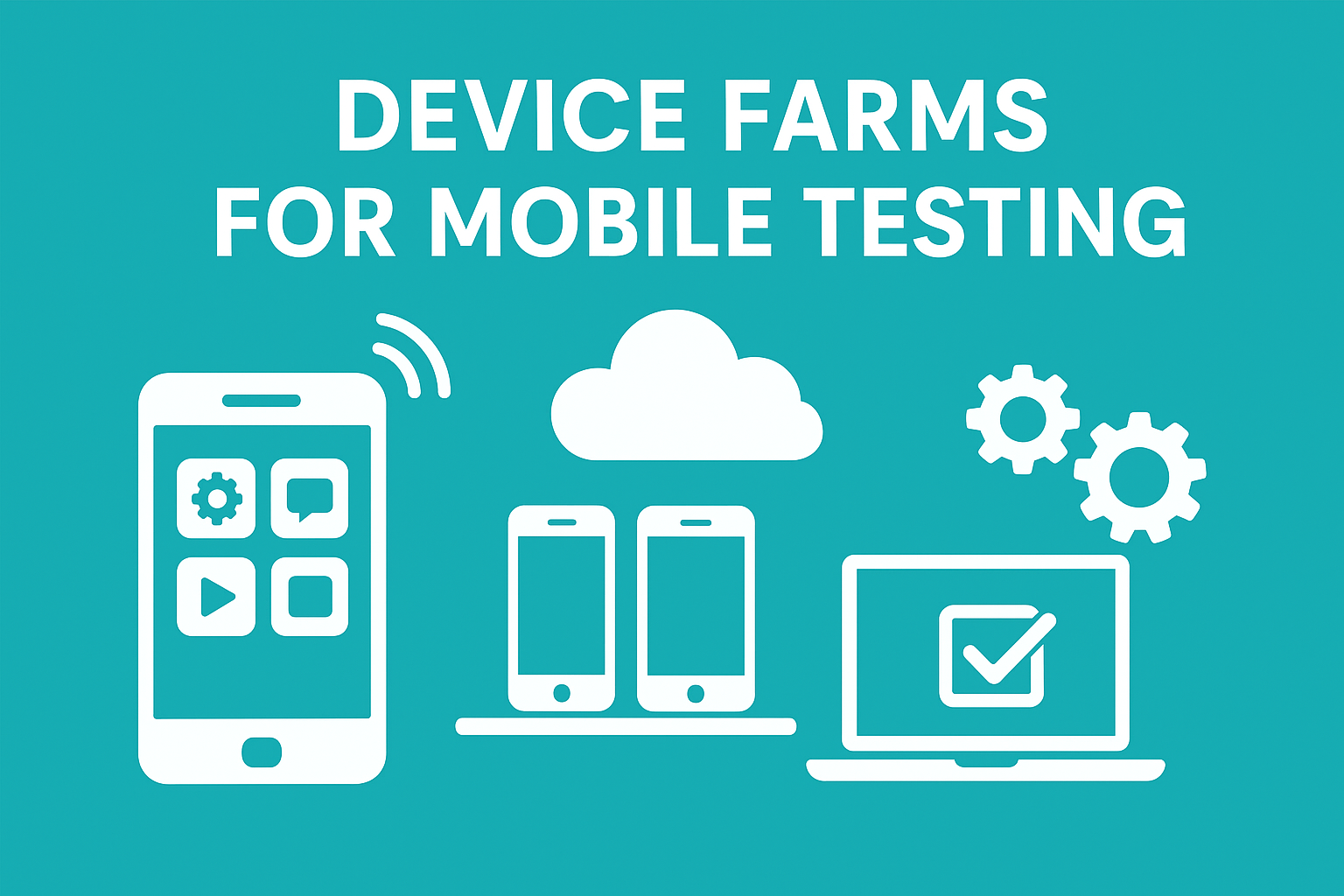

Mobile testing has become critical in app development due to device fragmentation across manufacturers. Device farms provide the practical solution for comprehensive testing coverage without expensive on-premise infrastructure.
Cloud-based device farms eliminate setup prices and provide instant access to thousands of real devices. Teams can test on the latest Android and iOS versions simultaneously, accelerating release cycles and improving app quality.
Key Tools
- BrowserStack: Cloud-based device farm testing platform for teams needing broad real-device mobile coverage at scale.
- LambdaTest: Cost-effective mobile device farm testing tool for QA teams needing fast cross-device execution.
- Sauce Labs: Enterprise device farm platform for teams running large-scale mobile and cross-browser testing programs.
- Firebase Test Lab: Google’s device farm testing solution for Android-first teams using Play Store workflows.
- Kobiton: AI-powered device farm platform for teams automating mobile tests on real devices quickly.
- AWS Device Farm: AWS-native mobile device farm testing service for teams already using Amazon infrastructure.
- Perfecto: Enterprise device farm testing platform for regulated teams needing secure mobile QA coverage.
- Bitbar: Automation-first device farm testing tool for DevOps teams running scalable mobile regression suites.
- HeadSpin: Performance-focused device farm platform for mobile teams analyzing real-world app behavior.
- Genymotion Cloud: Scalable Android device farm testing platform for fast CI/CD automation and emulation.
Top 10 Device Farms for Mobile Testing
1. BrowserStack
Overview and Key Strengths
BrowserStack operates one of the largest real device clouds in the industry. The platform offers access to 3000+ devices with continuous updates to include the latest models.
The platform is renowned for its intuitive interface and fast setup process. Teams can achieve immediate productivity without extensive training or infrastructure configuration.
BrowserStack excels at delivering hands-on testing experiences with real devices. Manual QA dashboards require minimal training, allowing developers to start testing within seconds.
The platform eliminates complex setup processes, letting QA engineers focus on actual testing. Infrastructure management becomes someone else’s responsibility entirely.
Core Features
- Real device cloud — 3000+ devices including latest iPhones and Android phones
- Instant access — No queues; pick a device and test immediately
- Parallel testing — Run automated tests simultaneously across multiple devices
- Zero-cost setup — No maintenance fees or infrastructure expenses
- Live interactive sessions — Test manually with full device control
- Network simulation — Test under various network conditions and speeds
Testing Capabilities and Integrations
BrowserStack supports Selenium, Cypress, Appium, and Playwright frameworks for test automation. Integration is straightforward for most automation stacks without custom configurations.
The platform hooks directly into Jenkins, GitHub Actions, Bitbucket, and other CI/CD tools. Minimal configuration required means faster integration with existing pipelines.
Video recordings and detailed logs capture every interaction automatically. Teams identify visual bugs and performance issues rapidly through comprehensive debugging tools.
Code inspectors and real-time logs closely mirror browser developer tools functionality. Web developers transitioning to mobile testing find the interface familiar and intuitive.
Pricing Structure
BrowserStack‘s pricing starts at $29/month for manual live testing. Automated testing begins at $129/month with flexible billing based on usage.
Enterprise plans offer custom pricing based on concurrent test slots and usage volumes. Large teams running hundreds of parallel tests receive flexible arrangements.
The per-session billing model provides transparency and cost predictability. Teams avoid surprise charges through clear, straightforward pricing structures.
2. LambdaTest
Platform Overview
LambdaTest has established itself as the most cost-effective option among premium device farms. The platform combines affordability with extensive device coverage effectively.
Both startups and enterprises find LambdaTest attractive for budget-conscious operations. The platform continuously refreshes device inventory with latest Android and iOS models.
LambdaTest prioritizes user experience through an intuitive, streamlined dashboard. Test execution workflows remain simple and accessible to QA teams of all skill levels.
Continuous innovation means new devices are added regularly to the platform. Teams always access the latest flagship models and emerging budget smartphones.
Standout Features
- Real device cloud — Latest and legacy devices across all manufacturers
- AI-powered testing — Automated visual regression testing capabilities included
- Test recording — Session recordings for debugging and team collaboration
- Responsive testing — Switch between portrait and landscape modes during sessions
- Geolocation simulation — Test from different countries for localization verification
- Biometric testing — Fingerprint authentication testing on supported devices
Automation and Scripting Support
LambdaTest supports Appium, Selenium, Cypress, and Playwright across testing frameworks. Flexibility across automation tools prevents vendor lock-in concerns.
CI/CD integration is broader than competitors, supporting AWS CodePipeline, GitLab CI, Azure Pipelines. Complex DevOps workflows integrate seamlessly without additional tooling.
Comprehensive parallel testing capabilities generate intelligent reports automatically. Failures and bottlenecks are highlighted automatically without manual analysis.
Advanced filtering options enable quick identification of critical device-specific issues. User experience problems affecting specific device variants become obvious quickly.
Pricing and Plans
LambdaTest starts at $15/month for basic live testing subscriptions. Automated testing begins around $99/month for teams needing scripted automation.
Pricing is generally 20-30% lower than competitors with similar feature sets. Budget-conscious teams and growing organizations find exceptional value here.
Pricing Comparison with Competitors
LambdaTest undercuts BrowserStack pricing by approximately 50% for equivalent features. Cost savings accumulate significantly for teams running intensive testing campaigns.
Sauce Labs pricing is 2-3x higher than LambdaTest for similar capabilities. Cost differences matter for startups with limited QA budgets.
3. Sauce Labs
Enterprise-Grade Testing Solution
Sauce Labs caters primarily to large enterprises requiring sophisticated testing infrastructure. The platform combines real devices with virtual machines effectively.
Flexibility in debugging approaches allows mixing physical devices with emulators strategically. Massive parallel test execution supports hundreds of concurrent sessions.
Sauce Labs has built a strong reputation for reliability and performance in enterprise environments. Infrastructure design supports mission-critical testing operations.
Uptime guarantees and redundancy mechanisms ensure testing pipelines remain uninterrupted. Peak load periods don’t cause system degradation or test failures.
Key Differentiators
- Real and virtual devices — Mix physical devices with emulators based on needs
- Advanced analytics — 130+ performance KPIs and detailed performance monitoring
- Secure testing — SOC 2 and ISO 27001 compliance certifications included
- Network data capture — Inspect network traffic for API and backend issues
- Video capture — Automatic recording of all test executions with replay
- Debugging tools — Code inspector and comprehensive log analysis
Framework Support and Integrations
Sauce Labs supports Selenium, Appium, Cypress, Playwright, and Espresso. Coverage spans virtually all major automation frameworks.
Deep integration with enterprise DevOps ecosystems is a major strength. Complex CI/CD pipelines and test management systems like TestRail integrate smoothly.
Analytics dashboards provide actionable insights into test flakiness and bottlenecks. Coverage gaps become obvious through comprehensive reporting.
Executive dashboards summarize testing metrics for stakeholder reporting effectively. Trend analysis supports data-driven decisions about test strategy.
Pricing Structure
Sauce Labs starts at $39/month for live testing subscriptions. Premium enterprise plans offer custom pricing arrangements.
Higher pricing reflects comprehensive features and extensive compliance certifications. Dedicated support teams required by Fortune 500 companies justify the cost.
4. Firebase Test Lab
Google’s Testing Infrastructure
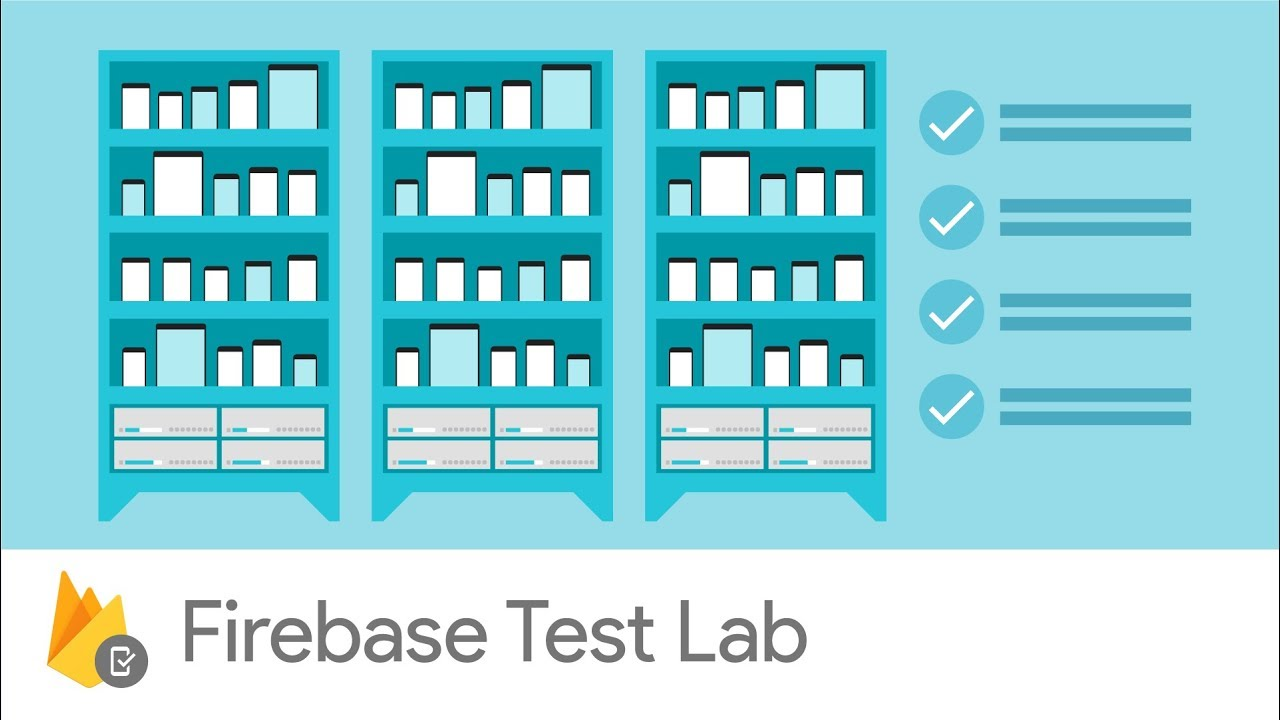
Firebase Test Lab is Google’s native answer to mobile app test case generation. Deep integration with Google Play ecosystem is a major advantage.
The platform offers attractive free tier access for new developers. Per-device-per-hour pricing makes it ideal for indie developers and small teams.
Especially suitable for Android and iOS apps targeting Play Store distribution. Tight integration with Google Play Store enables pre-launch testing automatically.
Developers run pre-launch tests automatically when publishing to Beta and Alpha channels. Seamless workflow reduces automation overhead significantly.
This integration accelerates time-to-market for mobile applications considerably.
Notable Features
- Free tier — 10 tests per day on virtual devices, 5 on real devices
- Android and iOS support — Native support for both platforms equally
- Multiple test types — Robo tests, instrumentation tests, and game loop tests
- Play Store integration — Automated pre-launch reports when publishing apps
- Rich results — Videos, logs, screenshots, and crash reports included
- Performance metrics — CPU, memory, and battery usage monitoring available
Testing Capabilities
Firebase Test Lab simplifies test execution through Android Studio and CLI tools. Accessibility for Google tools-familiar developers is excellent.
Free pre-launch reports in Play Store provide valuable feedback without cost. Limited to 5-minute Robo tests for automated exploration only.
Automatic debugging across device configurations ensures comprehensive coverage. Testing spans variants and locales for Play Store distribution.
Robo testing automatically explores app interfaces without manual scripts. Clicking buttons and navigating screens uncovers crashes and basic functionality issues.
Pricing and Usage
Firebase operates on Spark (free) and Blaze (usage-based) pricing modules. Free tier includes 10 virtual and 5 physical device tests daily.
Paid usage costs $1 per device per hour for virtual devices. Real devices cost $5 per device per hour.
Cost-effective for teams with controlled testing volumes and budget constraints.
5. Kobiton
AI-Driven Mobile Testing Platform
Kobiton combines real device access with AI-powered testing capabilities effectively. Offering a middle ground between traditional and automated testing.
The platform emphasizes developer experience and QA team productivity equally. Intelligent automation features reduce manual testing overhead significantly.
Kobiton‘s AI engine learns from previous test execution patterns continuously. Smarter test generation and faster debugging cycles result from machine learning.
The platform positions itself as the solution for teams seeking efficiency. Reducing testing time without sacrificing coverage quality or maintainability.
Key Capabilities
- Real device access — 500+ devices with popular OS versions available
- AI-driven automation — Appium script generation without manual coding required
- Self-healing tests — Automatic test adjustment to UI changes instantly
- Manual and automated — Both testing modes on the same platform available
- Visual testing — AI-powered visual regression detection included
- Performance validation — Test responsiveness and load times comprehensively
Developer Experience and Automation
Kobiton’s no-code automation generates Appium scripts automatically. Technical barriers for QA teams reduce significantly.
Self-healing capability adapts tests to minor UI changes automatically. Flaky test maintenance overhead decreases compared to traditional frameworks.
Unlimited parallel test sessions work across all plans effectively. Unlimited users enable large teams to execute tests concurrently.
Script-less automation democratizes mobile testing across teams. Non-technical QA professionals create and maintain complex test scenarios.
Pricing Options
Kobiton starts at $83/month (Startup: 500 mins/month) for smaller teams. Scaling to $399/month (Accelerate: 3,000 mins/month) for larger operations.
Enterprise plans provide unlimited monthly minutes with dedicated devices. On-premises deployment options suit strict data residency requirements.
Suitable for organizations with intensive debugging requirements.
6. AWS Device Farm
Cloud-Based Mobile Testing
AWS Device Farm is Amazon’s cloud-based mobile testing platform that allows developers to test apps across a large selection of real Android and iOS devices hosted in AWS infrastructure.
It integrates tightly with the broader AWS ecosystem, making it ideal for teams already using AWS services like CodePipeline, CodeBuild, and S3.
Developers can upload their app, run automated tests, and receive detailed logs, videos, and performance metrics for each device session.
Key Features
- Real device testing — access dozens of real Android and iOS devices
- AWS ecosystem integration — works seamlessly with AWS CI/CD services
- Automated testing — supports Appium, Espresso, and XCTest
- Video and log capture — detailed debugging data for every test run
- Parallel execution — run tests across multiple devices simultaneously
- Custom test frameworks — upload custom scripts or frameworks
Automation Support
AWS Device Farm supports several major automation frameworks including:
- Appium
- Espresso
- XCTest
- Calabash
Developers can run tests through AWS CLI or integrate them directly into CI/CD pipelines using AWS services.
Pricing
AWS Device Farm offers two pricing models:
- Pay-as-you-go: $0.17 per device minute
- Unlimited device slots: starting around $250/month per slot
The flexible pricing structure makes it suitable for both small projects and enterprise workloads.
7. Perfecto (Perforce)

Enterprise-grade QA
Perfecto is an enterprise-grade mobile and web testing platform owned by Perforce. It offers a large cloud-based device lab combined with advanced analytics and automation capabilities.
Perfecto is widely used by large enterprises requiring strong security and compliance, and advanced testing insights.
The platform supports testing across real devices, browsers, and operating systems in a unified testing environment.
Core Capabilities
- Real device cloud — wide selection of Android and iOS devices
- Advanced analytics dashboards — detailed testing insights
- Smart reporting — AI-powered root cause analysis
- Network virtualization — simulate real-world network conditions
- CI/CD integrations — Jenkins, Azure DevOps, GitHub, and more
- Performance monitoring — real-time metrics for mobile performance
Enterprise Strengths
Perfecto is particularly strong in regulated industries such as finance, healthcare, and telecom.
Security features include:
- SOC 2 compliance
- Secure access controls
- Private device clouds
These capabilities make it a preferred platform for organizations with strict governance requirements.
Pricing
Perfecto pricing is enterprise-focused and typically provided through custom quotes depending on:
- device concurrency
- testing minutes
- automation requirements
8. Bitbar (SmartBear)
Cloud-based Testing
Bitbar, developed by SmartBear, provides scalable cloud-based testing across real mobile devices and browsers.
The platform focuses heavily on automation-first testing, making it popular among DevOps teams implementing large automated testing pipelines.
Bitbar enables developers to execute automated tests across hundreds of devices simultaneously.
Key Features
- Real device testing cloud — Android and iOS device coverage
- Automation-first design — optimized for CI/CD pipelines
- Parallel test execution — run hundreds of tests concurrently
- Automated test scheduling — run tests after builds automatically
- Test result analytics — centralized dashboards and reports
- Integration support — Jenkins, CircleCI, GitHub Actions
Automation Framework Support
Bitbar supports:
This flexibility allows teams to use existing automation scripts without major modifications.
Pricing
Bitbar pricing is typically usage-based, with plans based on:
- concurrent devices
- automation minutes
- device access levels
Enterprise deployments often include dedicated device pools.
9. HeadSpin

Performance Testing and Monitoring
HeadSpin is a specialized mobile automation testing platform focusing heavily on performance testing and real-world user experience monitoring.
Unlike traditional device farms that primarily focus on functional testing, HeadSpin emphasizes network performance, latency analysis, and user experience diagnostics.
Companies developing performance-sensitive apps such as fintech, streaming platforms, and gaming apps frequently adopt HeadSpin.
Key Capabilities
- Global device infrastructure — devices located in multiple countries
- Real network testing — simulate real carrier networks
- Performance diagnostics — detect latency and bottlenecks
- Video session analytics — visual debugging tools
- API monitoring — backend performance insights
- Automated testing support — integrate with Appium and Selenium
Unique Strength
HeadSpin’s biggest differentiator is real-world network simulation.
Teams can test apps under conditions such as:
- slow cellular networks
- carrier-level packet loss
- high latency regions
This provides insights that most device farms cannot replicate.
Pricing
HeadSpin has custom pricing and depends on:
- device concurrency
- geographic locations
- analytics features
Custom enterprise packages are typically required.
10. Genymotion Cloud
Scalable Testing
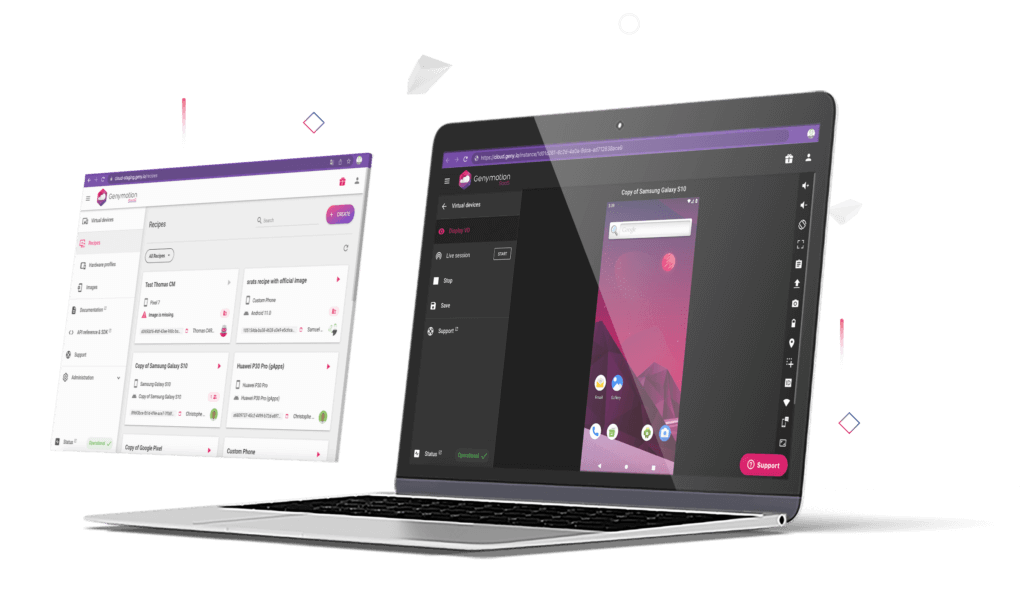
Genymotion Cloud provides a scalable Android testing platform built primarily around high-performance Android virtual devices.
Unlike traditional device farms focused exclusively on physical hardware, Genymotion focuses on fast emulator-based testing at scale.
The platform runs on AWS and Google Cloud infrastructure, making it highly scalable and suitable for large automated testing environments.
Notable Features
- Android virtual devices in the cloud
- Fast startup times for automated test environments
- CI/CD integration with Jenkins and GitHub Actions
- Appium and Espresso support
- Sensor simulation — GPS, camera, battery, network conditions
- High parallel scalability for automation pipelines
Use Cases
Genymotion Cloud is especially useful for:
- rapid automated testing during CI/CD pipelines
- large regression suites
- early-stage testing before running on real devices
Many teams combine Genymotion with real-device farms for full coverage.
Pricing
Genymotion Cloud pricing typically starts around:
- $0.05 per minute for virtual device usage
Pricing varies based on:
- cloud provider
- device configurations
- concurrency levels
Comparison Matrix: Side-by-Side Analysis
The following comparison table summarizes the key differences between the leading mobile device farm platforms across pricing, automation capabilities, integrations, and testing features.
| Feature | BrowserStack | LambdaTest | Sauce Labs | Firebase Test Lab | Kobiton | AWS Device Farm | Perfecto | Bitbar | HeadSpin | Genymotion Cloud |
|---|---|---|---|---|---|---|---|---|---|---|
| Real Devices | 3000+ | 2000+ | Real + Virtual | 500+ | 500+ | 100+ | Large pool | Large pool | Global devices | Virtual Android |
| Manual Testing | Yes | Yes | Yes | No | Yes | Limited | Yes | Limited | Yes | No |
| Automation Support | Selenium, Appium, Playwright | Selenium, Appium, Cypress | Selenium, Appium, Cypress | Robo, Instrumentation | Appium, No-code | Appium, Espresso, XCTest | Selenium, Appium | Appium, Selenium | Appium, Selenium | Appium, Espresso |
| Parallel Execution | Yes | Yes | Hundreds | Yes | Unlimited | Yes | Yes | High scale | Yes | Massive scale |
| Video Recording | Yes | Yes | Yes | Yes | Yes | Yes | Yes | Yes | Yes | Limited |
| Starting Price | $29/mo | $15/mo | $39/mo | Free tier | $83/mo | Pay-as-you-go | Enterprise | Usage-based | Enterprise | ~$0.05/min |
| Best For | Ease of use | Budget teams | Enterprise testing | Play Store apps | AI automation | AWS users | Regulated enterprises | Automation pipelines | Performance testing | CI/CD automation |
| CI/CD Integrations | 10+ | 12+ | 8+ | GCP native | Major platforms | AWS native | Enterprise DevOps | CI/CD friendly | DevOps integrations | Jenkins, GitHub |
| Free Tier / Trial | Yes | Yes | Yes | 5–10 daily tests | Yes | Trial credits | Demo | Trial | Demo | Trial |
| Network Simulation | Yes | Yes | Yes | Yes | Yes | Basic | Advanced | Basic | Advanced | Yes |
| Compliance | Encrypted sessions | SOC 2 | SOC 2, ISO 27001 | Google Cloud | SOC 2 compatible | AWS compliance | Enterprise security | Enterprise security | Enterprise security | Cloud compliance |
| Geolocation Testing | Yes | Yes | Yes | Yes | Yes | Limited | Yes | Limited | Yes | Limited |
| Performance Metrics | Logs, screenshots | AI analytics | 130+ KPIs | CPU, memory | Performance tools | Basic metrics | Advanced analytics | Test analytics | Deep diagnostics | Basic metrics |
Conclusion
Selecting the right device farm depends on your team’s specific needs and budget constraints. BrowserStack offers the fastest setup, LambdaTest delivers the best value, and Sauce Labs provides enterprise-grade features for large organizations.
Firebase Test Lab excels for Play Store developers with a generous free tier, while Kobiton leads in AI-powered automation. Each platform has proven its value across thousands of development teams worldwide.
FAQ’s
Q: What is a device farm?
A device farm is a cloud-based platform that provides remote access to real mobile devices for testing and debugging. Instead of maintaining an in-house device lab, teams run tests on physical Android and iOS devices hosted by providers such as BrowserStack, LambdaTest, or Sauce Labs. This eliminates hardware procurement, maintenance overhead, and device lifecycle management.
Q: Why are real devices better than emulators?
Emulators simulate operating systems but cannot accurately replicate real-world hardware conditions. Real devices expose issues related to memory constraints, CPU throttling, battery behavior, biometric authentication, and physical sensors. Network variability (3G, 4G, 5G), carrier-level latency, and device-specific UI rendering inconsistencies are only detectable on physical hardware.
Q: How do device farms reduce infrastructure costs?
Maintaining an on-premise lab requires purchasing multiple flagship and legacy devices, replacing outdated models, and allocating engineering time for maintenance. Device farms operate on subscription or usage-based pricing, allowing teams to scale testing capacity dynamically without capital expenditure. This shifts QA infrastructure from CapEx to OpEx.
Q: Which device farm is best for startups?
Budget-conscious teams often choose LambdaTest due to its lower entry pricing and broad automation framework support. It provides real device coverage, CI/CD integrations, and parallel execution at a competitive cost, making it suitable for early-stage teams optimizing burn rate.
Q: Which device farm is best for enterprise teams?
Large organizations typically evaluate Sauce Labs for its compliance certifications (SOC 2, ISO 27001), advanced analytics dashboards, and enterprise-grade DevOps integrations. Enterprises with strict governance or audit requirements often prioritize these capabilities over pricing alone.
Q: Is there a free device farm option?
Firebase Test Lab offers a free tier with limited daily tests on virtual and physical devices. It is especially valuable for Android teams publishing through the Google Play ecosystem due to its native integration with Play Store pre-launch reports.
Q: Can device farms run automated tests?
Yes. Most leading platforms support frameworks such as Selenium, Appium, Cypress, and Playwright. For example, BrowserStack and Kobiton enable parallel automation across multiple devices, significantly reducing regression cycle time.
Q: What is parallel execution in device farms?
Parallel execution allows teams to run the same automated test suite across multiple device configurations simultaneously. Instead of sequential execution taking hours, tests complete in minutes across dozens or hundreds of devices, accelerating CI/CD feedback loops.
Q: Are device farms secure for proprietary apps?
Enterprise-grade providers implement encrypted sessions, role-based access control, and compliance certifications. Vendors such as Sauce Labs and Kobiton offer additional security controls, including private device clouds and on-premise deployment options for regulated industries.
Q: How do I choose the right device farm?
Selection depends on testing scope, automation maturity, compliance needs, and budget. Teams focused on rapid setup may prefer BrowserStack. Cost-sensitive organizations often lean toward LambdaTest. Enterprises requiring strict compliance and deep analytics may evaluate Sauce Labs. Android-first teams targeting Play Store releases should consider Firebase Test Lab.
Q: Do device farms support both manual and automated testing?
Most major platforms support both interactive manual sessions and scripted automation. QA engineers can debug issues in live sessions and then convert findings into automated regression tests for continuous integration workflows.
Q: Is AI becoming part of device farms?
Yes. Platforms such as Kobiton incorporate AI-driven test generation, visual regression detection, and self-healing scripts. These capabilities reduce flaky tests and minimize manual script maintenance, improving long-term QA scalability.



