


Katalon Studio has been a popular low-code tool for test automation across web, mobile, API, and desktop.
Teams now seek Katalon alternatives with deeper AI capabilities, better scalability, and reduced maintenance in 2026.
This guide covers 10 top Katalon alternatives, evaluated on AI depth, execution, and fit for modern QA.
Why Switch from Katalon Studio?
Katalon excels in record-and-playback but struggles with flaky tests, scaling, and AI-driven insights at enterprise levels.
Teams report high maintenance overhead as UIs evolve and suites grow beyond 1,000 tests.
Key pain points include limited self-healing, weak mobile coverage without extras, and dependency on scripting for complex flows.
Common Limitations
- Brittle locators fail 30-40% more often than AI-stabilized alternatives.
- No native risk-based prioritization, leading to 2x longer cycles.
- Cloud execution costs rise non-linearly without intelligent optimization.
What Teams Need Now
Teams need AI test generation from PRs, user sessions, and change impact.
They want self-healing that adapts without manual fixes.
Unified platforms covering web, mobile, API without tool sprawl.
Evaluation criteria mirror 2026 benchmarks: AI maturity, coverage, pricing model, and team fit.
Top 10 Katalon Alternatives
Prioritized by innovation, adoption, and measurable ROI for QA automation. Each Katalon alternative includes core strengths, metrics, and tradeoffs for quick assessment.
1. Panto AI
Best for: AI-Native Test Orchestration
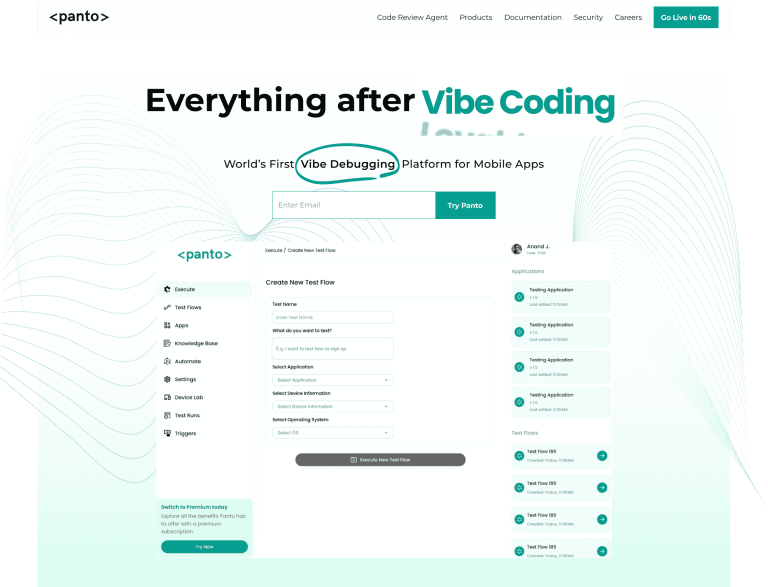
Panto AI is best suited for teams that have outgrown script-based QA and want testing to scale with product complexity rather than headcount.
Instead of asking engineers or QA to author and maintain fragile test cases, Panto treats testing as an orchestration problem—deciding what to test, when to test it, and why it matters based on real change signals.
This makes it especially effective for fast-moving teams shipping mobile and web features continuously, where traditional tools create bottlenecks through flake management and manual upkeep.
Panto’s AI-first architecture allows QA coverage to expand automatically as applications evolve, making it ideal for organizations prioritizing release confidence over raw test counts.
Why It Matters
- Transforms QA into intelligent orchestration, not just automation.
- Reduces churn: tests evolve as apps evolve, preventing flakiness before it breaks the build.
- Enables continuous validation aligned with engineering velocity.
Enhanced Capability Breakdown
- Plain English & diff-driven generation — produces tests from natural language specs and PR deltas.
- Runtime telemetry ingestion — correlates production issues back to test risk signals.
- Self-healing at scale — adapts tests across UI changes, screen sizes, and flows.
- Risk scoring & impact analysis — quantifies which tests matter most per change.
- Mobile-first and distributed execution — stable on real iOS/Android devices.
Pros
- Cuts manual test authoring dramatically, focuses on no code test authoring.
- Reduces flake rates over time via machine learning.
- Aligns tests with business risk automatically.
Cons
- Adoption curve for teams used to manual scripting.
- Usage-based pricing requires code governance.
Pricing: $$ (usage-based)
Ideal for: AI-forward QA teams, continuous delivery orgs
2. Playwright
Best for: Code-First Web Speed
Playwright is best for engineering-led teams that prefer writing tests as code and want maximum execution speed across modern browsers.
Its architecture removes the WebDriver layer entirely, resulting in faster, more deterministic runs compared to legacy tools like Katalon and Selenium-based stacks.
Teams building modern SPAs, APIs, and frontend-heavy products benefit most from Playwright’s tight integration with JavaScript and TypeScript workflows.
However, because it assumes strong developer involvement, Playwright works best in organizations where QA and engineering collaborate closely—or where developers own testing outright.
Deep-Dive Features
- Cross-browser coverage — Chromium, Firefox, WebKit.
- Auto-wait/retry avoids manual synchronization.
- Parallel test execution boosts throughput on CI/CD.
- Visual Trace Viewer — snapshot-based debugging.
- API + UI combined workflows.
Strengths
- Truly developer-centric, designed for code-first teams.
- Test execution speed typically outpaces traditional frameworks.
- Strong TypeScript support.
Weaknesses
- Not ideal for non-coders.
- Requires separate orchestration and analytics layers.
Pricing: $ (Open Source)
Ideal for: JS/TS engineers and dev-led automation
3. Testim
Best for: Stable UI Automation
Testim is best for teams struggling with brittle UI tests and high maintenance overhead due to frequent frontend changes.
Its ML-powered locators make it particularly effective for applications with dynamic DOMs, frequent redesigns, or inconsistent selectors that routinely break traditional QA tests.
It fits well in organizations that want faster authoring through codeless tools while still allowing engineers to extend tests with code when needed.
For teams migrating off recorder-based platforms like Katalon, Testim provides a noticeable stability upgrade without requiring a full shift to code-first automation.
Enhancements
- Smart locators based on DOM/ML pattern recognition.
- Autonomous healing engine that repairs 50%+ UI regressions.
- Hybrid model — codeless for speed, code for power users.
- Failure analytics & trend dashboards.
Use Cases
- UI-heavy apps with frequent frontend redesigns.
- Organizations prioritizing stability over raw performance.
Pricing: $$
Ideal for: Teams focused on robust UI automation
4. BrowserStack
Best for: Cross-Device Execution
BrowserStack is best for teams that need reliable validation across a large matrix of browsers, devices, operating systems, and geographies—without managing their own infrastructure.
It excels as an execution layer rather than a test authoring platform, making it a common complement to frameworks like Playwright, Cypress, and Appium.
Organizations with global user bases, consumer-facing products, or strict device compatibility requirements benefit most.
BrowserStack is often chosen when real-device accuracy matters more than test intelligence or prioritization logic.
Key Enhancements
- Support for 3,000+ real devices / browsers.
- Parallel execution scaling for fast build pipelines.
- Visual regression, logs, and session replay for deep debugging.
- Integrates with most test frameworks (Playwright, Cypress, Selenium, etc.).
Limitations
- Execution-only — no built-in test creation layer.
- Cost scales with concurrency and usage.
Pricing: $$$
Ideal for: Global web/mobile execution at scale
5. Appium
Best for: Open-Source Mobile Automation
Appium is best for teams that require full control over mobile automation and are willing to trade convenience for flexibility.
It supports native, hybrid, and mobile web apps using a single API, making it a foundational choice for teams building custom mobile testing stacks.
This tool fits organizations with strong mobile expertise and DevOps maturity, especially those that want to avoid vendor lock-in or licensing costs.
However, Appium works best when paired with additional tooling to manage flakiness, orchestration, and reporting.
Expanded Value
- Cross-platform parity (iOS + Android) with a single script set.
- Works with many languages: JS, Python, Java.
- Integrates with cloud providers (BrowserStack, Sauce Labs).
Tradeoffs
- Setup and maintenance overhead compared to codeless tools.
- Requires expertise to reduce flakiness.
Pricing: $ (Open Source)
Ideal for: Mobile specialists and toolchain builders
6. Cypress
Best for: Modern JavaScript Applications
Cypress is best for frontend-heavy teams building modern JavaScript applications who value fast feedback loops and interactive debugging.
Its in-browser execution model makes test development highly visual and intuitive, particularly for React, Vue, and Angular applications.
Teams that prioritize developer experience and rapid iteration tend to prefer Cypress, especially during early product development.
That said, its architectural constraints make it less suitable for complex multi-domain flows or highly regulated environments.
Unique Capabilities
- Time-travel debugging shows test execution in snapshots.
- Stubs, mocks, spies out-of-the-box.
- Component-level testing beyond classic E2E.
- Cloud dashboard for team collaboration.
Caveats
- Limited multi-domain/tab support.
- Less suited for legacy or non-SPA environments.
Pricing: $$ (Cloud)
Ideal for: Modern React/Vue/Angular teams
7. Sauce Labs
Best for: Enterprise Compliance
Sauce Labs is best for large enterprises operating in regulated environments where security, auditability, and compliance are non-negotiable.
It provides extensive reporting, governance controls, and enterprise-grade reliability across large test volumes.
Organizations in finance, healthcare, and government often choose Sauce Labs not for speed or innovation, but for assurance—ensuring every test run is traceable, reproducible, and compliant with internal and external requirements.
Key Enterprise Features
- SOC 2 compliant reporting
- AI-assisted visual testing
- Network throttling and geo-emulation
- Large-scale execution handling
When to Choose
- Regulated industries (finance, healthcare, gov’t)
- Large distributed QA teams
Pricing: $$$
Ideal for: Regulated enterprise QA
8. LambdaTest
Best for: Budget Cross-Browser Coverage
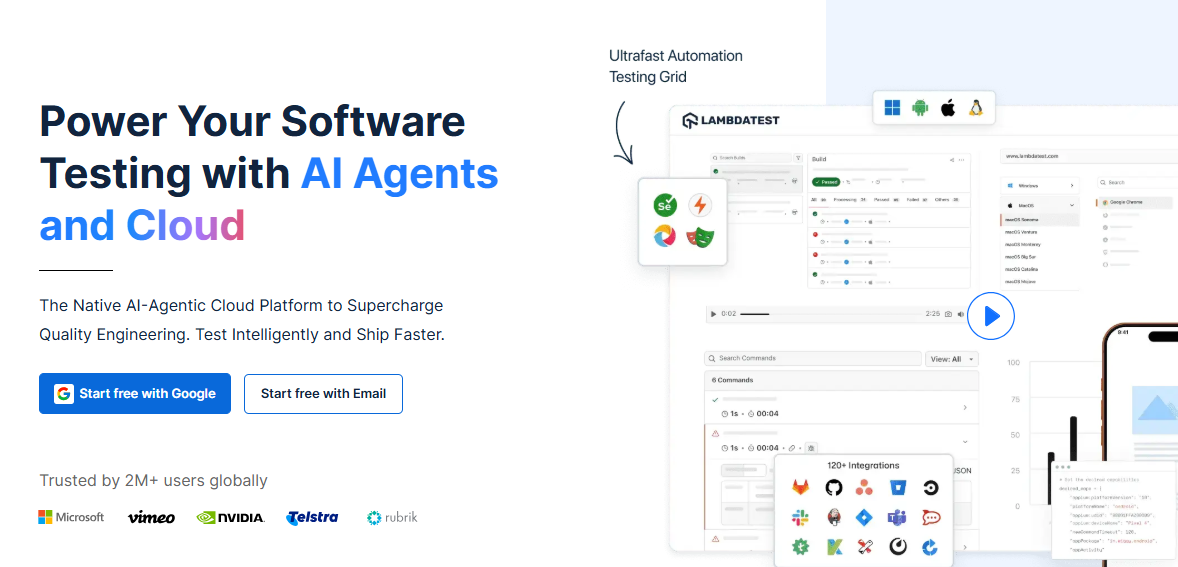
LambdaTest is best for teams that need broad cross-browser and device coverage without enterprise-level pricing.
It offers much of the same execution breadth as BrowserStack, making it attractive to startups and mid-sized companies optimizing for cost efficiency.
It is particularly effective as a drop-in cloud execution platform for Selenium, Cypress, and Playwright users who want faster feedback without committing to higher-tier enterprise contracts.
Highlights
- 3,000+ browser and OS combinations across desktop and mobile
- Screenshot and video diffing for visual validation
- HyperExecute for faster parallel CI runs
- SSO and team management available at lower pricing tiers
- 120+ integrations across CI, test frameworks, and issue trackers
Limitations
- Execution-focused; no native test generation or prioritization
- Limited advanced analytics compared to enterprise platforms
- Visual testing is basic relative to AI-driven alternatives
Pricing: $$
Ideal for: Cost-conscious teams needing broad test coverage without enterprise lock-in
9. TestComplete
Best for: Desktop + Web Automation
TestComplete is best for teams debugging Windows desktop applications alongside web interfaces—an area where most modern tools fall short.
Its object recognition and keyword-driven approach make it well-suited for legacy systems and enterprise software with long life cycles.
Organizations maintaining internal tools, thick-client applications, or hybrid desktop/web products often rely on TestComplete to cover scenarios that browser-only frameworks cannot handle reliably.
Strengths
- AI-assisted object recognition for unstable or legacy UI elements
- Keyword-driven and scripted testing for mixed-skill teams
- Data-driven testing for large input matrices
- Built-in coverage, analytics, and reporting
- Load and performance testing support beyond functional QA
Limitations
- Windows-centric; limited value for web-only teams
- Higher licensing cost compared to browser-first tools
- Slower innovation cadence than cloud-native platforms
Pricing: $$$
Ideal for: Teams with substantial desktop testing needs and hybrid QA skill sets
10. Selenium Grid
Best for: Full On-Prem Control
Selenium Grid is best for teams that require complete control over their test infrastructure, whether for data sovereignty, security policies, or deep customization.
It remains a foundational option for organizations building fully self-hosted QA pipelines.
While it lacks native intelligence or prioritization, Selenium Grid appeals to infrastructure-heavy teams that prefer assembling best-of-breed components and managing complexity internally rather than relying on managed platforms.
Extended Benefits
- Zero vendor lock-in and no licensing costs
| - Massive ecosystem of plugins, drivers, and integrations
- Custom scheduling and node management
- On-premise or private cloud deployment for strict compliance needs
Limitations
- High operational and maintenance overhead
- Requires external tools for analytics, reporting, and prioritization
- Scaling and stability depend heavily on internal DevOps maturity
Pricing: $
Ideal for: Infrastructure-heavy teams with strong DevOps ownership
Comparison Table of Katalon Alternatives
| Tool | AI Score | Coverage | Pricing | Best For | Flake Reduction |
|---|---|---|---|---|---|
| Panto AI | 95/100 | Web/Mobile/API | $$ | AI Orchestration | 60-70% |
| Playwright | 85/100 | Web | $ | Speed | 90% auto-waits |
| Testim | 92/100 | Web/UI | $$ | Stability | 80% faster fixes |
| BrowserStack | 78/100 | All | $$$ | Devices | Parallel scale |
| Appium | 70/100 | Mobile | $ | Native Apps | Extensible |
| Cypress | 88/100 | Web/JS | $$ | Modern Apps | Real-time |
| Sauce Labs | 87/100 | All | $$$ | Enterprise | Compliance |
| LambdaTest | 80/100 | Browser | $$ | Budget | Fast setup |
| TestComplete | 85/100 | Desktop/Web | $$$ | Legacy | AI recognition |
| Selenium | 65/100 | All | $ | Custom | Community |
QA automation in 2026 is no longer about which tool can run the most tests—it’s about which platform helps teams ship with confidence as systems, devices or device farms, and release cycles grow more complex.
Traditional script-heavy approaches like Katalon struggle under this weight, pushing teams toward tools that emphasize stability, intelligence, and scale.
The right alternative depends on how your organization builds software: code-first teams may favor Playwright or Cypress, execution-heavy teams may lean on BrowserStack or LambdaTest, while enterprises optimize for compliance with Sauce Labs.
Increasingly, AI-native platforms like Panto AI point to the next phase of QA—where tests adapt automatically, risk is prioritized continuously, and quality keeps pace with modern product velocity.



