

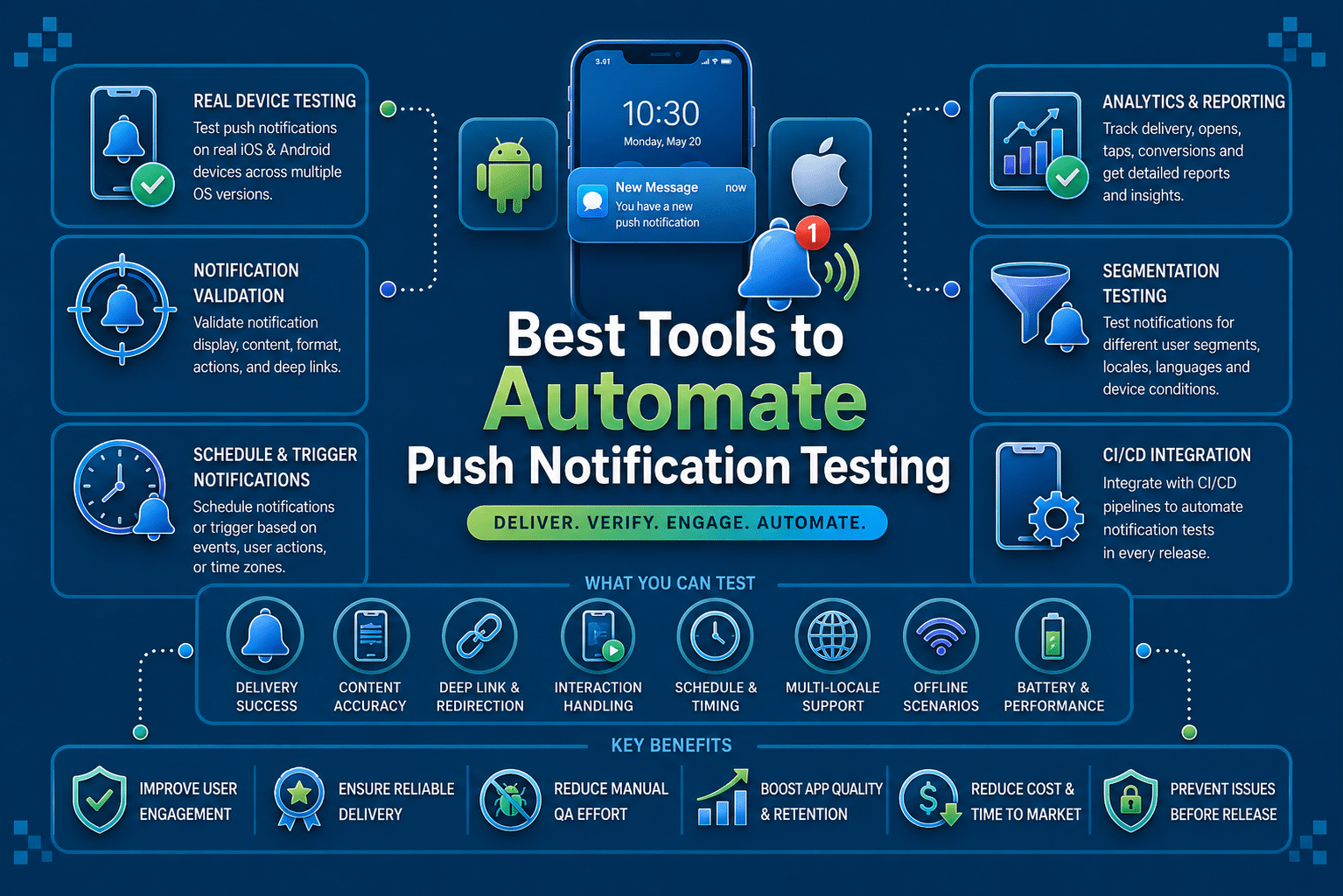

Push notifications are one of the most retention-critical features in any mobile app. They bring users back, trigger time-sensitive actions, and drive conversions at every stage of the user lifecycle. They are also one of the most fragile features to test.
A push notification can fail in more ways than most QA teams account for. The payload might send successfully but render incorrectly on a specific Android OEM.
The deep link might work in the foreground but break when the app is in a killed state. The notification might arrive on iOS but disappear before the user sees it due to OS-level delivery rules.
Manual push notification testing catches some of these issues, some of the time. Automating push notification testing catches them consistently, across device configurations, OS versions, and app states, on every release. This guide covers the 10 best tools to automate push notification testing in mobile apps in 2026.
The 10 Best Tools to Automate Push Notification Testing in Mobile Apps
1. Panto AI
Panto AI is an AI-native mobile QA platform that brings push notification testing into the same automated workflow as functional, visual, and end-to-end mobile testing. Rather than treating push notifications as a separate testing concern, Panto validates the full notification-driven user journey from delivery through deep link resolution and post-tap screen behavior on real Android and iOS devices.
What makes Panto particularly strong for automating push notification testing is its no-code, NLP-based test generation. A QA engineer can describe a push notification flow in plain English, such as “send a cart abandonment notification and verify it opens the checkout screen with the correct items,” and Panto generates a working automated test that executes on real devices.
Key Features:
- NLP-based push notification flow generation from plain English descriptions
- Real device execution across 150+ Android and iOS physical devices for accurate push testing
- End-to-end validation covering delivery, UI rendering, deep link behavior, and post-tap screen state
- Self-healing automation that adapts push notification tests to app UI changes automatically
- AI-powered root cause analysis linking push test failures to specific code changes or payload issues
- Vibe Debugging platform connecting notification-driven failures to the pull request responsible
- OEM-specific device coverage to catch Android battery optimization and delivery edge cases
- CI/CD integration for automatic push notification test execution on every pull request
- Appium and Maestro script export for version-controlled push notification test suites
- Free for open source projects with unlimited PR reviews
How It Helps in Automating Push Notification Testing in Mobile Apps:
Panto closes the gap between sending a notification and validating what the user actually experiences. By running push notification tests on real devices and validating the complete user journey end to end, it catches delivery failures, deep link breakages, and rendering issues that payload-level testing misses entirely.
The self-healing layer keeps push notification tests running reliably through app updates, removing the maintenance burden that makes push testing programs unsustainable over time.
Limitations:
- Optimized for native mobile app testing; not designed for web push notification testing
- Advanced push notification payload customization beyond standard FCM and APNs flows may require technical input
- Smaller device inventory than the largest enterprise device cloud platforms
Best For: Mobile QA teams that want to automate the complete push notification user journey on real devices, including deep link validation and post-tap behavior, within the same AI-driven workflow used for functional and E2E testing.
Pricing: Free plan at $0 with 15 test flows and 50 minutes of real device execution. Scale plan starts at $999 per month. Enterprise pricing available on request.
2. BrowserStack App Automate
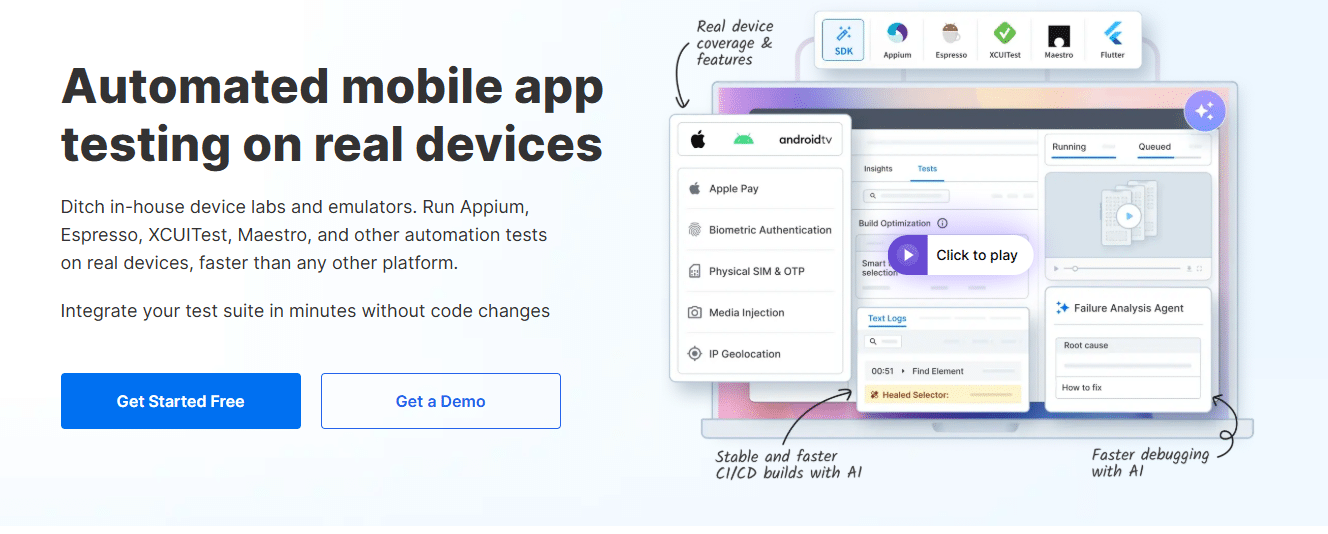
BrowserStack App Automate is the most widely used cloud platform for automating push notification testing at scale. Its combination of 3,500+ real Android and iOS devices with Appium, Espresso, and XCUITest support makes it the default choice for enterprise teams that need to validate push notification behavior across a broad device matrix.
BrowserStack’s push notification testing support goes beyond basic delivery confirmation. It allows teams to trigger FCM and APNs payloads within automated test sessions, validate rendering on real devices, and test the complete notification-to-deep-link flow with full video recordings and network logs captured per test run.
Key Features:
- 3,500+ real Android and iOS devices for accurate push notification testing across device matrix
- FCM and APNs payload triggering within automated Appium, Espresso, and XCUITest test sessions
- Video recording, device logs, and network logs for every push notification test run
- AI Self-Healing Agent for maintaining push notification test stability across app updates
- Parallel test execution for validating push behavior across multiple devices simultaneously
- Network condition simulation for testing push delivery under degraded connectivity
- CI/CD integration with GitHub Actions, Jenkins, CircleCI, and all major pipelines
- App Percy integration for visual validation of push notification UI rendering
How It Helps in Automating Push Notification Testing in Mobile Apps:
BrowserStack’s real device cloud is particularly valuable for catching OEM-specific push notification delivery issues. Running the same notification flow across Samsung, OnePlus, Xiaomi, and stock Android devices surfaces the battery optimization and background delivery quirks that emulator-only testing misses. The full session capture per test run also makes debugging delivery failures significantly faster.
Limitations:
- Teams must write and maintain their own push notification test scripts; BrowserStack provides infrastructure, not test authoring
- Pricing scales significantly at higher parallelization tiers for large device matrix coverage
- Push notification testing setup requires understanding of FCM and APNs payload structures
Best For: Enterprise QA teams with existing Appium or XCUITest automation that need real device cloud infrastructure to validate push notification delivery and behavior across a broad Android and iOS device matrix.
Pricing: App Automate starts at $199 per month billed annually. Enterprise pricing available on request.
3. Appium
Appium is the most widely adopted open source framework for mobile test automation, and it is commonly used for automating the post-tap behavior of push notifications.
While Appium does not natively trigger FCM or APNs payloads, it handles the automation side of push notification testing: navigating to notification center, tapping the notification, validating the deep link destination, and confirming the expected app state.
For teams that trigger push notifications through FCM or APNs APIs in a test environment, Appium handles the device-side automation that follows. Its language-agnostic design means push notification test flows can be written in Java, Python, JavaScript, or any other supported language, fitting into whatever test infrastructure the team already uses.
Key Features:
- Open source and free with broad community and ecosystem support
- Supports Android and iOS push notification interaction automation
- Language-agnostic: write push notification tests in Java, Python, JavaScript, Ruby, or C#
- Compatible with all major real device cloud platforms for push testing at scale
- WebDriver protocol for broad CI/CD and toolchain integration
- Notification center interaction support for both Android and iOS
- Extensible plugin ecosystem for adding push-specific testing capabilities
How It Helps in Automating Push Notification Testing in Mobile Apps:
Appium handles the device-side automation that validates what happens after a push notification arrives. Teams pair it with FCM or APNs test APIs to trigger the notification payload, then use Appium to interact with the notification, validate the deep link, and confirm the app behavior that follows. This combination covers the full push notification journey without requiring a purpose-built push testing tool.
Limitations:
- Does not natively trigger push notification payloads; requires FCM or APNs API integration for end-to-end push testing
- Push notification tests can be flaky due to timing issues and background state handling on Android
- Requires significant scripting expertise to build stable push notification test flows
Best For: Engineering teams with strong automation experience that want full control over their push notification testing architecture and need framework portability across device clouds.
Pricing: Free and open source.
4. Firebase Cloud Messaging (FCM) Test Console
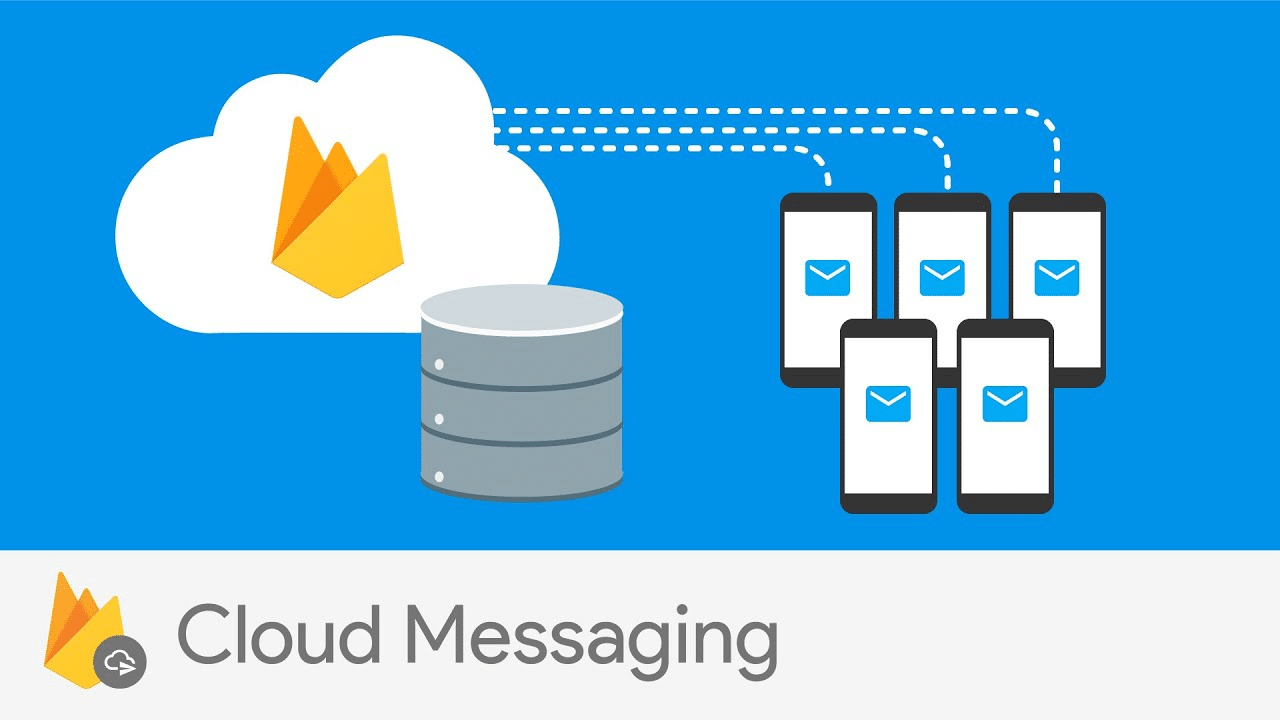
Firebase Cloud Messaging is Google’s push notification delivery infrastructure for Android apps and cross-platform applications. Its built-in test console allows teams to send test push notifications directly to specific devices using registration tokens, making it the standard starting point for validating FCM payload delivery during development and QA.
Beyond the console, FCM provides delivery analytics, delivery receipt APIs, and diagnostic tools that help teams understand whether a notification was delivered to the device, whether the device acknowledged receipt, and whether any delivery errors occurred at the platform level.
Key Features:
- Direct test notification sending to specific devices via registration token
- Delivery analytics showing sent, delivered, and opened notification counts
- Delivery receipt API for programmatic push delivery validation in CI pipelines
- Android notification channel testing for validating channel configuration and priority settings
- Diagnostic tools for identifying FCM delivery failures and payload errors
- Integration with Firebase Analytics for correlating push delivery with user engagement data
- Free as part of the Firebase platform with no per-notification pricing for standard delivery
How It Helps in Automating Push Notification Testing in Mobile Apps:
FCM’s test console is the fastest way to validate that a specific device is correctly registered and receiving push payloads during development. For automated testing pipelines, the delivery receipt API provides programmatic confirmation that a notification reached the target device, which teams use as a gate in CI before running downstream device-side automation to validate post-tap behavior.
Limitations:
- Covers Android and cross-platform FCM notifications only; does not handle APNs for iOS-native push
- Delivery confirmation confirms platform-level receipt, not whether the user saw or interacted with the notification
- UI rendering and deep link validation require additional automation tooling alongside FCM
Best For: Android and cross-platform mobile teams that need direct payload-level push notification testing and delivery validation integrated into Firebase-based development and QA workflows.
Pricing: Free as part of the Firebase platform.
5. Apple Push Notification Service (APNs) Tester
Apple Push Notification Service is the official infrastructure for delivering push notifications to iOS and macOS apps. Apple provides push notification testing tools within Xcode and its developer console, allowing teams to send test APNs payloads directly to registered iOS devices and validate delivery behavior under different app states.
The APNs sandbox environment mirrors the production delivery infrastructure, making it the most accurate environment for validating iOS push notification behavior before release. Teams use it alongside XCUITest automation to validate the complete iOS push notification journey from payload delivery through notification center display to post-tap app behavior.
Key Features:
- APNs sandbox environment mirroring production iOS push delivery infrastructure
- Xcode-integrated push notification payload testing for iOS development teams
- Device-level delivery validation for foreground, background, and killed app states
- Support for rich notification testing including images, action buttons, and notification extensions
- iOS notification permission state testing across different permission configurations
- Integration with XCUITest for automating post-tap validation of iOS push notification flows
- Apple’s official push notification certificate and token-based authentication validation
How It Helps in Automating Push Notification Testing in Mobile Apps:
APNs testing is essential for validating iOS-specific push notification behavior that Android-focused tools cannot replicate. The sandbox environment catches iOS-specific delivery issues including APNs certificate misconfiguration, notification extension failures, and Focus mode delivery behavior before they reach production.
Combined with XCUITest automation, teams can validate the complete iOS push notification user journey in a controlled test environment.
Limitations:
- iOS and macOS specific; no Android or cross-platform push notification support
- Sandbox environment setup requires Apple Developer Program membership and certificate management
- UI and deep link validation require XCUITest or another automation framework alongside APNs testing
Best For: iOS-native development teams that need accurate, production-representative push notification delivery testing within Apple’s official testing infrastructure.
Pricing: Included with Apple Developer Program membership at $99 per year.
6. Testsigma
Testsigma is a cloud-based test automation platform that supports end-to-end push notification testing across Android and iOS, including delivery validation, UI rendering checks, and post-tap deep link automation. It provides access to real devices and supports integration with FCM and APNs test APIs for triggering push notifications within automated test flows.
Its NLP-based test authoring makes push notification test creation accessible to QA engineers without deep scripting experience, which is particularly useful for teams that need to automate push notification testing quickly without building custom Appium integrations from scratch.
Key Features:
- End-to-end push notification testing across Android and iOS real devices
- NLP-based test case authoring for creating push notification test flows without code
- Integration with FCM and APNs for triggering push payloads within automated test sessions
- 3,000+ real and virtual device access for push notification testing across device matrix
- Delivery validation alongside UI rendering and post-tap behavior automation
- CI/CD integration for automated push notification testing on every build
- Built-in test management and reporting for push notification test results
- Cross-platform support covering mobile, web, API, and desktop testing
How It Helps in Automating Push Notification Testing in Mobile Apps:
Testsigma’s combination of NLP test authoring and real device access makes it a practical choice for teams that want to automate push notification testing without writing complex Appium scripts. The platform handles the integration with FCM and APNs, allowing QA engineers to focus on defining what the push notification flow should do rather than how to technically trigger and capture it.
Limitations:
- Real device availability can be inconsistent for very specific or older device models
- NLP authoring works well for standard push flows but may need manual refinement for complex notification scenarios
- Pricing at higher usage tiers can become significant for teams running large push notification test matrices
Best For: QA teams that want to automate push notification testing across real devices without deep Appium expertise, particularly those looking for a unified platform covering push testing alongside web and API automation.
Pricing: Free plan available with limited test runs. Paid plans start at $249 per month. Enterprise pricing on request.
7. Postman

Postman is an API testing platform widely used for push notification payload validation. It allows teams to construct and send FCM and APNs API requests directly, validate the payload structure, inspect the delivery response, and integrate push notification triggering into automated API test suites that run in CI pipelines.
For teams that need to validate the backend side of push notification delivery, Postman is the most accessible tool available. Collections of push notification test requests can be organized by scenario, parameterized for different device tokens and payload variations, and run automatically as part of pre-deployment API testing.
Key Features:
- HTTP request builder for constructing and sending FCM and APNs push notification API calls
- Collection-based organization for managing multiple push notification test scenarios
- Environment variables for parameterizing device tokens, payloads, and notification content
- Automated test scripts using JavaScript for validating push API response structure and delivery status
- Newman CLI for running push notification API collections in CI/CD pipelines
- Mock servers for simulating push notification backend responses during development
- Team collaboration features for sharing push notification test collections across QA and development
How It Helps in Automating Push Notification Testing in Mobile Apps:
Postman covers the API layer of push notification testing, which is the layer most teams skip. By validating FCM and APNs API responses programmatically, teams can confirm that the backend is constructing and sending valid push payloads before device-side testing begins.
This separates backend push failures from device-side delivery failures, which significantly reduces the time spent debugging push notification issues in CI.
Limitations:
- Covers payload and API-level push notification testing only; does not validate device-level delivery, UI rendering, or post-tap behavior
- Device-side automation requires integration with Appium or another framework for complete push testing coverage
- Not purpose-built for mobile push notification testing; push validation is one use case among many
Best For: Development and QA teams that need to validate FCM and APNs push notification API payloads and delivery responses programmatically as part of backend API testing pipelines.
Pricing: Free plan with basic features. Professional plan starts at $19 per user per month. Enterprise pricing available on request.
8. OneSignal

OneSignal is one of the most widely used push notification delivery platforms, and its testing features are built specifically for validating push notification delivery and behavior across mobile, web, and desktop. Its test notification feature allows teams to send push notifications to specific device segments or individual test devices, with delivery analytics and engagement tracking built in.
For QA teams working with apps that use OneSignal as their push notification provider, the platform provides direct access to test notification sending, delivery logs, and A/B testing capabilities that make push notification QA significantly more structured than manual testing approaches.
Key Features:
- Test notification sending to specific devices, segments, or test device groups
- Delivery analytics showing sent, delivered, clicked, and failed notification counts per test
- A/B testing for validating different push notification payloads and content variations
- Deep link testing within OneSignal’s notification delivery flow
- REST API for programmatic push notification triggering in automated CI pipelines
- Cross-platform coverage including Android, iOS, and web push notification testing
- Delivery failure diagnostics for identifying subscription, permission, and delivery errors
How It Helps in Automating Push Notification Testing in Mobile Apps:
OneSignal’s REST API enables teams to trigger push notifications programmatically within automated test pipelines, which is essential for integrating push notification delivery validation into CI workflows. The delivery analytics surface whether test notifications reached the intended devices, and the diagnostic tools identify the category of failure when delivery does not occur.
Limitations:
- Covers delivery and engagement analytics but not device-level UI rendering or post-tap automation
- Full automation of push notification testing requires pairing with a device-side automation tool
- Best suited for apps that already use OneSignal as their push provider; not a standalone push testing tool
Best For: Mobile QA teams working with OneSignal as their push notification provider that want to add programmatic delivery validation and structured test notification management to their push testing workflow.
Pricing: Free plan available. Growth plan starts at $9 per month. Professional and enterprise pricing available on request.
9. Charles Proxy

Charles Proxy is a network debugging tool widely used by mobile QA teams for inspecting push notification-related API traffic. It intercepts HTTP and HTTPS requests between the app and the push notification backend, allowing teams to inspect FCM and APNs payloads in transit, validate request structure, and identify network-layer push delivery failures.
For teams debugging push notification issues that are not visible at the payload or device level, Charles Proxy provides the network-layer visibility needed to confirm that the correct push request is actually leaving the device and reaching the notification backend with the right headers and payload structure.
Key Features:
- HTTP and HTTPS traffic interception for inspecting FCM and APNs push notification requests
- SSL proxying for decrypting and inspecting encrypted push notification API traffic
- Request and response editing for testing push notification performance with modified payloads
- Throttling simulation for testing push notification delivery under slow or intermittent network conditions
- Breakpoints for pausing and modifying push notification requests in real time
- Repeat functionality for re-sending push notification API requests without retriggering the app
- Session recording for capturing and replaying complete push notification traffic sequences
How It Helps in Automating Push Notification Testing in Mobile Apps:
Charles Proxy is invaluable for diagnosing push notification failures that happen between the app and the push backend. When a notification does not arrive and the payload looks correct, Charles Proxy reveals whether the push request was sent with valid headers, reached the correct FCM or APNs endpoint, and received a successful response.
Limitations:
- Not an automation tool; requires manual inspection of captured traffic for most use cases
- SSL proxying requires certificate installation on test devices, which adds setup complexity
- Does not validate device-level notification delivery, rendering, or post-tap behavior
Best For: Mobile QA engineers and developers that need network-level visibility into push notification API traffic for debugging delivery failures that are not visible at the payload or device level.
Pricing: One-time license starting at $50 for individuals. Multi-user and team licenses available.
10. Kobiton
Kobiton is a mobile-focused testing platform with real device cloud access and AI-augmented test automation. Its support for push notification testing covers device-level delivery validation and post-tap behavior automation across its real device inventory, with a record-to-automate workflow that reduces the scripting effort required to build push notification test flows.
For teams transitioning from manual push notification testing to automated coverage, Kobiton’s scriptless approach lets QA engineers record manual push notification test sessions on real devices and convert those recordings into reusable automated tests without writing automation code from scratch.
Key Features:
- Real device cloud for validating push notification delivery and rendering on physical Android and iOS devices
- Scriptless automation from recorded manual push notification test sessions
- Appium-based automation for custom push notification test flow scripting
- AI-augmented test maintenance for keeping push notification tests stable through app updates
- Network condition simulation for testing push delivery under degraded connectivity
- OEM device coverage for catching Android-specific push delivery and battery optimization issues
- On-premises device lab option for push notification testing in regulated enterprise environments
- CI/CD integration for automated push notification test execution in deployment pipelines
How It Helps in Automating Push Notification Testing in Mobile Apps:
Kobiton’s record-to-automate capability is particularly useful for push notification testing because the interactions involved, opening the notification center, tapping the notification, and validating the destination screen, are straightforward to record but tedious to script manually.
By recording the session once and generating a reusable automated test, QA teams can add push notification coverage without the scripting investment that Appium-based approaches require.
Limitations:
- Device inventory is smaller than the largest enterprise device cloud providers
- AI-augmented features are less mature than newer AI-native platforms
- On-premises setup requires significant internal infrastructure management
Best For: Mobile QA teams transitioning from manual push notification testing to automated coverage, particularly those that want a record-to-automate workflow without building custom Appium integration from scratch.
Pricing: Startup plan starts at $83 per month. Enterprise pricing available on request.
Comparison Table: Best Tools to Automate Push Notification Testing in Mobile Apps
| Tool | Push Testing Type | Real Devices | Automation Support | AI Features | Best For | Pricing |
|---|---|---|---|---|---|---|
| Panto AI | End-to-end (delivery, UI, deep link, post-tap) | 150+ | NLP generation, self-healing | AI generation, RCA, self-healing | Complete push notification journey automation | Free; Scale $999/mo |
| BrowserStack | Device-level delivery, UI, deep link | 3,500+ | Appium, Espresso, XCUITest | Self-healing, test selection | Large device matrix push testing | From $199/mo |
| Appium | Post-tap interaction and deep link | Via cloud providers | Full scripted automation | Via plugins | Full architectural control | Free |
| FCM Console | Payload delivery and backend validation | None | REST API for CI integration | None | Android FCM payload testing | Free |
| APNs Tester | iOS payload delivery and sandbox testing | iOS devices | Xcode and XCUITest integration | None | iOS APNs push validation | $99/year (Apple Developer) |
| Testsigma | End-to-end across mobile and web | 3,000+ | NLP-based codeless automation | NLP test authoring | Push testing without scripting expertise | Free; from $249/mo |
| Postman | Payload and API-level validation | None | Newman CLI for CI pipelines | None | Backend push API testing | Free; from $19/user/mo |
| OneSignal | Delivery analytics and programmatic triggering | None (analytics only) | REST API for CI integration | None | Apps using OneSignal as push provider | Free; from $9/mo |
| Charles Proxy | Network-level traffic inspection | Via device pairing | Manual inspection only | None | Push delivery debugging | From $50 one-time |
| Kobiton | Device-level delivery, UI, post-tap | Real device cloud | Record-to-automate, Appium | AI-augmented maintenance | Manual-to-automated push testing transition | From $83/mo |
How to Choose the Right Push Notification Testing Tool
The right tool depends on which layer of the push notification flow is your biggest reliability risk. Use this as a quick reference:
- Need end-to-end push testing on real devices (delivery, UI, deep link, post-tap)? Use Panto AI for AI-generated and self-healing test flows, or BrowserStack for teams with existing automation that need a broader device matrix.
- Need to validate FCM payloads and backend delivery responses? Use Postman at the API layer without any device infrastructure required.
- Need to validate iOS-specific push behavior across Focus modes and permission states? Use APNs sandbox testing, the only environment that accurately replicates iOS production push delivery.
- Need to debug an Android push notification that sends successfully but never arrives on certain devices? Use Charles Proxy for network-level visibility into exactly where in the delivery chain the failure occurs.
- Using OneSignal as your push provider and need programmatic delivery validation? Use OneSignal’s REST API to trigger and track test notifications directly in your CI pipeline.
- Transitioning from manual push testing to automation without scripting expertise? Use Kobiton’s record-to-automate workflow or Panto AI’s NLP test generation to get automated coverage fast.
- Need to validate Android push payloads and FCM registration during development? Use Firebase Cloud Messaging Console for direct device-level delivery testing before scaling to automation.
- Need to validate iOS APNs configuration and certificate setup? Use Apple’s APNs tester within Xcode before adding post-tap automation with XCUITest.
Conclusion
Push notification failures are silent. Users do not file bug reports when a notification does not arrive or a deep link sends them to the wrong screen. They simply stop engaging with the app, and the retention numbers drop without a clear cause.
Automating push notification testing closes that gap. The tools in this guide cover every layer of the notification stack, from payload validation and backend delivery to device-level rendering and post-tap behavior, so teams can catch push failures before they reach users.



