

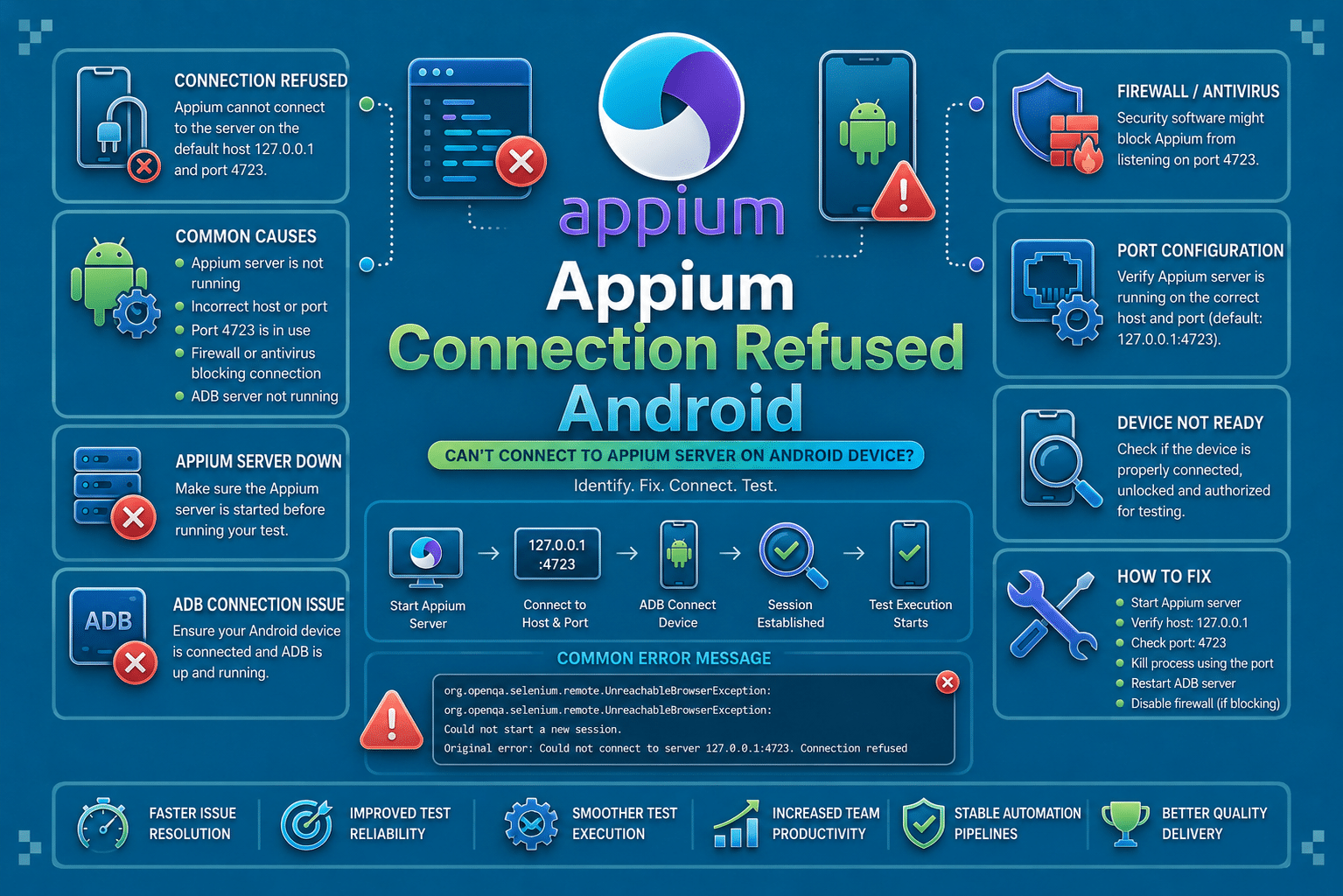

Appium Connection Refused Android is a mobile session startup failure. If you are hitting it on Android during emulator, physical-device, or cloud-device launch, this guide is for that case, not a Selenium browser connection error.
In plain terms, the error means the test client could not open a TCP connection to the Appium endpoint or to a downstream automation service Appium needs. That usually points to the server layer, device bridge, or network path, not to a locator, assertion, or app issue.
| Symptom | Most Likely Area | First Check |
|---|---|---|
| Connection refused before session starts | Appium server | /status endpoint |
| Works locally, fails in CI | Network or host mismatch | Host, port, container routing |
| Android-only failure | UiAutomator2 or ADB | Device readiness, port forwarding |
| iOS-only failure | WebDriverAgent | WDA startup and signing |
What Is Appium Connection Refused Android?
Appium Connection Refused Android appears before the test can create a usable session. The client reaches for Appium, or Appium reaches for the device automation service, and the connection is rejected at the transport layer.
That is why it usually shows up during driver initialization rather than inside a test step. It is not an element lookup issue or a failed assertion. It is a broken connection between your runner, the Appium server, and the mobile stack.
On Android, the refusal often happens while UiAutomator2 is starting, while ADB is forwarding ports, or when the server is bound to the wrong interface. On iOS, the same pattern maps to XCUITest and WebDriverAgent startup.
The important distinction is that the test never gets far enough to interact with the app. If you are seeing a refusal message rather than an Appium assertion, capability validation error, or session creation error, the failure is likely in connectivity, device startup, or port access.
What Causes Appium Connection Refused Android?
- Appium server is not running or not reachable. The most common cause is that the test is trying to connect to
127.0.0.1:4723, but no Appium server is listening there. In some cases, Appium is running, but on a different port or bound to an interface the test process cannot reach. - The client is pointing to the wrong host or network path. This usually happens when the test runner and Appium server are not running in the same environment. It is especially common in Docker, CI, and remote-device setups where
localhostpoints to the wrong machine. - UiAutomator2 failed to start on Android. Appium may be up, but the Android automation service never comes up cleanly because ADB cannot reach the emulator, the device is offline, the UiAutomator2 helper APK is stale, or a required forwarded port is already in use.
- A required port is blocked or already occupied. Firewalls, antivirus tools, VPN rules, or container isolation can block traffic between the Appium client and server. Port collisions can cause the same symptom if another process is already using Appium’s port or the Android automation port.
- Capabilities or runtime configuration prevent the automation service from starting. In less common cases, the refusal is only a downstream symptom. A bad capability set, wrong automation name, device mismatch, or startup timing issue can prevent UiAutomator2 or WebDriverAgent from ever becoming reachable.
How To Reproduce The Error Connection Refused Android
A simple way to reproduce the problem is to point the client at a port where no Appium server is listening, or to start the server on one host and connect from another host using localhost. The test will fail before the first command reaches the app under test.
from appium import webdriver
from appium.options.android import UiAutomator2Options

options = UiAutomator2Options()
options.platform_name = "Android"
options.device_name = "emulator-5554"
options.app_package = "com.example.app"
options.app_activity = ".MainActivity"

driver = webdriver.Remote("http://127.0.0.1:4724/wd/hub", options=options)
requests.exceptions.ConnectionError: HTTPConnectionPool(host='127.0.0.1', port=4724):
Max retries exceeded with url: /wd/hub/session
(Caused by NewConnectionError('Failed to establish a new connection: [Errno 111] Connection refused'))A second reproduction path is to leave the Appium server up but let the Android bridge fail. In that case, the server may respond, but the session still dies when UiAutomator2 cannot attach to the device or emulator.
How To Fix Appium Connection Refused Android
1. Confirm The Appium Server Is Reachable
Check that Appium is running on the host and port your test expects. On local Android runs, the Appium server should be alive before the session call is made.
appium --address 0.0.0.0 --port 4723
curl -s http://127.0.0.1:4723/status
If the status endpoint fails, fix the server first. On iOS this same check matters too, because a dead server and a dead WDA endpoint can look almost identical from the client side.
A clean status response means the server process is alive and listening. If this check fails, there is no value in retrying the test until the server process is corrected.
2. Correct The Host, Port, And Base Path
A very common mistake is mixing up localhost, 127.0.0.1, the machine IP, and the Appium base path. If the runner is in Docker or on another machine, use the host that the container or remote process can resolve.
server_url = "http://192.168.1.50:4723"
driver = webdriver.Remote(server_url, options=options)
For Android emulators and real devices, also confirm whether you need adb reverse or explicit port forwarding. For iOS, the same principle applies to the WDA URL and its bound port.
If you are testing on a device farm, hardcoded loopback addresses are especially risky. The test may work on one machine and fail on another simply because the network path is different.
3. Repair The Android Or iOS Automation Service
On Android, stale UiAutomator2 installs and broken ADB state are frequent causes. Restart ADB, reconnect the device, and clear stale helper packages if the port bridge is unstable.
adb kill-server
adb start-server
adb devices
adb uninstall io.appium.uiautomator2.server || true
adb uninstall io.appium.uiautomator2.server.test || true
On iOS, use the equivalent WebDriverAgent checks. If WDA fails to sign, launch, or stay up, Appium can only report the refusal after the session attempt fails.
xcodebuild -project WebDriverAgent.xcodeproj \
  -scheme WebDriverAgentRunner \
  -destination 'platform=iOS Simulator,name=iPhone 15' test
The goal here is to verify that the automation bridge itself can launch and stay alive. If the bridge does not come up cleanly, Appium cannot create a stable session even when the server is reachable.
4. Eliminate Port Collisions And Network Blocks
If another process is already using 4723, 8200, or the device bridge port, Appium can start but fail to serve sessions correctly. Check for collisions on the host and in the CI container before retrying the run.
lsof -i :4723 || true
lsof -i :8200 || true
nc -zv 127.0.0.1 4723
On hardened build agents, confirm that firewall rules or container policies are not blocking loopback or bridge traffic. This is especially important when the same test passes on a laptop but fails inside CI.
On iOS, the same pattern can appear when the simulator or device port is occupied by another WebDriverAgent run. In that case, cleaning up the prior process is often enough to restore connectivity.
5. Revalidate Capabilities And Startup Timing
If the server and ports are fine, inspect the requested capabilities and startup timing. A mismatched platform version, wrong automation name, or unrealistic timeout can leave the underlying driver half-started and cause a refusal-style failure.
options = UiAutomator2Options()
options.platform_name = "Android"
options.automation_name = "UiAutomator2"
options.device_name = "emulator-5554"
options.new_command_timeout = 120
This matters because Appium may not always surface the real root cause at the same line as the refusal. A capability mismatch can trigger a bootstrap failure that looks like a transport issue from the client side.
How AI Can Help You Fix Appium Connection Refused Android Faster
The traditional loop is expensive because the failure happens late. Engineers run the test, wait for the session to fail, inspect the logs, check the server, inspect ADB or WDA, rerun after small changes, and lose time on every repeated startup attempt.
AI-assisted testing helps as a pre-execution layer by checking the launch configuration before the test starts. It can inspect the Appium endpoint, host and port values, device readiness signals, the ADB or WDA bootstrap path, and the session capabilities for patterns that usually lead to a refusal.
Appium tells you the TCP connection was refused during session creation. A code review layer can catch the wrong host, dead server URL, or missing port forwarding before the run starts.
That is where Panto AI fits. While Appium surfaces the failure at runtime, Panto AI’s mobile QA and code review layer can flag the underlying unreachable Appium endpoint and device startup configuration earlier in the workflow and directly in the pull request.
The value is not in replacing Appium. The value is in catching the unreachable-server and misrouted-device defects before it becomes delayed test runs, noisy CI failures, and blocked releases.
Best Practices To Prevent Appium Connection Refused Android
- Standardize The Endpoint. Keep the host, port, and base path in one shared config. This matters because most refusals start with a simple mismatch between code and runtime.
- Gate On Device Readiness. Wait for the emulator, physical device, or bridge to report ready. This matters because early startup turns a temporary boot delay into a false network failure.
- Keep The Automation Service Fresh. Clear stale UiAutomator2 or WebDriverAgent state between runs. This matters because old helper installs and half-started ports often present as connection refusal.
- Match Network Topology To Execution Location. Use the correct host IP in Docker, remote runners, or device farms. This matters because
localhostcan point to the wrong machine as soon as the topology changes. - Reserve And Monitor Key Ports. Treat Appium, ADB forwarding, and WDA ports as shared resources. This matters because a collision can break every parallel session in CI.
- Log Startup State Before The Session Begins. Capture server status, device status, and bridge readiness in your test bootstrap logs. This matters because the quickest way to diagnose refusal errors is to know what was alive before the first command.
Handling Appium Connection Refused Android In CI/CD Pipelines
CI makes this error more likely because the execution environment changes the network assumptions. The test may run inside a container while Appium runs on the host, the device may be provisioned after the job starts, or another job may already be using the same port range.
Parallel builds also hide timing problems. A device that is ready by the time you check it manually may still be booting when the pipeline launches the session, and the refusal looks permanent even though it is really a readiness issue.
set -euo pipefail

curl --fail "http://${APPIUM_HOST:-127.0.0.1}:${APPIUM_PORT:-4723}/status"
adb devices
adb shell getprop sys.boot_completed | grep -q 1
A readiness gate like this does not solve every case, but it removes a large share of false failures from the pipeline and makes the remaining ones easier to classify.
In CI, it also helps to fail fast with a clear diagnostic step before the test runner starts. That keeps a refused connection from looking like a random test flake when the real issue is host reachability or device startup timing.
Conclusion
Appium Connection Refused Android is a transport-level failure that points to a broken path between the client, the Appium server, and the Android or iOS automation layer. It is not a locator issue and it is not usually caused by the app under test.
The fastest debugging sequence is to verify the Appium status endpoint, confirm the host and port, check device readiness, and then inspect UiAutomator2 or WebDriverAgent startup. That sequence isolates the failure much faster than rerunning the same session with the same configuration.
For teams at scale, the goal is not just to fix one refused connection. The real goal is to remove the pattern across local runs, shared devices, and CI pipelines.
FAQs
Q: Why does Appium connection refused happen on Android?
A: This error typically means the Appium client cannot establish a connection to the Appium server or the Android automation layer behind it. Common causes include an incorrect server URL, a stopped Appium process, blocked or occupied ports, ADB connectivity issues, or a failed UiAutomator2 startup.
Q: Is Appium connection refused the same as SessionNotCreatedException?
A: No. A connection refused error is a network or transport-level failure, meaning the client could not reach the server at all. SessionNotCreatedException occurs after the server is reached but fails to initialize a valid automation session. Identifying which error you’re seeing is important because the troubleshooting steps are completely different.
Q: Why does this error appear in CI but not locally?
A: CI environments introduce different networking rules, container boundaries, device startup timing, and port availability than a local machine. A configuration that works with localhost on a laptop may fail inside a containerized runner, remote executor, or cloud device environment where the Appium server is no longer reachable at the same address.
Q: How do I know whether the problem is Appium, ADB, or WebDriverAgent?
A: Start by checking Appium’s /status endpoint to confirm the server is running. If Appium is healthy, inspect ADB logs on Android or WebDriverAgent logs on iOS. When the server is reachable but the device automation bridge never initializes, the failure is usually downstream in ADB, WebDriverAgent, or the underlying device connection rather than Appium itself.



