

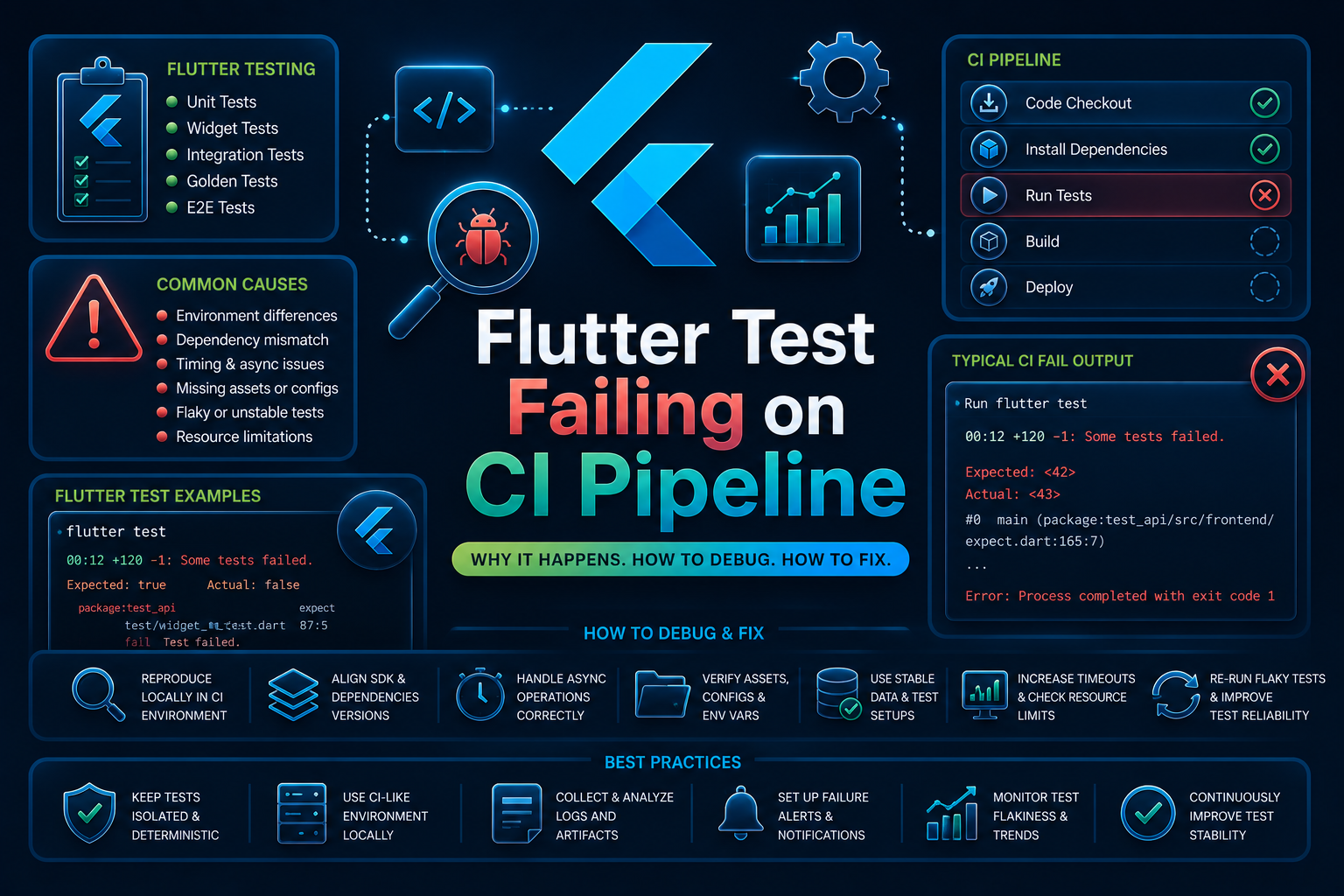

Flutter test failures in a CI pipeline are runtime execution failures that occur when automated Flutter tests pass locally but fail inside a continuous integration environment.
If your tests are failing only on GitHub Actions, GitLab CI, Bitbucket Pipelines, CircleCI, Codemagic, or another CI system, this guide focuses on that scenario rather than general Flutter test failures on a local machine.
In most cases, this issue indicates an environment mismatch instead of a problem with the Flutter framework itself.
The failure usually points to differences in SDK versions, platform dependencies, test isolation, filesystem behavior, network access, or execution timing between your local development machine and the CI runner.
What Is Flutter Test Failing on CI Pipeline?
A Flutter test failing on a CI pipeline means that one or more automated tests complete successfully on a developer’s machine but consistently or intermittently fail when executed by a CI service.
The failure can occur during unit tests, widget tests, integration tests, or golden tests depending on how the pipeline is configured.
The error is typically thrown during the automated test execution stage after dependencies have been installed and the Flutter project has been built.
Unlike compilation errors, which prevent the application from building, CI test failures indicate that the build succeeded but the test environment produced different runtime behavior.
This issue is different from Flutter compilation failures or dependency resolution errors. If your pipeline cannot run flutter pub get or fails during compilation, you are dealing with a build problem rather than a test execution problem.
Similarly, flaky tests that fail randomly both locally and in CI usually indicate unstable test logic instead of an environment-specific CI issue.
What Causes Flutter Test Failing on CI Pipeline?
Testing in a CI environment introduces variables that are not always present during local development. If your Flutter tests pass on your machine but fail in the pipeline, one or more of the following issues is often responsible:
- Environment mismatches: Different Flutter SDK versions, Dart versions, operating systems, or package versions between your local machine and the CI runner can lead to behavior that only appears during pipeline execution.
- Asynchronous timing issues: CI runners typically have fewer CPU and memory resources than developer workstations, exposing race conditions, insufficient waits, or widget tests that assume immediate rendering.
- Filesystem and platform differences: Hardcoded file paths, Linux case-sensitive file systems, missing assets, or unavailable fonts can cause widget tests and golden tests to fail exclusively in CI.
- External dependency behavior: APIs, databases, and network services may behave differently in isolated CI environments due to unavailable credentials, rate limits, restricted network access, or different runtime configurations.
- Cached dependencies and stale build artifacts: Corrupted Flutter caches or outdated package artifacts can produce inconsistent results, causing the same code to pass in one pipeline run and fail in another.
How To Reproduce The Error: Flutter Test Failing on CI Pipeline
A common reproduction setup involves a widget test that depends on asynchronous UI updates but does not wait for animations or pending frames to complete.
The test may pass on a fast local machine while failing under the slower execution environment of a CI runner.
testWidgets('displays welcome text', (WidgetTester tester) async {
  await tester.pumpWidget(MyApp());

  expect(find.text('Welcome'), findsOneWidget);
});
Expected: exactly one matching candidate
Actual: _TextWidgetFinder:<Found 0 widgets with text "Welcome">

Test failed. See exception logs above.

Exited with code 1.
How To Fix Flutter Test Failing on CI Pipeline
1. Verify Flutter SDK and Dependency Versions
The first step is ensuring that the local environment matches the CI environment exactly. Even minor Flutter or Dart version differences can change rendering behavior, package compatibility, or test execution.
Lock SDK versions in your pipeline and verify them before running tests. Keeping both environments synchronized eliminates one of the most common causes of inconsistent test results.
steps:
  - uses: subosito/flutter-action@v2
    with:
      flutter-version: "3.35.0"

  - run: flutter --version
  - run: flutter pub get
2. Wait for Asynchronous UI Operations
Widget tests frequently fail in CI because rendering takes longer than expected. Tests that immediately assert UI state after pumping a widget may execute before asynchronous operations complete.
Use pumpAndSettle() or explicitly wait for pending frames before validating widget state. This makes the test independent of machine performance.
testWidgets('shows welcome message', (WidgetTester tester) async {
  await tester.pumpWidget(MyApp());

  await tester.pumpAndSettle();

  expect(find.text('Welcome'), findsOneWidget);
});
3. Eliminate Environment-Specific Assumptions
Tests should not depend on local file paths, installed fonts, local databases, developer-specific configuration, or device-specific state.
In Flutter mobile app testing, hidden assumptions about screen size, locale, platform settings, bundled assets, or emulator configuration often work locally but fail in isolated CI environments.
Mock external services, bundle all required assets, avoid absolute paths, and keep test setup independent of a specific device or machine. This helps ensure widget, integration, and golden tests produce consistent results whether they run locally, on emulators, or in CI pipelines.

TestWidgetsFlutterBinding.ensureInitialized();

setUp(() {
  HttpOverrides.global = MockHttpOverrides();
});
4. Clear Build Artifacts and Rebuild Dependencies
Cached artifacts occasionally introduce inconsistent behavior between pipeline runs. Cleaning the project before testing ensures that stale outputs do not affect execution.
Running a clean build also helps identify hidden dependency issues that incremental builds may mask.
flutter clean
flutter pub get
flutter test
How AI Can Help You Fix Flutter Test Failing on CI Pipeline Faster
When a Flutter test fails in CI, engineers typically inspect pipeline logs, compare package versions, rerun jobs, reproduce the issue locally inside containers, and manually trace asynchronous execution.
The failure itself is only part of the cost. Most debugging time is spent discovering why the pipeline environment differs from the developer’s workstation.
AI-assisted testing can inspect test code before execution and identify patterns commonly associated with CI failures.
Examples include missing asynchronous waits, unstable widget assertions, reliance on wall-clock timing, filesystem assumptions, inconsistent dependency versions, and network-dependent test logic.
Flutter tells you that a test failed after the pipeline has already executed. A code review layer can identify unstable asynchronous patterns, environment assumptions, and potential race conditions before the pipeline starts.
While Flutter surfaces the failure at runtime, Panto AI’s mobile QA and code review layer can flag the underlying environment assumptions, asynchronous test patterns, and unstable assertions earlier in the workflow and directly in the pull request.
The value is not in replacing Flutter. The value is in catching CI-specific test instability before it becomes repeated pipeline failures, delayed code reviews, and slower release cycles.
Best Practices To Prevent Flutter Test Failing on CI Pipeline
- Pin Dependency Versions. Always use fixed Flutter SDK and package versions across local and CI environments. This prevents unexpected behavior caused by automatic dependency upgrades.
- Keep Tests Environment Independent. Design tests so they do not depend on local files, network availability, or machine-specific configuration. This reduces differences between developer workstations and CI runners.
- Avoid Timing Assumptions. Write widget tests that explicitly wait for rendering instead of assuming immediate UI updates. Slower CI infrastructure frequently exposes race conditions that remain hidden locally.
- Run Tests Inside Containers Locally. Execute the same Docker image or environment used by the CI pipeline during development. Matching execution environments helps identify pipeline-specific failures before code is committed.
- Regularly Refresh Build Caches. Clean Flutter caches and rebuild dependencies periodically instead of relying on long-lived cached artifacts. This reduces failures caused by corrupted or outdated build outputs.
Handling Flutter Test Failing on CI/CD Pipelines
CI environments are intentionally clean and reproducible, which means they expose assumptions hidden by local development machines and real devices.
Missing dependencies, slower hardware, restricted networking, and fresh build directories often reveal problems that developers never encounter locally.
Parallel execution can also increase failure frequency. Multiple jobs running simultaneously may expose shared resource conflicts, temporary file dependencies, or tests that assume execution order.
A useful practice is verifying the Flutter environment before executing any tests.
flutter --version
flutter doctor -v
flutter pub get
flutter analyze
flutter test
Running these validation steps early helps identify environment inconsistencies before the pipeline reaches the test execution stage.
Conclusion
Flutter tests that fail only in CI usually indicate an environment-specific runtime issue rather than a problem with the Flutter framework itself.
The failure often points toward SDK differences, asynchronous execution, filesystem assumptions, or unstable test design.
The fastest debugging sequence is to compare Flutter versions, verify dependency consistency, inspect asynchronous widget behavior, clean build artifacts, and reproduce the pipeline environment locally before modifying application code.
For engineering teams, the objective is not simply fixing individual pipeline failures. It is identifying and eliminating the recurring patterns that make CI environments behave differently from local development.
If Flutter tests keep failing only in your CI pipeline, Panto’s AI-assisted mobile QA can help surface environment mismatches, unstable test patterns, and configuration issues earlier in the development lifecycle.
FAQs
Q: Why do Flutter tests pass locally but fail in CI?
A: Local and CI environments rarely match exactly. Differences in Flutter SDK versions, operating systems, hardware resources, cached dependencies, and filesystem behavior can expose timing issues and environment-specific assumptions that never appear during local development.
Q: Why are Flutter test failures more common in CI than on my computer?
A: CI runners execute in clean, isolated environments with fresh dependencies, limited resources, and stricter configurations. These conditions make race conditions, missing assets, dependency mismatches, and asynchronous timing issues much easier to surface.
Q: Is this the same as a Flutter build failure?
A: No. A build failure stops the app from compiling, while a CI test failure occurs after a successful build and indicates that one or more automated tests did not behave as expected at runtime.
Q: How can I make Flutter tests more reliable in CI?
A: Keep Flutter and dependency versions consistent across environments, eliminate environment-specific assumptions, wait explicitly for asynchronous operations to complete, and regularly validate your CI configuration. Deterministic, well-isolated tests are far less likely to fail only in CI.