


Automation testing accelerates release cycles while maintaining code quality across modern applications. Playwright and Maestro are two powerful frameworks gaining significant traction, each designed for distinct testing challenges.
Playwright excels at comprehensive web automation across multiple browsers, while Maestro specializes in simplified mobile testing through intuitive YAML syntax. Understanding their strengths helps you select the right tool for your debugging needs and team expertise.
What is Playwright?
Playwright is an open-source end-to-end testing framework developed by Microsoft for automating web applications.
It uses a unified API that communicates directly with browsers, supporting Chromium, Firefox, and WebKit without requiring intermediate servers.
This architecture ensures fast, reliable test execution with minimal overhead, making it ideal for teams seeking comprehensive cross-browser compatibility testing.
Core Capabilities of Playwright
Playwright provides powerful automation features for web applications:
- Automatic waiting mechanisms eliminate flaky tests by ensuring elements reach their required state before interaction
- Supports JavaScript, TypeScript, Python, Java, and .NET, allowing teams to write tests in their preferred language with consistent API behavior
- Includes built-in support for device emulation, enabling mobile browser testing without physical devices
Key Advantages of Playwright
Playwright stands out with several competitive advantages:
- Built-in video recording, screenshot capture, and trace files for comprehensive debugging without additional tools
- Cross-browser support covering Chromium, Firefox, Safari, and Edge through a single unified API
- Parallel test execution across multiple browsers simultaneously, significantly reducing overall test completion time
- Network interception and mocking, allowing teams to simulate network conditions and validate request-response cycles
What is Maestro?
Maestro is a modern open-source mobile UI testing framework, specifically designed for testing native and hybrid mobile applications on iOS and Android.
Unlike code-heavy frameworks, Maestro uses declarative YAML syntax where tests read like human-readable instructions.
This approach dramatically lowers the barrier to entry, enabling QA professionals, product managers, and developers without coding expertise to contribute effectively to test automation.
Primary Features of Maestro
Maestro addresses common mobile testing pain points through intelligent automation powered by YAML flows:
- Supports cross-platform testing on iOS, Android, React Native, Flutter, and WebViews from a single test script
- Uses YAML-based flow definitions where test scenarios read like plain English instructions rather than complex code
- Provides built-in flakiness tolerance, automatically handling delays and UI element instability without explicit wait commands
Key Advantages of Maestro
Maestro requires zero programming knowledge, making it accessible to all team members:
- Cloud integration enables distributed testing at scale
- Zero coding knowledge required, accessible to non-technical team members and reducing onboarding time significantly compared to code-based frameworks
- Declarative YAML syntax eliminates boilerplate code, reducing maintenance overhead when applications evolve
- Automatic wait handling and flakiness tolerance without manual configuration
- Hot-reloading capabilities deliver instant feedback during test development
Playwright vs. Maestro: Side-by-Side Comparison
| Parameter | Playwright | Maestro |
|---|---|---|
| Primary Purpose | Web applications with cross-browser coverage | Native, hybrid, and mobile web applications |
| Platform Coverage | Web (desktop and mobile browsers), desktop apps | Mobile (iOS, Android), React Native, Flutter, WebViews |
| Syntax & Language | JavaScript, TypeScript, Python, Java, .NET code | YAML declarative syntax, no coding required |
| Learning Curve | Intermediate to advanced | Beginner-friendly, no programming knowledge |
| Setup Complexity | Node.js and package manager installation | Single binary executable |
| Auto-Waiting | Built-in intelligent waiting | Automatic with flakiness tolerance |
| Cross-Browser Support | Chromium, Firefox, WebKit, Safari | iOS, Android, WebViews |
| Mobile Testing | Mobile browser emulation | Native app automation on both platforms |
| Cost | Free, open-source | Free, open-source (paid cloud available) |
| Test Speed | Very fast, parallel execution | Fast, cloud-based parallel support |
| Real Device Support | Mobile emulation only | Android: Physical devices; iOS: Simulators |
| Best For | Cross-browser web testing | Mobile app testing, team collaboration |
Key Differences Explained
1. Testing Scope & Platform Coverage
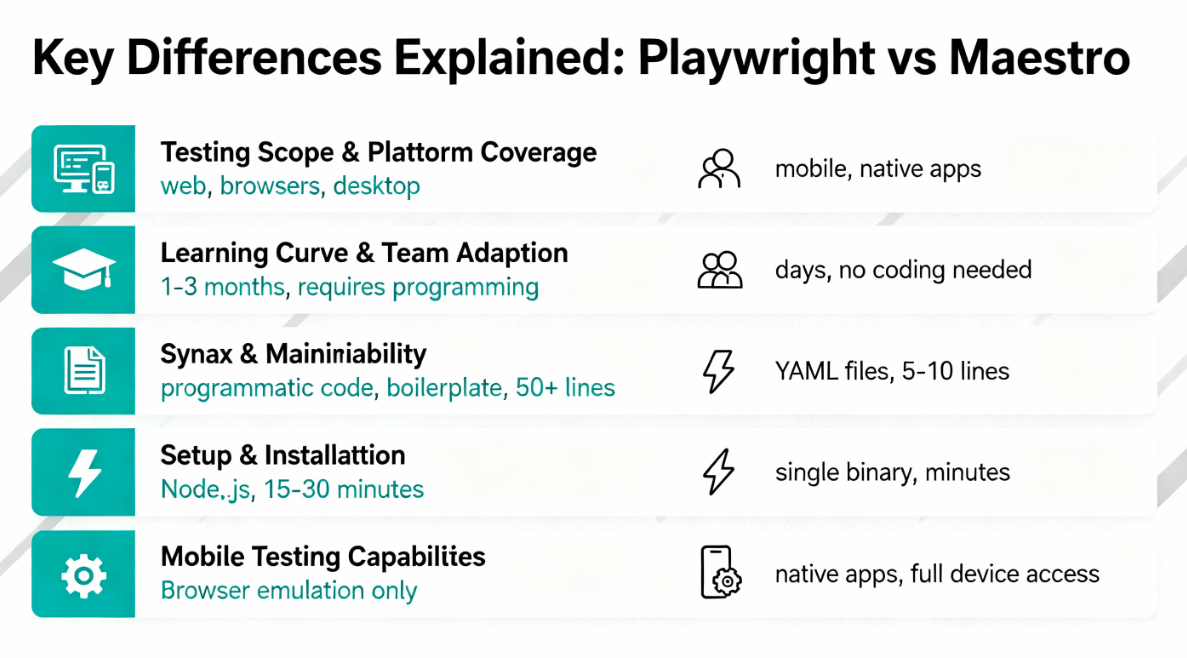
Playwright dominates web application automation across multiple browser engines and desktop applications. It excels at testing responsive designs, cross-browser compatibility, and complex development workflows on both desktop and mobile web applications.
The framework enables unified API usage across Chromium, Firefox, and WebKit, ensuring consistent test behavior regardless of browser type. Maestro focuses exclusively on mobile QA testing, supporting native apps, hybrid applications, and mobile web views comprehensively.
2. Learning Curve & Team Adoption
Playwright requires intermediate to advanced programming knowledge, with developers needing familiarity with JavaScript, Python, or other supported languages. The learning timeline typically spans one to three months depending on existing coding experience.
Maestro dramatically reduces onboarding time through YAML syntax, enabling teams to start writing tests within days rather than weeks. Product managers, QA engineers, and developers can all contribute without prior coding experience effectively.
3. Syntax & Maintainability
Playwright tests consist of programmatic code with methods, assertions, and custom code logic, generating more boilerplate code than comparable Maestro tests. This approach requires careful design patterns like Page Object Model for maintainability and scalability.
Maestro tests are compact YAML files where each line represents a discrete action. A complete login flow spans 5-10 lines rather than 50+, significantly reducing maintenance overhead when UI elements change.
4. Setup & Installation
Playwright requires Node.js installation and package manager setup before projects can begin. Development environments need package.json configuration, dependency resolution, and project scaffolding typically taking 15-30 minutes.
Maestro operates as a single binary executable without package managers or complex dependency chains. Installation completes in minutes, even for team members unfamiliar with development environments or command-line tools.
5. Mobile Testing Capabilities
Playwright supports mobile browser testing through responsive design emulation and device viewport simulation, enabling comprehensive mobile web application testing. However, it cannot access native app functionality, device permissions, biometric authentication, or native APIs.
Maestro provides native mobile app automation with full access to device capabilities, including native mobile app testing, biometric authentication, phone call triggering, and location services management.
Detailed Feature Comparison
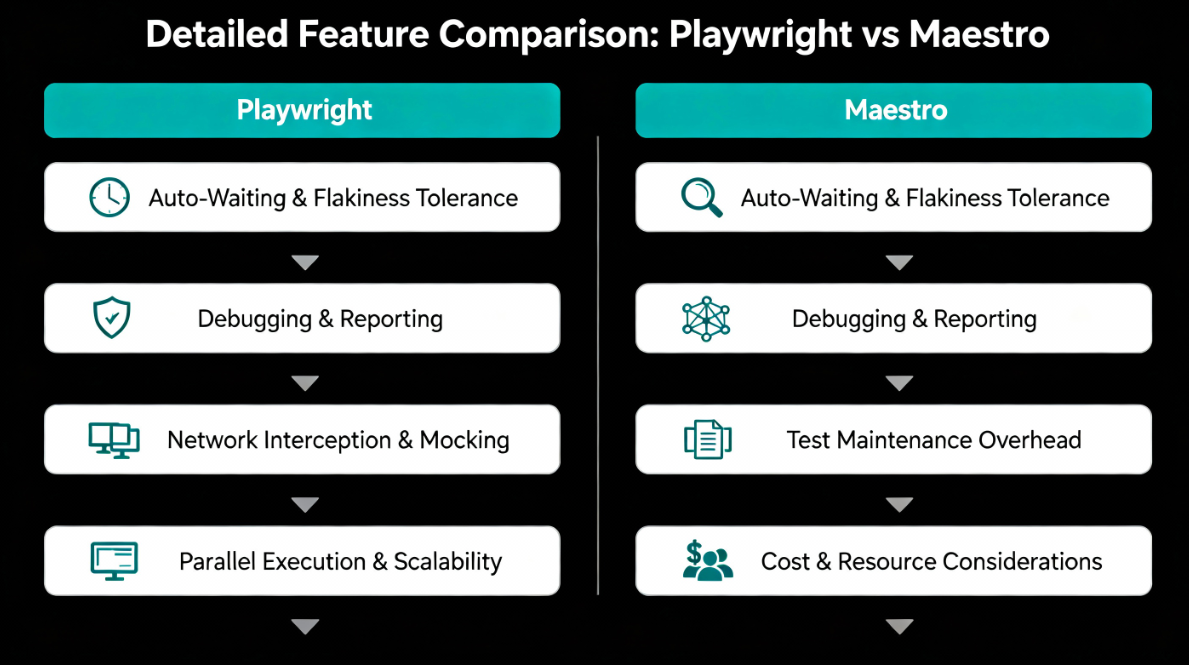
1. Auto-Waiting & Flakiness Tolerance
Playwright’s auto-wait feature intelligently delays actions until elements become visible, clickable, and ready for interaction, eliminating most explicit wait statements. This approach significantly reduces flaky tests and enables developers to configure custom wait conditions for complex scenarios.
Maestro automatically tolerates UI delays and element instability by design, expecting mobile app bugs and delays, network latency, and temporary UI inconsistencies. Teams don’t need custom retry logic or complex synchronization code.
2. Debugging & Reporting
Playwright provides comprehensive debugging through the Playwright Inspector, built-in trace viewer, video recording, screenshot capture, and DOM snapshot analysis at each test step. The trace feature enables developers to inspect network requests and console logs comprehensively.
Maestro integrates debugging through Maestro Studio IDE with interactive element inspection, test flow visualization, and screen recording. On-premise cloud integration provides detailed execution reports, though local debugging is more limited.
3. Network Interception & Mocking
Playwright excels at network control, allowing teams to intercept requests, mock responses, and simulate network throttling without modifying application code. This capability enables testing under poor connectivity conditions and validates error handling for failed API calls.
Maestro supports HTTP requests within test flows but doesn’t provide the same level of network interception as Playwright. Teams can initiate HTTP calls and validate responses but cannot mock browser-level network traffic comprehensively.
4. Parallel Execution & Scalability
Playwright supports parallel test execution across multiple browsers within machines or distributed across CI/CD infrastructure, significantly reducing total test execution time. Configuration occurs through the playwright.config.js file with worker settings.
Maestro Cloud enables parallel execution across multiple devices and simulators, distributing test flows efficiently. Local execution supports single-flow operation, while cloud integration unlocks distributed debugging capabilities at scale.
5. Test Maintenance Overhead
Playwright requires periodic updates when UI elements change, as developers must update selectors and potentially refactor complex code logic. QA automation maintenance becomes increasingly complex as test suites grow larger.
Maestro’s YAML syntax minimizes maintenance overhead since developers only update specific element properties without duplicating code or refactoring complex code sections. Test updates take significantly less time and introduce fewer bugs.
6. Cost & Resource Considerations
Both frameworks are completely free and open-source with no licensing fees required. However, total pricing of ownership includes infrastructure, team expertise, and maintenance overhead across different dimensions.
Playwright’s costs primarily involve infrastructure for running tests and engineering resources for building and maintaining and creating test frameworks. Organizations need experienced developers comfortable with code, CI/CD integration, and complex test architecture patterns.
Maestro’s costs are primarily infrastructure-related, with minimal resource overhead since non-technical team members can handle test creation and maintenance effectively. Setup complexity is dramatically lower, reducing implementation timeline and reducing initial project investment.
When To Choose What: Playwright vs. Maestro
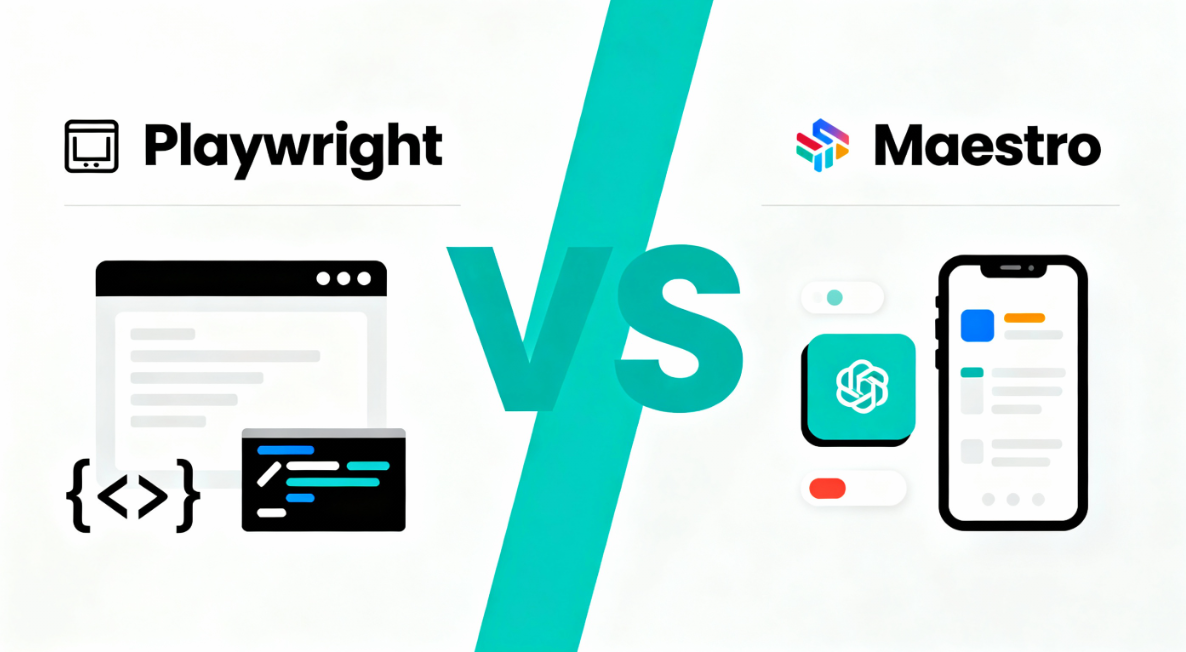
When to Choose Playwright
Playwright is optimal for organizations focusing on web application automation with complex cross-browser requirements and sophisticated testing needs.
Select Playwright when requirements include comprehensive cross-browser coverage across Chrome, Firefox, and Safari simultaneously, complex user workflows requiring sophisticated synchronization, API testing alongside UI automation, and responsive design validation across viewport sizes.
Playwright excels for SaaS platforms, content-heavy websites, progressive web applications, and enterprise systems where cross-browser compatibility is critical. The framework’s maturity and extensive documentation provide strong support for complex scenarios.
When to Choose Maestro
Maestro is ideal for mobile-first organizations automating native and hybrid applications with evolving requirements.
Select Maestro when requirements include mobile app testing on iOS and Android, rapid test creation with minimal setup, cross-functional team contribution from non-technical members, quick iteration cycles, and simplified test maintenance.
Maestro excels for mobile QA teams, startups with agile methodologies, and projects requiring fast feedback cycles. The framework’s simplicity makes it ideal for evolving applications needing frequent test updates.
Hybrid Approach: Using Both Frameworks
Organizations testing both web and mobile applications can leverage both frameworks strategically. Playwright handles comprehensive web application testing and complex cross-browser scenarios, while Maestro manages native mobile app automation effectively.
Web-heavy organizations benefit primarily from Playwright, while mobile-focused teams gain maximum value from Maestro. Enterprises supporting both platforms implement unified strategies where web tests use Playwright and mobile tests use Maestro.
Where Panto AI Adds Unique Value
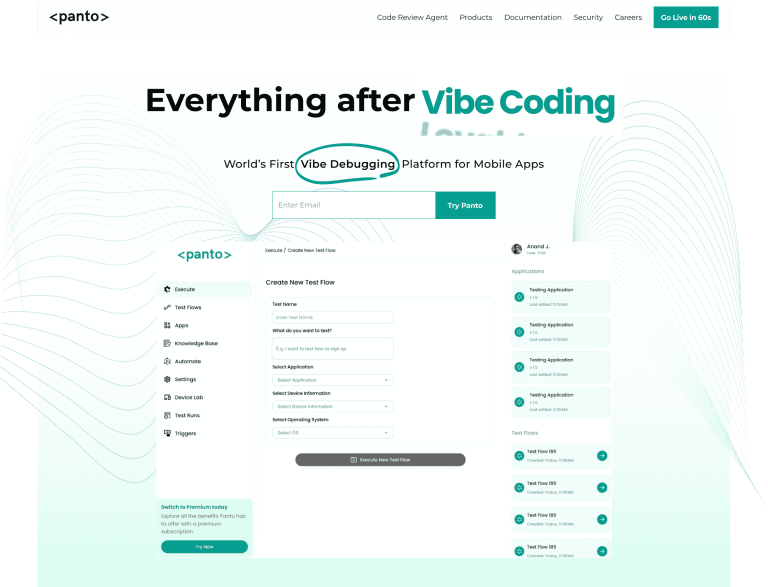
Panto AI addresses a gap that neither Playwright nor Maestro is designed to fill by taking an AI-native approach to test creation and maintenance. Rather than focusing on framework-specific scripting or platform boundaries, Panto AI emphasizes higher-level intent, enabling automated test generation, adaptation to UI changes, and reduced ongoing maintenance overhead.
This makes it particularly valuable for organizations seeking to scale testing coverage quickly, minimize brittle test suites, and abstract complexity across web and mobile environments in ways traditional automation frameworks do not inherently provide.
Performance Metrics Comparison
| Metric | Playwright | Maestro |
|---|---|---|
| Setup Time | 15-30 minutes | 2-5 minutes |
| Average Test Creation | 30-60 minutes per test | 5-10 minutes per test |
| Test Maintenance Time | 10-15 minutes per update | 2-3 minutes per update |
| Execution Speed | 500-1000ms per action | 800-1500ms per action |
| Parallel Tests | Up to 10+ simultaneous | Limited by device count |
| Skill Level Required | Advanced | Beginner to Intermediate |
Key Takeaways & Decision Framework
Choose Playwright if your organization requires sophisticated cross-browser web testing, has engineering expertise available, needs advanced debugging capabilities, or tests progressive web applications extensively. The framework’s power justifies learning curve investment.
Choose Maestro if your primary focus is mobile app testing, you need rapid test creation with minimal setup, want non-technical team members contributing, or require quick iteration cycles. The framework’s simplicity makes it ideal for mobile-first development practices.
If we’re looking for a tool that addresses all the challenges of Playwright and Maestro, Panto AI is the answer. It offers AI-driven test generation and self-healing capabilities, making it well suited for teams seeking broader coverage with less manual effort and lower long-term operational overhead.
Both frameworks are free and open-source, so evaluating each with a pilot project on your specific application provides concrete insights. Many successful organizations ultimately use both frameworks strategically, leveraging each tool’s distinct strengths for different testing challenges.



