

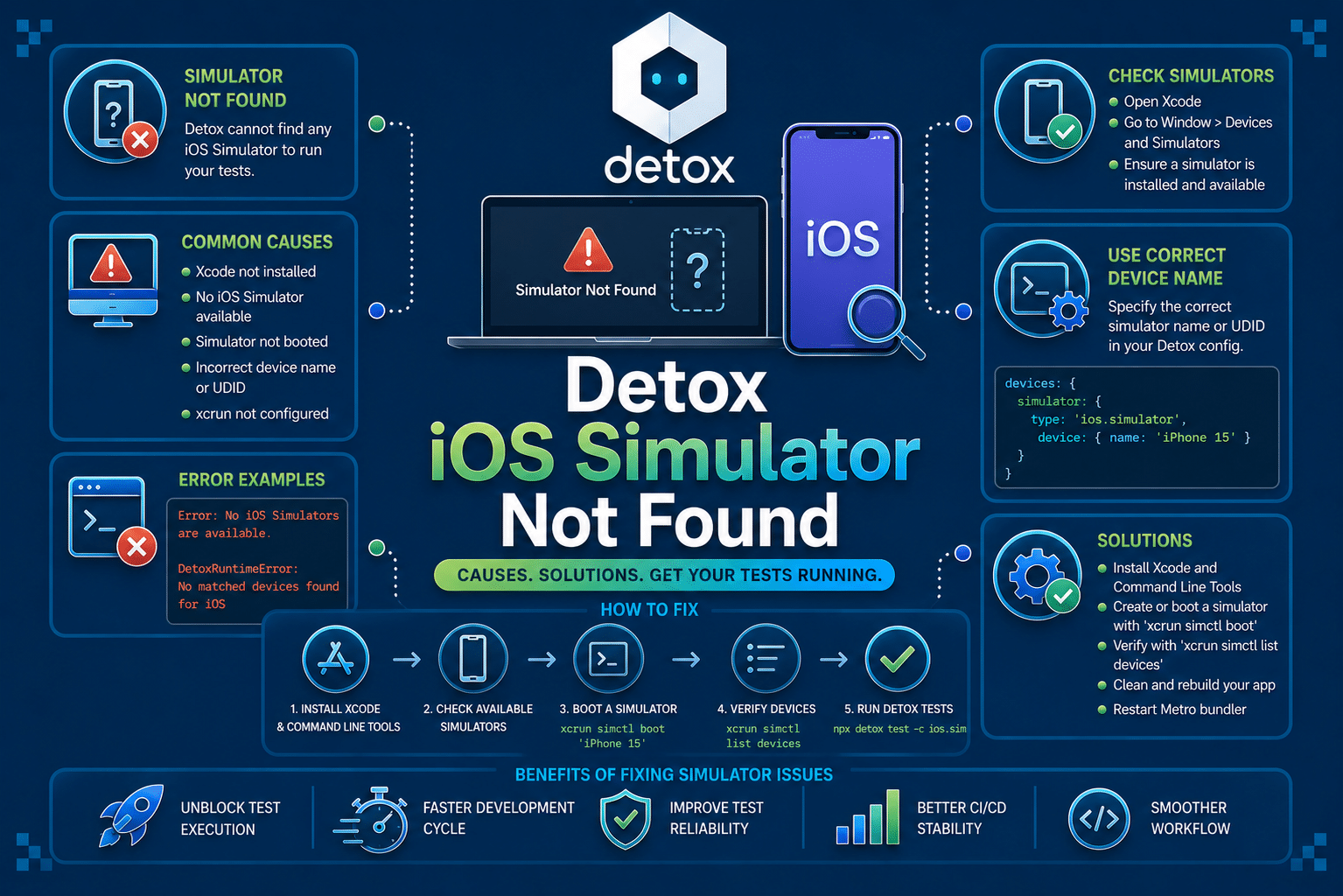

Detox “iOS Simulator Not Found” is a device resolution failure that occurs before your test suite ever launches. If you are hitting this on macOS while running Detox against an iOS simulator, this guide covers that failure path specifically, not the Android emulator equivalent or Xcode’s own simulator boot errors.
This error signals that Detox’s device allocator could not match the simulator configuration in your .detoxrc.js or package.json against what xcrun simctl reports as available on the host machine. It almost always points to a mismatch between config and environment rather than a broken test.
What Is Detox iOS Simulator Not Found?
Detox iOS Simulator Not Found is thrown during the device allocation phase, before any test file executes. Detox calls into simctl to query installed simulator runtimes and device types, then tries to resolve the device.type string from your configuration against that list. When no match is found, allocation fails immediately.
This happens at test-runner startup, specifically inside Detox’s init lifecycle hook, before Jest or Mocha has instantiated a single test block. If your CI logs show zero test results and an early stack trace referencing DeviceRegistry or IosSimulatorDriver, you are looking at this error rather than a runtime crash.
It is worth distinguishing this from a simulator that fails to boot after being found. That is a separate failure, usually surfaced as a timeout waiting for the simulator to reach a booted state. This error is earlier in the chain: Detox cannot even identify a matching device to attempt booting.
See our blog on Test timeout error in Detox →
What Causes Detox iOS Simulator Not Found?
Detox iOS Simulator Not Found traces back to a handful of root causes, ranging from simple config drift to environment-level mismatches. Here’s what typically triggers it, ordered from most to least common:
- Mismatched device type string: The most common cause is a
device.typestring in.detoxrc.jsthat does not exactly match an installed simulator name on the current machine. Apple renames device types across Xcode versions, so a config written for “iPhone 14” can silently break after an Xcode upgrade replaces it with “iPhone 15” in the default runtime list. - Missing or uninstalled iOS runtime: A close second is a missing or uninstalled iOS runtime. Xcode ships with only the runtimes selected during installation, and CI images in particular often include a narrower runtime set than a developer’s local machine, so a config pinned to iOS 17.0 fails on a runner that only has iOS 16.4 available.
- Stale or corrupted simulator state: Detox maintains its own device registry cache, and if a simulator was deleted or reset outside of Detox (through Xcode’s own device manager, for example), the cache can reference a UDID that
simctlno longer recognizes. - Xcode Command Line Tools pointing at the wrong installation: This causes issues less often but is disproportionately confusing when it happens. If
xcode-select -presolves to a different Xcode.app than the one with your intended simulators installed, Detox queries the wrong runtime list entirely. - No pre-created simulators on a fresh machine: Least commonly, a fresh CI runner or new team member’s machine simply has no simulators pre-created, since
simctldistinguishes between installed runtimes and instantiated simulator devices, and Detox expects the latter to already exist.
How To Reproduce The Error: iOS Simulator Not Found
The failure reproduces reliably by pointing a Detox config at a device type string that does not exist on the current machine, then running the standard test command.
// .detoxrc.js
module.exports = {
  devices: {
    simulator: {
      type: 'ios.simulator',
      device: {
        type: 'iPhone 14 Pro' // renamed or missing on this Xcode version
      }
    }
  },
  configurations: {
    'ios.sim.debug': {
      device: 'simulator',
      app: 'ios.debug'
    }
  }
};
detox test --configuration ios.sim.debug
DetoxRuntimeError: Failed to find a device by type = "iPhone 14 Pro"
Available device types are: iPhone 15, iPhone 15 Pro, iPhone SE (3rd generation)...
    at IosSimulatorDriver.acquireFreeDevice
How To Fix Detox iOS Simulator Not Found
1. List available simulators and correct the device type string
Run xcrun simctl list devicetypes to get the exact strings Detox needs to match against. Copy the name verbatim into your config rather than guessing from memory or an old README.
xcrun simctl list devicetypes | grep iPhone
device: {
  type: 'iPhone 15 Pro'
}
2. Install the missing iOS runtime
If the device type exists but the paired OS version does not, open Xcode’s Settings > Platforms panel and install the missing simulator runtime, or use the command line equivalent on CI.
xcodebuild -downloadPlatform iOS
3. Reset Detox’s device registry cache
When simulators were modified outside Detox, clear its cached device state so it re-queries simctl fresh on the next run.
detox clean-framework-cache
detox build-framework-cache
rm -rf ~/Library/Detox
4. Verify and correct the active Xcode path
Confirm xcode-select points at the Xcode installation that actually has your target simulators, especially on machines with multiple Xcode versions.
xcode-select -p
sudo xcode-select -s /Applications/Xcode.app
5. Pre-create the simulator device explicitly
On fresh machines or CI images with no instantiated simulators, create the device manually so simctl has something for Detox to resolve against.
xcrun simctl create "iPhone 15 Pro" "iPhone 15 Pro" "iOS17.0"
How AI Can Help You Fix Detox iOS Simulator Not Found Faster
When this error hits, most engineers start by manually running simctl list, scrolling through dozens of device type and runtime entries, and eyeballing the diff against their config file. That diagnosis step alone often takes longer than the fix itself, and it repeats every time Xcode updates or a new teammate sets up their machine.
AI-assisted code review can inspect a .detoxrc.js file against a known list of currently valid device type strings before the test suite ever runs, flagging a device string that is deprecated, misspelled, or tied to a runtime not present in the CI image. It can also catch config drift between what a pull request changes and what the CI environment actually supports.
Detox tells you the simulator was not found after the test process has already started and failed. A code review layer can catch a device string mismatch or missing runtime dependency at PR time, before a CI job is scheduled and burns runner minutes on a failure that was knowable from the diff alone.
That is where Panto AI fits. While Detox surfaces the failure at runtime, Panto AI’s mobile QA and code review layer can flag device configuration mismatches earlier in the workflow and directly in the pull request.
The value is not in replacing Detox. The value is in catching a stale device configuration before it becomes a failed CI run, a blocked release pipeline, and an hour of a developer’s afternoon spent re-deriving something a config check could have caught in seconds.
Best Practices To Prevent Detox iOS Simulator Not Found
- Pin device types to a version-controlled list. Keep the exact
simctl list devicetypesoutput for your supported Xcode version in the repo so config changes can be checked against a known-good reference instead of memory. - Match CI runner images to local Xcode versions. Use a CI provider image that specifies an exact Xcode version rather than “latest,” since runtime availability shifts between Xcode releases and silently breaks configs.
- Automate simulator creation in setup scripts. Add a
postinstallor CI setup step that runsxcrun simctl createfor your target devices, so no one depends on a simulator existing by accident. - Audit device config on every Xcode upgrade. Treat Xcode upgrades as a breaking change candidate for Detox config, since Apple periodically renames or retires device type strings without much announcement.
- Keep Detox’s cache lifecycle explicit in CI. Run
detox clean-framework-cacheas a scheduled or pre-test step on CI runners that persist state between jobs, so stale registry entries do not accumulate silently.
Handling Detox iOS Simulator Not Found In CI/CD Pipelines
CI runners make this error more likely because simulator and runtime availability is determined by whatever image the provider maintains, not by what a developer has locally. A config that works on every laptop on the team can still fail on a runner image that lags an Xcode release behind.
Ephemeral CI environments compound the problem because simulators are not pre-created between jobs unless the pipeline explicitly does so. Every job effectively starts from a colder state than a developer’s machine, which means device creation and runtime checks need to be part of the pipeline itself rather than assumed.
Adding a readiness check before the test step catches this class of failure early and produces a clearer error than Detox’s own allocator trace.
#!/bin/bash
REQUIRED_DEVICE="iPhone 15 Pro"
if ! xcrun simctl list devicetypes | grep -q "$REQUIRED_DEVICE"; then
  echo "Required simulator device type not found: $REQUIRED_DEVICE"
  exit 1
fi
Running this as a pre-flight step means a broken pipeline fails fast with an actionable message instead of burying the real cause inside a Detox stack trace several minutes into the job.
Conclusion
Detox iOS Simulator Not Found is a device resolution failure, not a test logic bug, and it almost always traces back to a mismatch between your .detoxrc.js device configuration and what simctl can actually see on the host.
The fastest path to a fix is checking xcrun simctl list devicetypes against your config string, confirming the required runtime is installed, and clearing Detox’s cache if the simulator state was touched outside of Detox itself.
For teams running this across many contributors and CI runners, the real goal is not fixing one broken config but making device configuration drift visible before it reaches a pipeline, since the same mismatch tends to resurface with every Xcode upgrade.
If Detox simulator resolution failures keep stalling your CI runs, Panto’s AI-assisted mobile QA can help surface device configuration mismatches earlier in the development lifecycle.
FAQs
Q: Why does Detox iOS Simulator Not Found happen in CI but not locally?
A: CI environments often use different Xcode versions and simulator runtimes than local machines. A simulator that exists on your Mac may not exist on the CI runner, causing Detox to fail before tests start. Pinning your CI image to a specific Xcode version and creating the required simulator during the build helps prevent this issue.
Q: How is this different from a simulator boot timeout?
A: They occur at different stages. Simulator Not Found means Detox cannot locate a simulator that matches your configuration. A boot timeout means the simulator was found but failed to boot within the allowed time, typically because of resource constraints, slow startup, or corrupted simulator data.
Q: Do I need to update my Detox configuration every time I upgrade Xcode?
A: Not always, but it’s worth checking after every major Xcode upgrade. Apple occasionally renames, adds, or removes simulator device types and runtimes, which can cause previously valid Detox configurations to stop working without any changes to your project.
Q: Can this error occur even if the iOS Simulator opens manually?
A: Yes. Opening the Simulator app manually uses Xcode’s device picker, which can tolerate partial matches. Detox relies on an exact match against the device names returned by simctl, so a simulator that launches manually may still fail if its configured name or runtime doesn’t match your Detox configuration exactly.



