

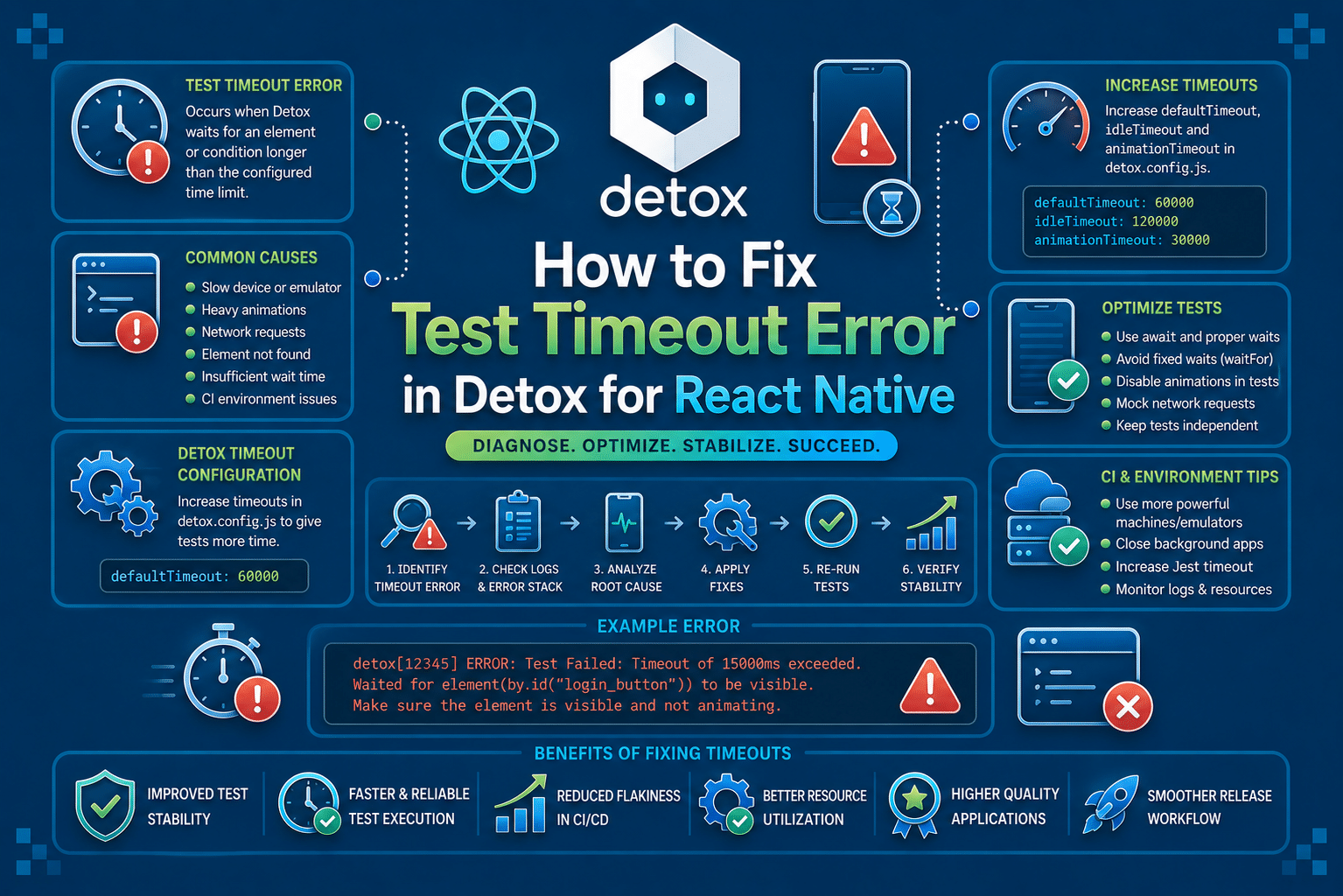

Detox Test Timeout Error is a runtime test execution failure in React Native end-to-end testing. If you’re encountering this error while running Detox tests on Android emulators, iOS simulators, or CI pipelines, this guide covers the Detox-specific timeout behavior, not generic Jest or React Native testing timeouts.
A timeout usually means Detox or the underlying Jest test runner waited longer than the configured limit for an operation to complete. In most cases, the failure points to the synchronization layer, application startup, network-dependent UI, or an asynchronous operation that never reaches the expected state.
Although increasing the timeout may temporarily hide the failure, it rarely addresses the underlying cause.
What Is Test Timeout Error in Detox?
A Test Timeout Error in Detox occurs when a test, hook, or asynchronous operation exceeds the maximum execution time allowed by the test runner. Detox itself relies on Jest to execute tests, so many timeout failures originate from Jest’s timeout limits while Detox waits for the application to become idle or an expected UI state to appear.
Unlike assertion failures, which indicate that an expected value or element does not match reality, a timeout means the expected condition was never reached within the configured duration. The application may still be running, but Detox considers the operation unsuccessful because progress stopped before completion.
This error typically appears during application launch, navigation between screens, waitFor() operations, or asynchronous setup and teardown hooks. It differs from synchronization errors, where Detox explicitly reports that the app never became idle.
A timeout simply indicates that execution exceeded the allotted time, regardless of whether the delay came from the application, the test, or the environment.
What Causes Test Timeout Error in Detox?
The most common cause is an application that never reaches the expected UI state. A screen may still be loading data, waiting for an API response, or rendering animations while the test continues waiting for an element that never appears.
Another frequent cause is improperly handled asynchronous code. Promises that never resolve, unfinished timers, or background tasks can prevent the application from becoming stable before the timeout expires.
Timeouts also occur when default Jest timeout values are too small for the operation being performed. Initial application launches, authentication flows, or large setup routines often require more time than the default configuration allows, particularly on slower CI machines.
A fourth cause is unstable synchronization caused by continuous animations, polling services, WebSocket connections, or recurring timers. Detox intentionally waits for the application to become idle before interacting with it, so constantly active resources can keep the synchronization engine waiting indefinitely.
Less commonly, the issue originates from resource-constrained environments such as shared CI runners or overloaded emulators. Even correctly written tests may exceed timeout limits when CPU or memory contention slows application startup and UI rendering.
How To Reproduce The Test Timeout Error in Detox
One common reproduction scenario is waiting for an element that never becomes visible because an API request stalls or navigation never completes. Detox continues polling until the timeout configured by Jest expires.
describe('Login Flow', () => {
  beforeAll(async () => {
    await device.launchApp();
  });

  it('should display dashboard', async () => {
    await element(by.id('loginButton')).tap();

    await waitFor(element(by.id('dashboard')))
      .toBeVisible()
      .withTimeout(5000);

    await expect(element(by.id('dashboard'))).toBeVisible();
  });
});
FAIL e2e/login.e2e.js

Exceeded timeout of 5000 ms for a test.

Timeout - Async callback was not invoked within the 5000 ms timeout specified by Jest.
How To Fix Test Timeout Error in Detox
1. Increase Timeouts Only When The Operation Is Legitimately Slow
The first step is determining whether the operation genuinely requires additional time. Initial application launches, first-time authentication, and large datasets often take longer on slower devices or CI environments than on local development machines.
Instead of increasing every timeout globally, extend only the operations that have predictable long execution times. This preserves the ability to detect genuine hangs while avoiding unnecessary failures during expected delays.
describe('Authentication', () => {
  beforeAll(async () => {
    jest.setTimeout(30000);

    await device.launchApp();
  });

  it('logs in successfully', async () => {
    await element(by.id('loginButton')).tap();

    await waitFor(element(by.id('homeScreen')))
      .toBeVisible()
      .withTimeout(15000);
  });
});
If the timeout continues occurring after increasing the limit, the problem is almost certainly elsewhere. Longer timeouts should provide additional execution time, not mask synchronization problems.
2. Wait For Stable UI States Instead Of Fixed Delays
A common mistake is relying on arbitrary sleep intervals instead of waiting for actual application state changes. Fixed delays may work on one machine while failing on another because application performance varies between devices and CI runners.
Detox provides synchronization primitives such as waitFor() that wait for observable UI conditions instead of elapsed time. Tests become more deterministic because they proceed only after the required element reaches the expected state.
Instead of this:
await element(by.id('loginButton')).tap();

await new Promise(resolve =>
  setTimeout(resolve, 5000)
);

await element(by.id('dashboard')).tap();
Prefer waiting for the actual UI condition:
await element(by.id('loginButton')).tap();

await waitFor(element(by.id('dashboard')))
  .toExist()
  .withTimeout(10000);

await element(by.id('dashboard')).tap();
This approach adapts to both fast and slow executions. If the dashboard appears in two seconds, the test continues immediately instead of unnecessarily waiting five seconds.
3. Resolve Unfinished Asynchronous Operations
A timeout often indicates that the application never completed an asynchronous task rather than the test itself failing. Pending API requests, unresolved Promises, background polling, or timers can prevent Detox from recognizing the application as idle, causing subsequent interactions to wait until the timeout expires.
Review recent changes involving network requests, state management, or lifecycle methods. Ensure asynchronous operations either complete successfully or fail gracefully so the application can transition into a stable state before the next test action.
useEffect(() => {
  let mounted = true;

  async function loadProfile() {
    try {
      const profile = await fetchProfile();

      if (mounted) {
        setUser(profile);
      }
    } finally {
      setLoading(false);
    }
  }

  loadProfile();

  return () => {
    mounted = false;
  };
}, []);
Properly completing asynchronous work allows Detox to resume synchronization instead of waiting indefinitely for the application to settle.
4. Optimize Detox Synchronization
Detox automatically synchronizes with the application before interacting with the UI. Continuous animations, recurring timers, background polling, or WebSocket activity can prevent the application from ever becoming idle, eventually resulting in a timeout.
Where possible, disable nonessential animations during testing and avoid background activity that is unrelated to the scenario under test. If a screen intentionally performs continuous work, consider restructuring the application so critical interactions occur after the background task is complete.
await device.launchApp({
  newInstance: true,
  launchArgs: {
    DETOX_DISABLE_ANIMATIONS: '1'
  }
});
The behavior is generally similar on Android and iOS, although Android devices with slower emulator performance may spend longer processing animations, while iOS simulators can remain busy due to Core Animation or repeated UI updates. In both cases, removing unnecessary background activity improves synchronization reliability.
5. Reduce CI Environment Delays
Tests that consistently pass locally but fail in CI are frequently affected by slower infrastructure rather than incorrect test logic. Shared runners, virtualized devices, limited CPU allocation, and cold application launches all increase execution time and make timeout failures more likely.
Rather than immediately increasing every timeout, verify that the application is fully installed, the emulator or simulator is ready, and the environment has sufficient resources before starting the test suite. Stable infrastructure produces more consistent execution times and reduces intermittent failures.
beforeAll(async () => {
  jest.setTimeout(60000);

  await device.launchApp({
    newInstance: true
  });
});
If only CI environments require longer timeouts while local execution remains fast, investigate infrastructure performance before permanently increasing timeout values across the entire project.
How AI Can Help You Fix Test Timeout Error in Detox Faster
When a timeout occurs, engineers typically begin by rerunning the failing test, enabling verbose Detox logs, reviewing Jest output, inspecting application logs, and comparing successful and failed executions.
If the issue only appears intermittently or only in CI, multiple reruns are often required before the actual bottleneck becomes apparent. Much of the debugging time is spent identifying where execution stopped rather than fixing the underlying defect.
An AI-assisted testing workflow can analyze the test and application code before execution to identify patterns commonly associated with timeout failures.
This includes unresolved asynchronous operations, missing completion paths, unstable waits, UI interactions that depend on unfinished rendering, or long-running initialization logic that is likely to exceed configured execution limits.
Detox tells you that execution exceeded the allowed time during runtime. A code review layer can identify risky asynchronous patterns, unstable waits, and synchronization issues before the test ever runs.
That is where Panto AI fits. While Detox surfaces the failure at runtime, Panto AI’s mobile QA and code review layer can flag the underlying asynchronous or synchronization pattern earlier in the workflow and directly in the pull request.
The value is not in replacing Detox. The value is in catching synchronization defects and unstable asynchronous behavior before they become repeated CI failures, delayed releases, and time-consuming debugging sessions.
Best Practices To Prevent Test Timeout Error in Detox
- Keep Test Scenarios Focused. Smaller end-to-end tests complete faster and expose failures closer to their root cause. Long user journeys increase the likelihood that one slow operation causes the entire test to exceed its timeout.
- Wait For Observable UI Conditions. Base test progression on application state instead of elapsed time. Waiting for visible elements or completed navigation makes execution more consistent across devices and CI environments.
- Stabilize Test Data. Ensure backend responses and seeded test accounts produce predictable application behavior. Variable data often changes screen rendering times and makes timeout failures difficult to reproduce.
- Minimize Background Activity During Tests. Disable unnecessary polling, animations, or recurring updates when they are not part of the scenario being validated. Fewer background operations allow Detox to synchronize more reliably.
- Monitor Execution Trends. Track how long common test flows take over time instead of only investigating failed runs. Gradually increasing execution time often indicates a performance regression before widespread timeout failures begin appearing.
Handling Test Timeout Error in Detox In CI/CD Pipelines
Timeout errors are more common in CI because virtualized infrastructure rarely matches the performance of a local development machine. Shared runners, cold emulator boots, network latency, and limited hardware resources all increase the time required for application startup and UI rendering.
Parallel execution can further amplify the problem. Multiple emulators or simulators competing for CPU and memory may slow application execution enough for otherwise healthy tests to exceed configured timeout values.
Before increasing timeout limits, verify that the execution environment itself is ready to run Detox tests.
A simple readiness check before executing the test suite can eliminate failures caused by an emulator that has not fully booted.
#!/bin/bash

adb wait-for-device

until adb shell getprop sys.boot_completed | grep -m 1 "1"; do
  echo "Waiting for Android emulator..."
  sleep 5
done

echo "Emulator is ready."

npx detox test
Performing readiness checks before launching the test suite reduces avoidable timeout failures and makes genuine application issues easier to identify.
Conclusion
A Test Timeout Error in Detox indicates that an operation exceeded the configured execution time before reaching its expected state. Although the failure appears as a timeout, the underlying issue is often related to synchronization, unfinished asynchronous work, or environmental delays rather than the timeout setting itself.
The fastest debugging approach is to determine where execution stopped, verify that asynchronous operations complete successfully, replace fixed delays with condition-based waits, and evaluate whether the execution environment is introducing additional latency before increasing timeout limits.
For teams running large React Native test suites, the objective is not simply fixing individual timeout failures. The goal is to eliminate the synchronization and application patterns that repeatedly produce unstable execution across local development and CI pipelines.
If recurring timeout failures are slowing releases, Panto’s AI-assisted mobile QA can help surface synchronization and test stability issues earlier in the development lifecycle.
FAQs
Q: Why do Detox tests time out even when the app appears to be working?
A: Detox waits for the app to become fully idle before performing the next action. Background timers, unfinished network requests, long-running animations, polling services, or other asynchronous tasks can keep the app in a “busy” state even when the UI appears responsive, eventually triggering a timeout.
Q: Why does Test Timeout Error occur in CI but not locally?
A: CI environments typically have fewer CPU and memory resources, slower emulator startup, shared infrastructure, and higher network latency than local machines. These differences can expose hidden timing issues and cause otherwise stable tests to exceed their configured timeout limits.
Q: How is Test Timeout Error different from a Detox synchronization error?
A: A synchronization error indicates that Detox could not determine the app had reached an idle state. A Test Timeout Error simply means the test exceeded the maximum execution time, regardless of whether the underlying cause was synchronization, slow execution, infrastructure delays, or unfinished asynchronous work.
Q: Should I fix Test Timeout Error by increasing the Jest timeout?
A: Only if the operation genuinely needs more time to complete. If a test continues to time out after increasing the limit, the underlying issue is likely a synchronization problem, unresolved asynchronous work, or a CI performance bottleneck. Addressing the root cause is far more effective than repeatedly extending timeout values.



