


Detox and Maestro are both designed to reduce flakiness and execution delays. However, they take fundamentally different approaches to solving these problems.
This comparison explores Detox and Maestro across architecture, usability, and scalability. The goal is to help teams select the framework that aligns with their technology stack.
Why Teams Compare Detox and Maestro
Both frameworks promise faster execution and more stable test results. They reduce the need for manual waits and fragile synchronization logic. This makes them attractive alternatives to traditional mobile automation.
Detox targets React Native teams seeking deep app integration. Maestro targets broader teams seeking ease of use. Both focus heavily on test reliability. The comparison reflects a broader shift in mobile testing philosophy.
Teams are moving from black-box debugging toward more intelligent synchronization. They want tests that adapt to application behavior automatically. Both frameworks deliver this but through different technical approaches.
The debate often emerges when React Native teams outgrow basic testing tools. They need solutions that match their development velocity. Traditional frameworks like Appium feel too heavy and complex. Detox and Maestro offer modern alternatives.
Cost considerations also drive the comparison. Flaky tests waste engineering time and slow releases. Both frameworks promise to reduce this waste. The question is which delivers better ROI for specific team contexts.
Market Context and Adoption Patterns
Detox dominates React Native testing ecosystems. Major React Native apps like Shopify and Wix use Detox extensively. Its adoption correlates strongly with React Native usage. The community is focused but highly engaged.
Maestro emerged from mobile-first companies seeking simplicity. It gained traction among startups and scale-ups. Its growth reflects broader trends toward low-code testing solutions. Adoption is accelerating across diverse technology stacks.
Enterprise adoption differs significantly. Detox fits naturally into JavaScript-centric organizations. Maestro appeals to companies with mixed skill sets and platforms. Both are gaining ground but in different market segments.
Cloud testing providers influence framework choice. Most support both frameworks but with varying maturity. Detox support is well-established among React Native-focused providers. Maestro support is expanding rapidly as demand grows.
The tooling ecosystem around each framework reflects their philosophies. Detox integrates deeply with JavaScript tooling. Maestro provides standalone simplicity. This shapes how teams incorporate them into existing workflows.
Decision Framework Overview
Choosing between Detox and Maestro requires evaluating five key dimensions. These dimensions determine long-term success more than any individual feature.
First, assess your application’s technology stack. React Native apps align naturally with Detox’s gray-box approach. Multi-platform or mixed environments favor Maestro’s flexibility.
Second, analyze your team’s composition and skills. JavaScript developers ramp quickly on Detox. Mixed teams with QA analysts benefit from Maestro’s accessibility.
Third, quantify your performance requirements. Sub-hour CI pipelines demand Detox’s speed. Maestro also performs well but optimizes for different metrics.
Fourth, evaluate your tolerance for setup complexity. Detox requires native configuration expertise. Maestro offers near-instant setup and lower maintenance.
Fifth, consider your scalability needs. Detox excels in React Native-centric scaling. Maestro simplifies scaling across diverse platforms and teams.
Architecture, Workflow, and Adoption Considerations
What Is Detox?

Detox is a gray-box end-to-end testing framework built specifically for React Native. It runs inside the application process and communicates directly with native layers. This allows Detox to control app lifecycle events precisely.
Detox automatically synchronizes test execution with the app’s state. Tests only proceed when animations, network calls, and timers are idle. This significantly reduces flaky test behavior.
The framework injects native testing and monitoring libraries into your application build. These libraries track UI operations, async tasks, and animation frames. The test runner queries this monitor before each command.
Core Characteristics of Detox
Gray-box testing with in-app instrumentation provides deep visibility into internal state. Automatic synchronization with UI and async operations eliminates race conditions. JavaScript-based test authoring enables full-stack team ownership.
Designed exclusively for React Native apps ensures first-class framework support. The architecture prioritizes reliability and performance over universal compatibility.
Technical Architecture Deep Dive
Detox operates through a client-server model within the app process. The native side runs a synchronization monitor that tracks all async operations. The JavaScript test runner queries this monitor before executing commands.
This design enables Detox to know exactly when the app becomes idle. It waits for pending network requests to complete. It monitors active animations and timers. It tracks React Native’s JavaScript thread activity.
The synchronization engine distinguishes Detox from traditional tools. Traditional QA frameworks guess readiness through timeouts. Detox observes actual application state, reducing false positives dramatically.
Build Integration and Configuration
Detox requires modifications to native build files. iOS projects need Podfile updates and scheme configurations. Android builds require Gradle changes and test orchestrator setup.
These modifications enable Detox to inject its monitoring libraries. The process adds minimal overhead to build times. Once configured, test builds generate automatically.
Configuration lives in `.detoxrc.js` files. These define device profiles, app binaries, and test execution settings. Teams maintain separate configurations for local development and CI/CD.
Test Authoring Patterns
Detox tests use JavaScript and follow async/await patterns. The API mirrors user interactions: tap, type, scroll, and swipe. Element selectors support text, IDs, and accessibility labels.
Tests read like sequential user journeys. Each line represents an action or assertion. Synchronization happens transparently without explicit wait statements.
This simplicity enables developers to write tests alongside features. QA engineers focus on test strategy rather than synchronization boilerplate. The result is higher test coverage and faster feedback.
What Is Maestro?
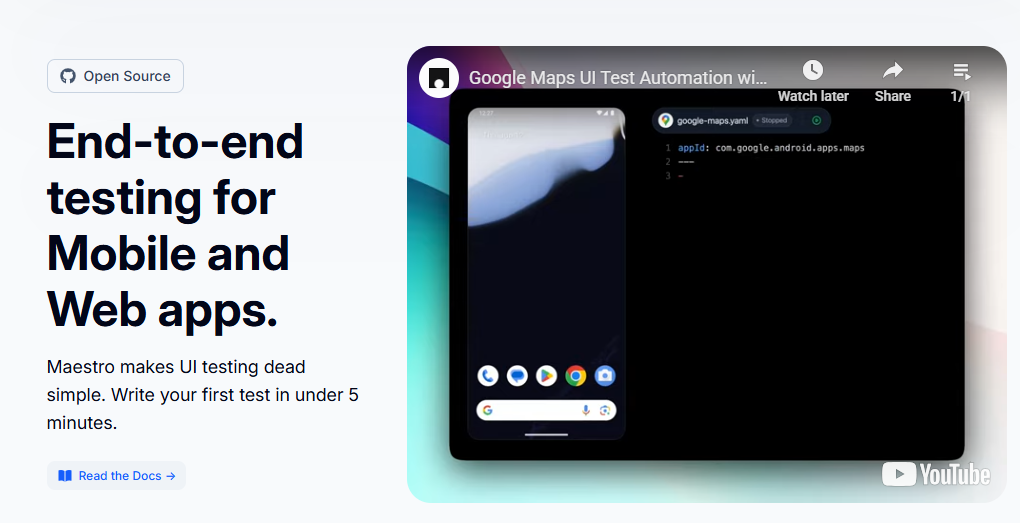
Maestro is a modern mobile UI testing framework focused on simplicity. It uses a declarative YAML syntax to describe user interactions. This removes the need for traditional programming in many cases.
Maestro operates as a black-box framework. It does not require access to application source code. Tests reflect real user flows across platforms.
The framework operates through a lightweight runner that executes YAML flows directly. This eliminates compilation steps and reduces tooling complexity. Tests run on real devices and emulators with minimal setup.
Core Characteristics of Maestro
Black-box testing with user-centric execution prioritizes real-world interaction patterns. No-code or low-code YAML syntax enables rapid test creation. Smart waits and automatic retries eliminate timing-related failures.
Cloud-friendly execution model supports modern CI/CD pipelines. The architecture minimizes infrastructure requirements and operational overhead.
YAML-Based Test Definition
Maestro tests are pure YAML files describing user flows. Each step specifies an action like tap, inputText, or assertVisible. The syntax reads like natural language, making tests self-documenting.
This approach eliminates coding language dependencies. QA analysts write tests without learning JavaScript or Python. Developers review tests easily during pull requests.
Intelligent Synchronization Engine
Maestro’s synchronization engine monitors UI state automatically. It waits for elements to appear, animations to complete, and network requests to finish. Tests proceed only when the app is truly ready.
This intelligence eliminates explicit wait statements. Test authors focus on user flows, not timing logic. The engine uses multiple signals including view hierarchy changes and main thread activity.
The result is exceptional stability. Tests behave consistently across different device speeds and network conditions. Flakiness rates drop dramatically compared to manual synchronization approaches.
Cloud-Native Execution Model
Maestro designed for cloud execution from the start. Its lightweight runner starts quickly and consumes minimal resources. This enables efficient parallelization across device fleets.
The framework integrates seamlessly with cloud device providers. Tests upload as YAML files without compilation dependencies. Execution environments remain simple and reproducible.
This design reduces CI pipeline complexity. Docker containers run Maestro tests with small footprints. Resource efficiency translates to lower cloud debugging costs at scale.
Test Authoring and Developer Experience
Detox tests are written in JavaScript using familiar testing constructs. Developers benefit from IDE tooling and code reuse. However, non-developers face a steeper learning curve.
Maestro prioritizes readability and accessibility. Test flows read like step-by-step user instructions. This lowers the barrier for QA and product teams.
The authoring experience shapes team productivity. Fast test case generation enables rapid coverage expansion. Readable tests facilitate collaboration and maintenance.
Detox Authoring Patterns
Detox tests typically use JavaScript testing frameworks like Jest. Developers leverage familiar tooling including debuggers and linters. Code reuse through helper functions reduces duplication.
Element selectors support multiple strategies. Text, accessibility labels, and test IDs each have use cases. The framework provides flexible matching options.
However, test authoring requires coding expertise. Non-developers struggle with async/await patterns and JavaScript syntax. This limits who can contribute to test creation.
Maestro Authoring Simplicity
Maestro tests read like user story acceptance criteria. Each line represents a clear user action or assertion. Stakeholders outside engineering can understand test flows.
The learning curve is measured in hours, not weeks. New team members write their first working test on day one. This accelerates team scaling and knowledge transfer.
Refactoring tests remains straightforward. Changing a button label requires updating one YAML line. No compilation or complex refactoring tools needed.
Collaboration and Code Review
Detox tests review like production code. Engineers check logic, patterns, and maintainability. QA analysts often cannot participate fully due to programming complexity.
Maestro tests review like documentation. Product managers and designers can validate test coverage against user stories. This broader participation improves test quality.
Pull request discussions focus on user scenarios, not implementation details. Teams catch missing edge cases earlier in development cycles.
Execution Speed and Feedback Cycles
Detox benefits from in-process communication. There is minimal overhead between test commands and UI actions. This results in fast execution times.
Maestro also delivers quick feedback through optimized runners. Its execution model avoids unnecessary delays. Both frameworks outperform traditional black-box tools.
Rapid feedback transforms development workflows. Developers run tests locally before committing. CI pipelines complete quickly, enabling faster iteration.
Benchmark Performance Data
Independent benchmarks show Detox completing React Native test suites 2-3x faster than traditional debugging frameworks. A typical login flow test runs in 8-12 seconds with Detox.
Maestro executes comparable black-box tests in 12-18 seconds. While slightly slower than Detox for React Native, it outperforms Appium significantly. The difference compounds across large test suites.
Local execution speed particularly favors both frameworks. Developers run relevant tests during development without context switching. Slow tests encourage developers to skip testing until CI.
CI Pipeline Impact
Detox’s speed reduces CI queue times and resource consumption. Faster pipelines enable more frequent deployments. Teams merge changes with confidence multiple times daily.
Maestro’s lightweight runner also minimizes CI overhead. Its cloud-friendly design reduces infrastructure costs. Both frameworks support modern continuous deployment practices.
Pipeline optimization becomes less critical. Teams focus on test coverage rather than execution speed workarounds. This simplifies CI configuration and maintenance.
Parallel Execution Strategies
Both frameworks support parallel test execution across multiple devices. Detox’s speed advantage multiplies in parallel configurations. A 4-device parallel run often matches single-device performance of slower tools.
Maestro’s deterministic execution simplifies parallelization. Tests don’t interfere with each other due to clean state management. Cloud providers can optimize resource allocation efficiently.
Parallel execution reduces total test time dramatically. What takes an hour sequentially completes in 15 minutes with 4 devices. This enables true continuous deployment for mobile apps.
Stability and Flakiness Management
Detox eliminates most flakiness through automatic synchronization. Manual waits are rarely required. Test results are highly deterministic.
Maestro achieves stability through intelligent UI awareness. Tests wait for visible and interactable elements automatically. Flakiness is minimal even in complex flows.
Flaky tests undermine automation ROI. Teams lose confidence and start ignoring failures. This defeats the purpose of automated code quality gates.
Detox Synchronization Engine
Detox tracks React Native’s JavaScript thread, native UI queue, and network activity. It knows precisely when the app becomes idle. Tests proceed only after all operations complete.
This eliminates race conditions at the source. Developers rarely write explicit waits or retry logic. The framework handles timing issues transparently.
The result is exceptional reliability. Teams report flakiness rates below 2% even for complex test suites. This stability enables confident continuous deployment.
Maestro UI Awareness
Maestro observes the UI hierarchy and animation state. It detects when elements become visible, enabled, and responsive. Tests interact with elements only when they’re truly ready.
The framework automatically retries failed interactions. Transient issues like animation timing resolve without test failure. This resilience matches real user behavior.
Flakiness rates below 1% are common with Maestro. Teams report suites running for weeks without intermittent failures. This stability transforms automation from overhead to enabler.
Long-Term Maintenance Impact
Stable tests require minimal ongoing maintenance. Teams focus on expanding coverage rather than fixing flaky tests. Automation engineers become quality advocates instead of maintenance technicians.
Both frameworks reduce maintenance burden significantly compared to traditional tools. The choice between them depends on team composition and application architecture.
Setup, Configuration, and Maintenance
Detox requires native configuration within the React Native project. Initial setup can be time-consuming. Ongoing maintenance is relatively predictable.
Maestro offers a lightweight installation process. Configuration is minimal and easy to reproduce. Maintenance effort remains low over time.
Complexity directly impacts team productivity. Difficult setup discourages adoption. High maintenance diverts resources from value-added activities.
Detox Setup Process
Detox integration modifies iOS and Android build configurations. iOS requires Xcode scheme changes and Podfile updates. Android needs Gradle modifications and test orchestrator setup.
These changes follow standard React Native patterns. Experienced developers complete setup in 2-4 hours. Documentation provides detailed configuration examples.
Once configured, maintenance aligns with React Native upgrades. Major Detox versions release alongside React Native breaking changes. Migration guides simplify version updates.
Maestro Installation Simplicity
Maestro installs via a single command on all platforms. No platform SDKs or build tools required. The runner includes all necessary dependencies internally.
This simplicity enables immediate productivity. New team members install Maestro and run tests within minutes. Onboarding time reduces from days to hours.
CI integration requires only the Maestro CLI. Docker images remain small and fast. Environment consistency happens naturally without complex management.
Upgrade Cycles and Breaking Changes
Detox upgrades align with React Native release cycles. Breaking changes are predictable and well-documented. Teams plan upgrades as part of regular maintenance.
Maestro follows semantic versioning with clear migration paths. Upgrades rarely require test modifications. The framework maintains backward compatibility aggressively.
Both frameworks prioritize stability over feature velocity. This reduces upgrade friction and maintenance surprises. Teams can adopt new versions confidently.
Detox vs. Maestro: A Comparison Table
| Aspect | Detox | Maestro |
|---|---|---|
| Testing Approach | Gray-box (React Native) | Black-box (YAML flows) |
| Test Authoring | JavaScript/TypeScript | No-code YAML |
| Setup Complexity | Moderate (native build changes) | Low (single command) |
| Execution Speed | Fastest (in-process) | Fast (lightweight runner) |
| Test Flakiness | Very Low (auto-sync) | Very Low (smart sync) |
| Platform Support | React Native (iOS/Android) | iOS/Android/RN/Flutter/Web |
| Maintenance Effort | Low (RN-aligned) | Low (YAML edits) |
| Team Accessibility | Developers | QA + Developers |
| CI/CD Integration | Good (Jest integration) | Simple (CLI/Docker) |
| Cloud Device Support | Moderate | Growing |
| Learning Curve | Moderate (JS devs) | Hours |
Why Panto AI Is a Step Beyond Detox and Maestro
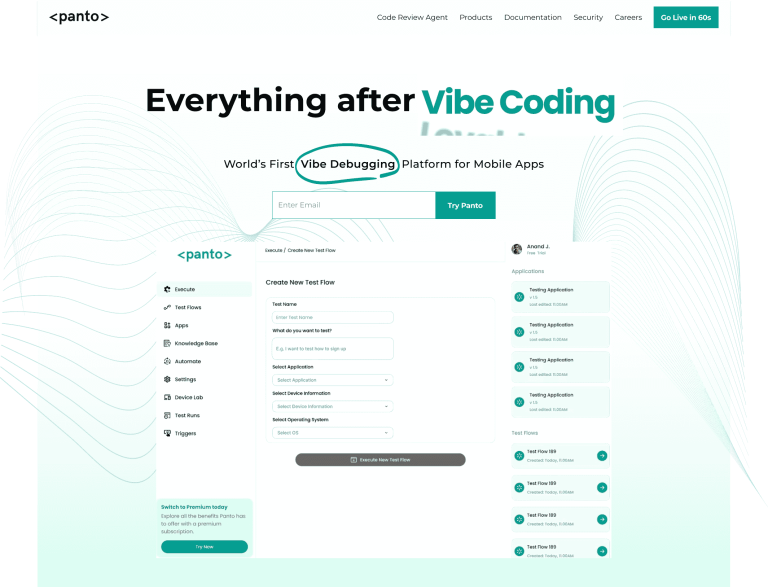
Detox and Maestro both focus on reducing flakiness. They still rely on engineered test intent defined upfront. Panto AI replaces intent-driven testing with behavior-driven validation.
Panto AI continuously captures real user interactions. Tests evolve automatically as product flows change. No framework refactoring or reconfiguration is required.
How Panto AI Differentiates Itself
- No dependency on app internals or UI selectors
- Self-healing tests that works across frameworks, platforms, and releases
- Automatic test coverage and updates over time
- Eliminates manual synchronization and maintenance
Rather than optimizing how tests are written, Panto AI eliminates the need to write them at all. This fundamentally changes how mobile quality is scaled.
| Aspect | Detox | Maestro | Panto AI |
|---|---|---|---|
| Testing Approach | Gray-box (React Native) | Black-box (YAML) | AI-driven (self-healing) |
| Test Authoring | JavaScript | No-code YAML | No-code (NLP + auto-gen) |
| Setup Complexity | Moderate | Low | Very Low |
| Execution Speed | Fastest | Fast | Fast (AI optimized) |
| Test Flakiness | Very Low | Very Low | Near-Zero |
| Platform Support | React Native only | Multi-platform | All mobile frameworks |
| Maintenance Effort | Low | Low | Minimal |
| Team Accessibility | Developers | QA + Devs | All teams |
| Learning Curve | Moderate | Hours | Minutes |
The choice between Detox, Maestro and Panto AI affects team structure, skill requirements, and long-term maintenance costs. Understanding these and make the right one prevents expensive migrations later.



