
Mobile teams today face two linked problems: app complexity is growing (multiple OS versions, device models, and network conditions) while test suites and CI pipelines keep becoming noisier and slower.
The result is longer release cycles, more developer context-switching, and a growing appetite for automation that’s both intelligent and reliable.
The Model Context Protocol (MCP) solves part of that problem by standardizing how LLM-powered agents and developer tools interact with external systems — including mobile devices.
This guide shows you how to use mobile MCP in real workflows: a practical quickstart, integrations with device clouds and toolchains, security hardening, and automation patterns that reduce flakiness.
You’ll also see where vendor offerings fit — for scaled device coverage and secure tunneling — and how common automation engines act as execution backends.
Understanding Mobile MCP
What is a Mobile MCP Server?
A mobile MCP server is an MCP-compliant process that exposes mobile device capabilities (Android/iOS emulators, simulators, or real devices) to MCP clients/agents. It typically:
- provides structured accessibility snapshots (semantic views of app UI),
- streams screenshots or screen diffs,
- accepts action commands (tap, swipe, input, install/uninstall),
- supports device pools and session management so agents can scale testing.
Community and reference implementations show multiple approaches (accessibility-first vs image-based), but the common trait is a standardized JSON/RPC-style interface an LLM or IDE client can call.
How mobile MCP fits into a modern mobile automation architecture
Typical components:
- MCP server (runs next to device farm or locally; translates MCP actions to Appium/ADB/XCUITest commands).
- Agent / IDE plugin (LLM client integrated into tools like editors or CI that sends intent to MCP).
- Device pool / cloud provider (local device lab or a cloud provider).
- Observability & orchestration (Panto AI-style dashboards that track stability metrics, test pass rates, flaky test detection, retry policies).
This arrangement reduces context switching: engineers can ask an LLM to “reproduce the failing flow on Android 13” and the agent uses MCP to provision a device, run the steps, and return structured logs and suggested fixes.
MCP vs Traditional Mobile Automation
| Capability | Traditional Automation | MCP-based Automation |
|---|---|---|
| Test creation | Manual scripting | AI-assisted generation |
| Failure reproduction | Manual debugging | Automated repro via agents |
| Locator maintenance | High maintenance | AI-assisted locator repair |
| Observability | Logs/screenshots | Structured telemetry |
Automation patterns using mobile MCP
1. Accessibility-first automation
Use structured accessibility snapshots where possible. They give semantic element info (labels, roles) so LLMs can reason about UI without brittle image comparisons.
2. Hybrid snapshots + visual fallback
For visual elements or custom graphics, fall back to screenshot-based coordinate actions, but keep those as second-class operations.
3. Device pool orchestration
Expose device metadata in MCP (OS, model, network conditions). Use an orchestration layer to pick the best device for a given test (e.g., Android 13 pixel for a specific repro).
4. Flaky test handling
Instrument each MCP-driven test to capture:
- Failure snapshot
- Network trace
- Device logs
- Reproducible command sequence
Feed these to stability analysis: identify flaky tests by pattern (time of day, device, network) and surface remediation suggestions.
5. Natural-language test generation and validation
LLMs can generate end-to-end test steps given an accessibility snapshot. Always run generated tests in a sandbox and validate assertions programmatically — don’t rely purely on language outputs.
Key Observability Metrics for Mobile MCP Systems
To measure ROI and maintain reliability, track:
- Provisioning latency (time to start a device/session).
- Test execution time (median + tail).
- Flakiness rate (percentage of tests that fail intermittently — detect via repeat runs).
- Retry cost (compute time spent on re-runs).
- Device utilization (concurrency vs idle time).
- Action error taxonomy (timeouts, locator misses, app crashes).
Stability metrics, flakiness detection, cause attribution fit into these metrics: combine MCP logs, device metrics, and test outcomes to pinpoint systemic issues and reduce wasted CI cycles.
Example workflows — concrete scenarios
1. Reproduce a PR failure (developer flow)
- Developer comments “reproduce failing test
test_login_flowon Android 13”. - Agent requests device from MCP:
device: android, osVersion: 13. - MCP server provisions a device/session, runs steps, streams accessibility snapshots and logs.
- Agent returns a reproduction transcript + suggested fix or creates a draft PR with a test fix.
(Automate with CI hooks and link the MCP run to PR metadata for traceability.)
2. On-demand exploratory debugging (QA flow)
- QA opens a failing session in a dashboard.
- The dashboard calls MCP for a live replay, stepping through to the failure point with annotations and suggested remediations (locator updates, slowdown, intermittent network assertions).
Security Considerations for MCP Servers
MCP servers are powerful — they can access sensitive data and execute actions. Several incidents have shown the risk of trusting packages/servers blindly.
A malicious MCP server has been observed exfiltrating emails by masquerading as a legitimate package; the aftermath required rotation of credentials and removal of the package from registries.
This incident is a sharp reminder: vet MCP implementations, pin versions, and use signed binaries or provenance checks.
Key hardening steps:
- Strong identity & auth — prefer cryptographic authentication (mutual TLS or short-lived tokens) over static API keys.
- Least privilege — limit device capabilities per role and separate diagnostic (read) vs action (write) privileges.
- Package provenance — use signed releases, checksum verification, and vendor verification before deploying servers.
- Network isolation — run MCP servers in segmented networks and use egress controls to prevent exfiltration.
- Auditing & logging — immutable logs for all MCP requests and RBAC event trails; rotate credentials after any suspicious activity.
- Dependency hygiene — scan MCP server dependencies for known vulnerabilities and monitor package registries for tampered releases.
Because MCP integrates with LLMs and IDEs, a compromised server can silently leak data or perform destructive actions — treat MCP servers as high-value assets in your threat model.
MCP Security Checklist
- Identity & Auth
- Use mutual TLS or short-lived OAuth tokens for MCP clients.
- Avoid embedding static API keys in client code or CI logs.
- Network Controls
- Put MCP servers in a segmented VPC / network zone.
- Restrict egress to approved destinations; block unnecessary outbound traffic.
- Least Privilege
- Provide read-only snapshots to debugging roles; only specific CI/automation roles can perform
performActioncalls.
- Provide read-only snapshots to debugging roles; only specific CI/automation roles can perform
- Package & Release Hygiene
- Pin versions in
package.json/ dependency files. - Publish signed releases and provide SHA256 checksums.
- Pin versions in
- Audit & Monitoring
- Log every MCP request with requestor identity, timestamp, and session id.
- Ship logs to a write-once store or SIEM for tamper-evidence.
- Incident Response
- Rotate device/service credentials immediately on suspected compromise.
- Maintain a rollout plan to quickly remove or rollback MCP binaries.
Integrating mobile MCP with major tools and device clouds
1. BrowserStack MCP Server
BrowserStack provides an MCP server that acts as a secure local gateway between MCP clients and the BrowserStack device cloud.
You can run a local MCP process that forwards commands to BrowserStack’s cloud devices — helpful when your app or backend is behind a corporate firewall or on localhost.
BrowserStack documents the local MCP setup and explains how to run mobile and web flows through their cloud. This is useful if you want scalable real-device coverage without managing an on-prem device lab.
Practical notes
- Use the local gateway to access internal builds securely.
- Mind the subset-of-spec caveat: vendor MCP implementations may support a portion of the MCP spec — test features you depend on.
2. Appium MCP
The Appium ecosystem already includes MCP-style adapters (Appium-MCP projects and tooling) that map MCP actions to Appium server commands.
These implementations let agents use high-level NLP to drive Appium sessions (locator generation, auto-repair of brittle locators, and test scaffolding).
If your infra already relies on Appium, adding an MCP layer can dramatically simplify LLM interactions with devices.
Practical pattern
- Run Appium as usual for device control.
- Run an Appium-MCP shim that accepts MCP calls and converts them to Appium JSON-Wire/W3C WebDriver commands.
- Keep authentication and capability handling explicit to avoid over-privileged access.
3. Playwright MCP
For web flows, Playwright MCP servers exist (community and official repos) to let MCP clients interact with pages via accessibility snapshots and DOM-aware operations rather than image-only commands.
This makes automated debugging, DOM querying, and LLM-driven remediation more reliable for web UIs.
Practical pattern
- Run a Playwright MCP server locally or inside CI.
- Use Playwright for browser execution (Chromium, Firefox, WebKit).
- Expose browser actions through MCP endpoints.
- Capture telemetry for debugging and stability analysis.
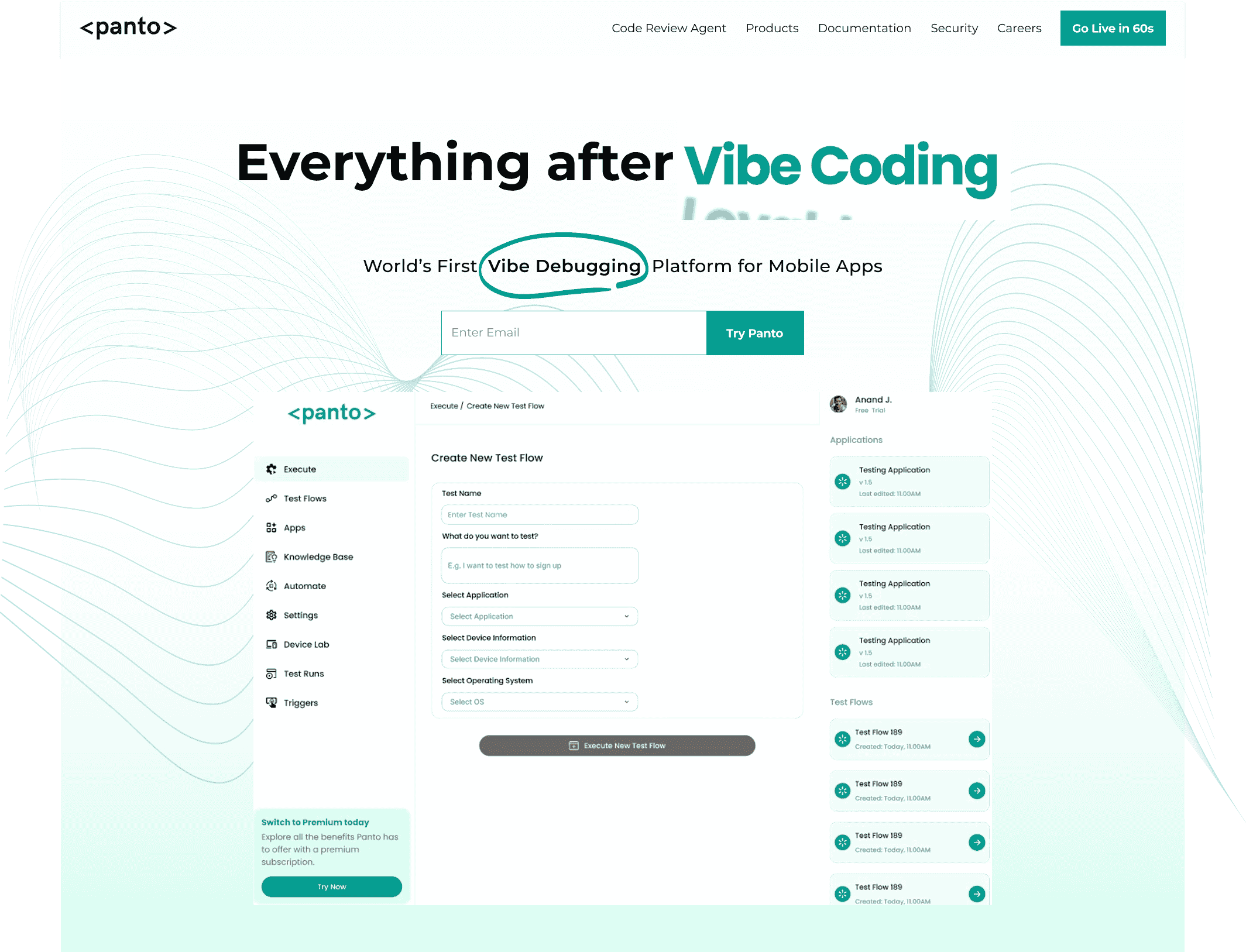
Everything After Vibe Coding
Panto AI helps developers find, explain, and fix bugs faster with AI-assisted QA—reducing downtime and preventing regressions.
- ✓ Explain bugs in natural language
- ✓ Create reproducible test scenarios in minutes
- ✓ Run scripts and track issues with zero AI hallucinations
Quickstart — Run a mobile MCP server locally
Goal: run a local MCP server/shim that forwards MCP calls to Appium (Android) and Playwright (web), run a sample Appium test and a Playwright test, and verify an accessibility snapshot.
TL;DR
- Start an Android emulator (or attach a device).
- Start Appium (
appium --port 4723). - Start the MCP shim (or community
mobile-mcpserver). - Run sample tests (Appium + Playwright).
- Verify snapshots / telemetry.
Prerequisites
- Node 18+ and
npmoryarn - Java + Android SDK (for emulator) OR a connected Android device
- Appium installed and reachable on your machine. (Tool: Appium)
- Playwright installed (for web flows). (Tool: Playwright)
- Git (optional, to clone example repos)
Files / repo layout (example)
Recommended repo layout (copy into / of your example repo):
/README.md
/mcp-shim/           # example MCP shim (nodejs)
/tests/
  /appium/           # sample Appium tests
  /playwright/       # sample Playwright tests
/ci/                 # CI sample
/docs/
  architecture.svg
  mcp-playbook.md
Example config.sample.json
Create mcp-shim/config.sample.json and copy to config.json (edit values):
{
  "port": 9234,
  "appium": {
    "host": "localhost",
    "port": 4723,
    "basePath": "/wd/hub"
  },
  "playwright": {
    "launchOptions": {
      "headless": true
    }
  },
  "telemetryPath": "/tmp/panto-mcp-telemetry.json",
  "logLevel": "info"
}
1) Start an Android emulator (or connect a device)
- Start via Android Studio AVD Manager or CLI:
# Example (Linux/macOS) - start a named AVD
emulator -avd Pixel_3a_API_33 -netdelay none -netspeed full &
- Confirm device is visible:
adb devices
# Expect: device listed (emulator-5554 or device serial)
2) Start Appium
If Appium not installed, install globally:
npm install -g appium
Start Appium:
appium --port 4723 &
# confirm listening
curl -sS http://localhost:4723/wd/hub/status | jq .
Expected: JSON status response from Appium.
3A) Option A — Start your local MCP shim (recommended for examples)
If you have a local shim (the mcp-shim folder):
cd mcp-shim
npm install
# copy config.sample.json -> config.json and edit if needed
cp config.sample.json config.json
npm run start
# default: shim listens on http://localhost:9234
Log lines should show the shim bound to port 9234 and the configured Appium endpoint.
3B) Option B — Run the community mobile-mcp server
git clone https://github.com/mobile-next/mobile-mcp.git
cd mobile-mcp
npm install
npm run start
# server typically listens on http://localhost:<port> (see README)
4) Verify MCP is reachable
Request a lightweight snapshot endpoint:
# snapshot request (example)
curl -sS http://localhost:9234/snapshot | jq . | less
# expect: JSON accessibility tree or snapshot object
If you get a structured JSON snapshot, MCP → device path is working.
5) Run the sample Appium test (targets the MCP shim)
Example flow: tests/appium/test_login_flow.js should be written to call the MCP shim.
From repo root:
cd tests/appium
npm install
node test_login_flow.js
Expected: test runs, MCP shim translates actions to Appium, device receives taps/inputs, and the test either passes or emits a failure with a telemetry file.
6) Run the Playwright example (web flow)
From repo root:
cd tests/playwright
npm install
npx playwright install
npx playwright test
Expected: Playwright-based tests run; if your MCP shim supports Playwright bridging, it will accept requests and forward accordingly.
Next steps:
- Add mutual TLS or short-lived token auth to the shim for production.
- Pin dependency versions and sign release artifacts before publishing the shim.
- Run generated tests in CI/device sessions to avoid polluting shared device pools.
- Collect telemetry (screenshots, accessibility snapshots, device logs) and feed into a stability product for flakiness analysis.
How AI Improves MCP-Based Mobile Automation
The Model Context Protocol (MCP) provides a standardized I/O layer so language models and agents can inspect app state (accessibility trees, screenshots, logs) and invoke actions (tap, input, install) in a machine-readable way.
That makes LLMs useful not only for generating text but for automating real device workflows: reproducing CI failures, generating test cases from requirements, triaging flaky tests, and suggesting locator fixes.
The protocol is the bridge; the AI supplies reasoning, intent translation, and remediation suggestions.
Key AI roles in MCP workflows
- Intent translation: Convert a natural-language request (“reproduce the login bug on Android 13”) into a deterministic MCP plan: open session → navigate → assertions → logs.
- Element selection & locator repair: Given an accessibility snapshot, an LLM can propose robust selectors or suggest fallback strategies (role+text, hierarchical paths).
- Test generation: Synthesize end-to-end test scripts from user stories or bug reports, then validate them via a sandbox run.
- Failure triage & root-cause hints: Correlate MCP telemetry (screenshots, logs, network traces) and surface likely causes (flaky network, timing, null pointer).
- Observability augmentation: Annotate runs with human-readable summaries, recommended diffs, and candidate test fixes that feed into issue trackers or PRs (ideal for reducing manual triage time).
Practical patterns & architecture
- Tooling split: Keep the LLM purely as a planner/translator; let the MCP server/ shim execute commands and enforce auth. Never let a model call device APIs directly without the MCP mediation layer that applies RBAC and logging.
- Human-in-the-loop gates: Require human approval for destructive operations (uninstall, factory reset, wiping devices). Use the agent to propose changes and a human or CI policy to approve.
- Sandbox validation: Always run model-generated tests in ephemeral sessions first; require deterministic pass/fail before committing them to the baseline suite.
- Prompt + context engineering: Provide the LLM with the most recent accessibility snapshot, failing test logs, and a short runbook; limit prompt size to the relevant subtree to avoid hallucinations.
Short example of model as planner
# 1) client fetches accessibility snapshot via MCP: snapshot = GET /snapshot
# 2) prompt = "Given this snapshot and failing stacktrace X, produce MCP actions to reproduce the failure."
# 3) model -> returns actions sequence: openSession, tap {id:...}, input {text:...}, waitFor {role:...}, snapshotCheck
# 4) client validates sequence in sandbox session and returns run result / telemetry
(Keep model output strictly typed — JSON actions only — and validate every field before executing.)
Safety and trust considerations
- Least-privilege execution: Limit model-issued actions to roles that match the caller’s identity. Split read (snapshots) vs write (actions) privileges.
- Input/output validation: Treat every model-suggested command as untrusted input. Sanitize IDs, bounds-check coordinates, and rate-limit critical actions.
- Auditability: Log the model prompt, model response, exact MCP actions executed, and the actor who approved them. These logs are essential for post-mortem and compliance.
- Dependency hygiene: Pin the MCP server and model integration libraries; enforce signed releases and reproducible builds to avoid supply-chain attacks.
Metrics to evaluate AI value in MCP
- Reproduction accuracy: Percent of model-generated runs that reproduce the reported issue.
- False positive rate: Percent of model-suggested fixes that introduce regressions.
- Time saved: Median time from bug report → reproducible run.
- Human approvals reduced: Percent of reproductions auto-approved by pipeline policy.
Conclusion
Mobile MCP is not a replacement for proven automation engines. It’s a protocol that lets LLMs and higher-level tools reason about and control those engines in a repeatable, auditable way.
When you combine MCP with established execution layers (for example, an Appium-backed device farm or a Playwright-driven browser flow), you get the best of both worlds.
Semantic, accessibility-aware interactions plus the execution reliability of mature automation frameworks like Appium and Playwright. For scaled coverage and secure access to real devices, cloud gateways such as BrowserStack provide a practical on-ramp.
Operationalize MCP safely: treat MCP servers as privileged infrastructure, enforce strong auth, limit capabilities by role, and instrument everything for observability.
Pair MCP-driven runs with a stability platform to measure flakiness, attribute causes, and reduce retry costs — that’s where a focused stability product such as Panto AI can accelerate ROI by converting MCP telemetry into remediation and process improvements.