


Mobile and web debugging are two sides of the same quality assurance coin. Appium and Playwright represent the modern approach to these domains—but choosing between them can be tricky.
This comparison blog between Appium and Playwright provides a comprehensive understanding, that will help your team and you to select the right framework for your testing needs.
Appium vs Playwright – An Overview
What is Appium?
Appium is a free, open-source test automation framework designed specifically for mobile applications. It works across multiple operating systems and programming languages, making it a versatile choice for QA teams testing iOS, Android, and hybrid apps.
Appium uses the WebDriver protocol (an industry standard), allowing testers to write tests once and run them across different mobile platforms without significant code changes. It supports native apps, web apps, and hybrid applications through a unified interface.
What is Playwright?
Playwright is a modern, open-source test automation library developed by Microsoft specifically for end-to-end (E2E) testing of web applications. It supports multiple browsers—Chromium, Firefox, and WebKit—and enables cross-browser testing with a single API.
Playwright was built with modern web applications in mind, offering built-in support for multiple languages, advanced debugging capabilities, and automatic wait mechanisms that reduce flaky tests.
Key Differences and Use Cases
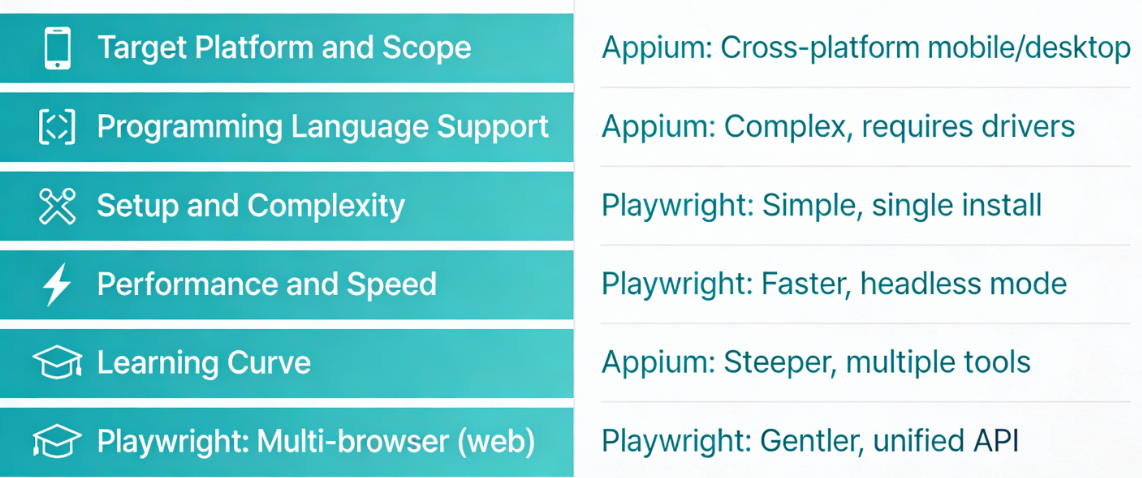
Target Platform and Scope
Appium is purpose-built for mobile testing. It excels when you need to automate native iOS and Android applications, and it’s the go-to choice for mobile-first companies.
Playwright, however, is strictly a web automation framework and doesn’t support mobile app testing. If your testing scope includes both web and mobile, you’ll need both frameworks or a unified alternative.
The trade-off here is clear: Appium gives you mobile prowess but limited web capabilities, while Playwright delivers web excellence but leaves mobile untested.
Programming Language Support
Appium supports Java, Python, JavaScript, C#, Ruby, and PHP, giving teams flexibility in choosing their preferred language.
Playwright, being developed by Microsoft, has first-class support for JavaScript/TypeScript, Python, C#, and Java.
Both frameworks allow polyglot teams to work independently, but Appium’s broader language support might be valuable if your organization uses less common languages like Ruby or PHP.
Setup and Complexity
Playwright has a significantly simpler setup process. Installation takes minutes—just npm install or pip install, and you’re ready to write tests. The framework handles most complexity internally.
Appium requires more initial setup. You’ll need Xcode or Android Studio installed, proper device configurations, and careful environment variable management.
The mobile ecosystem’s fragmentation adds inherent complexity that Playwright doesn’t face.
Performance and Speed
Playwright is optimized for modern web architectures and delivers faster test execution. Its intelligent wait mechanisms eliminate the need for arbitrary sleep() commands, reducing test duration and improving reliability.
Appium’s performance depends heavily on the device, emulator quality, and network conditions. Real device testing adds latency, while emulators can be resource-intensive.
For CI/CD pipelines prioritizing speed, Playwright wins decisively.
Learning Curve
Playwright has a gentler learning curve. Its documentation is exceptional, examples are abundant, and the API is intuitive. New testers can write meaningful tests within hours.
Appium’s learning curve is steeper because you must understand mobile platform specifics—locator strategies differ between iOS and Android, understanding the UIKit versus Android framework is essential, and debugging requires mobile platform knowledge.
Detailed Feature Breakdown
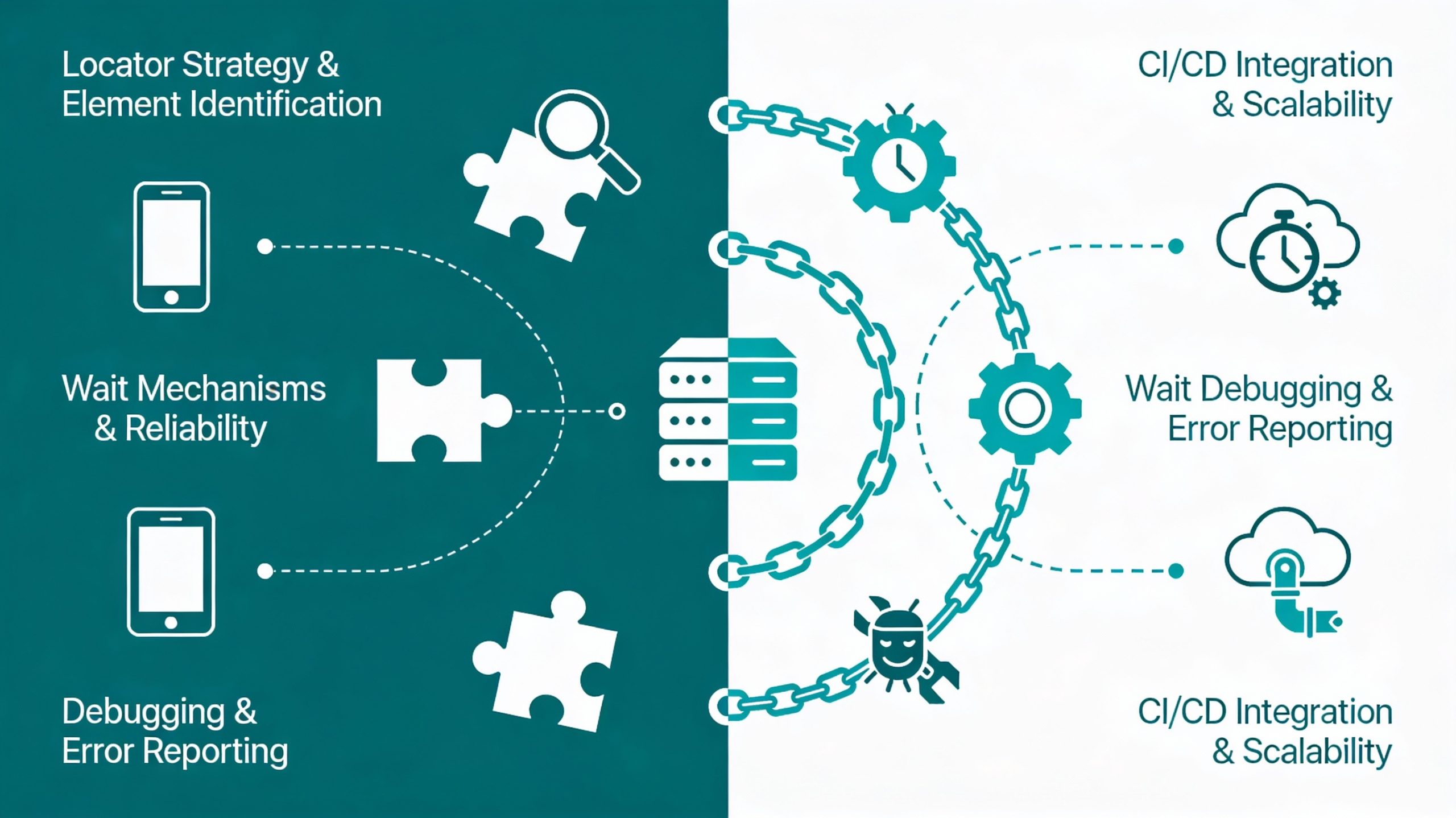
Locator Strategy and Element Identification
Appium relies on platform-specific locators: XPath and ID for both platforms, but Apple’s Predicate for iOS, and UIAutomator for Android. This fragmentation means you write different locators for different platforms, increasing maintenance overhead.
Playwright uses standard CSS selectors, XPath, and text-based selectors that work consistently across all browsers. The unified selector strategy reduces code duplication and makes tests more maintainable.
Wait Mechanisms and Reliability
Playwright automatically waits for elements to be actionable before interaction. The framework’s intelligence detects when elements appear, are visible, and ready for input—eliminating the need for explicit waits in most scenarios.
Appium requires explicit waits for element location, and you must define conditions for each interaction. Mobile’s asynchronous nature means implicit waits aren’t sufficient, and incorrect wait logic is a common source of flaky tests.
Debugging and Error Reporting
Playwright provides built-in debugging with Playwright Inspector, allowing you to step through tests, inspect the DOM, and understand exactly what the test sees. Videos and trace files automatically capture test execution for post-mortem analysis.
Appium debugging requires external tools—Android Debug Bridge (ADB) for Android, Xcode for iOS—and lacks integrated debugging experiences. Understanding test failures requires platform-specific knowledge and tools.
CI/CD Integration and Scalability
Playwright tests are lightweight and fast, making them ideal for CI/CD pipelines. Parallel execution is straightforward, and tests don’t require emulators or physical devices, reducing infrastructure costs.
Appium tests require device farms or cloud-based device providers for scalability. CI/CD integration adds complexity because you need to manage device reservations, allocate resources efficiently, and handle device availability.
Comprehensive Feature Comparison
| Feature | Appium | Playwright |
|---|---|---|
| Primary Use Case | Mobile app automation (iOS, Android, hybrid) | Web application E2E testing |
| Web Testing | Limited support | Full support with all modern features |
| Mobile Testing | Native, hybrid, and mobile web apps | Not supported |
| Browser Support | N/A (device-specific) | Chrome, Firefox, Safari (via WebKit) |
| Language Support | Java, Python, JavaScript, C#, Ruby, PHP | JavaScript/TypeScript, Python, C#, Java |
| Setup Complexity | High (requires SDKs and emulators) | Low (single npm/pip install) |
| Debugging Tools | Limited; requires platform-specific tools | Advanced browser DevTools integration |
| Cross-browser Testing | Not applicable | Native support for three engines |
| Performance | Moderate (device-dependent) | High (optimized for web) |
| Community Size | Large and mature | Growing rapidly |
| Cost | Free and open-source | Free and open-source |
| CI/CD Integration | Good but platform-dependent | Excellent with auto-wait features |
| Parallel Execution | Possible but complex | Simple and efficient |
| Maintenance Overhead | Higher (locator fragility, platform changes) | Lower (web APIs stable) |
MCP for Mobile Testing
What is MCP?
The Model Context Protocol (MCP) is a standardized interface enabling AI agents to understand application context intelligently.
Instead of brittle selectors, MCP captures screen state, UI hierarchy, and element properties, allowing AI to do intelligent testing and self-adapt as applications evolve.
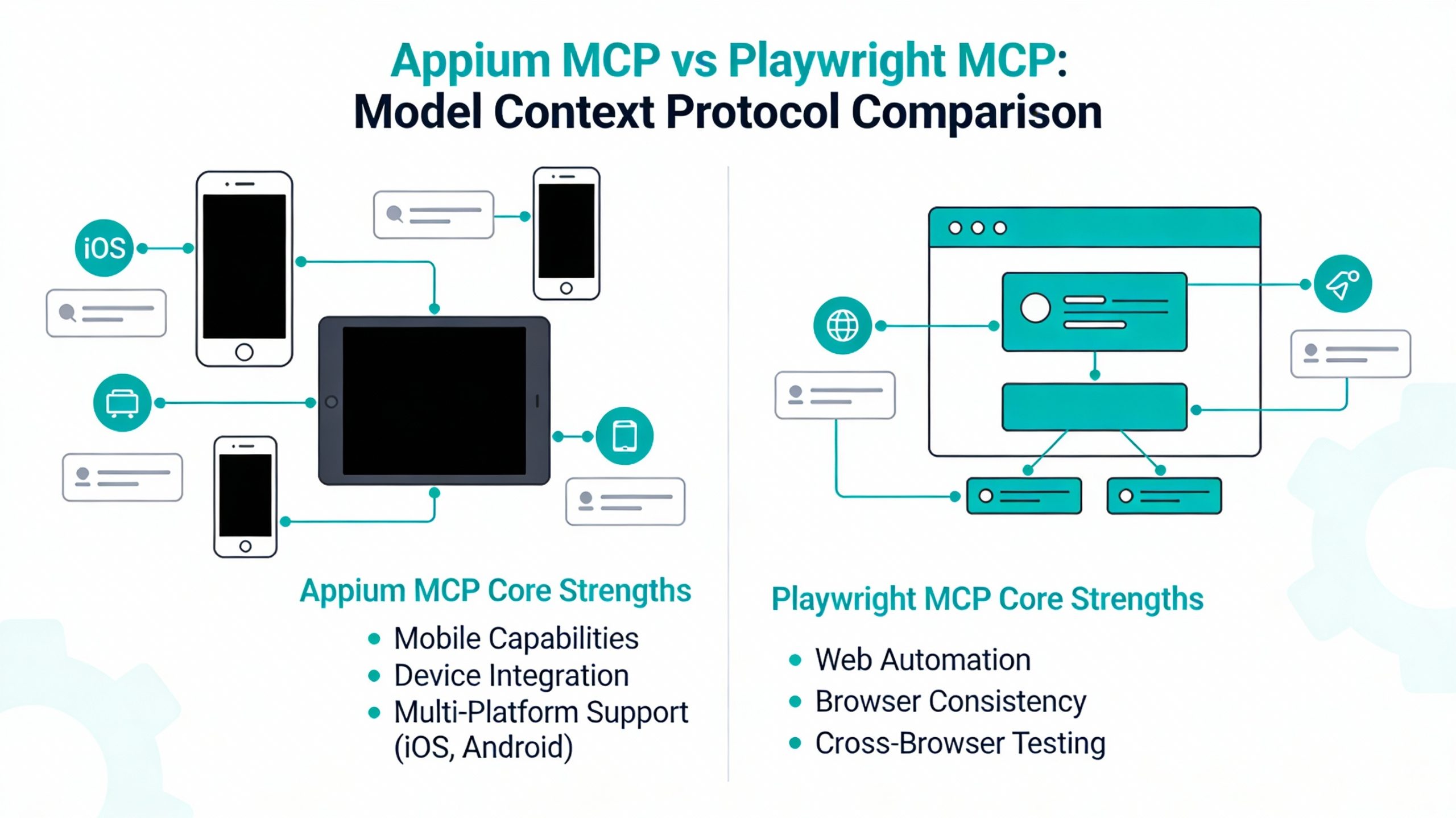
Appium MCP: AI-Powered Native Mobile Testing
Appium MCP adds AI intelligence to native iOS and Android testing with automatic locator generation, self-healing tests, and platform-agnostic testing where a single test works for both platforms.
The tradeoff: Still requires device/emulator setup and infrastructure management, though self-healing reduces maintenance by up to 95%.
Playwright MCP: AI-Powered Web and Mobile Web Testing
Playwright MCP combines web testing with AI context awareness for dynamic layouts and complex gestures. It excels at web applications, progressive web apps, and hybrid applications with web views.
The con: However, it cannot test native mobile applications—a fundamental limitation.
Quick Comparison
| Feature | Appium MCP | Playwright MCP |
|---|---|---|
| Native App Testing | ✅ Full support | ❌ Not supported |
| Web App Testing | ⚠️ Limited | ✅ Excellent |
| Self-Healing Tests | ✅ Yes | ✅ Yes |
| Setup Complexity | High | Low |
| Gesture Automation | ✅ Advanced | ⚠️ Web-only |
| CI/CD Integration | ⚠️ Moderate | ✅ Excellent |
Key Differences and Use Cases
When to Choose Appium
Appium is the right choice when:
- Your testing scope is primarily mobile applications
- You need native app automation for iOS, Android, or both
- Your team has mobile development experience
- You’re testing complex mobile gestures like swiping, pinching, and multi-touch interactions
- Your budget is limited and you need a free, open-source solution
- Choose Appium MCP for native mobile apps where self-healing provides significant ROI
Real-world example: A fintech app requiring testing across multiple Android versions and iOS devices would benefit from Appium’s native app support and cross-platform consistency.
When to Choose Playwright
Playwright is the right choice when:
- You’re testing web applications and progressive web apps (PWAs)
- You need cross-browser testing (Chrome, Firefox, Safari)
- Your team values reliability and wants to minimize flaky tests
- Speed and parallel test execution are priorities
- You prefer minimal setup and faster developer onboarding
- Choose Playwright MCP for web applications and PWAs requiring fast execution and minimal infrastructure
Real-world example: A SaaS platform requiring consistent testing across browsers would leverage Playwright’s cross-browser capabilities and intelligent wait mechanisms for faster, more reliable test suites.
When You Need Both Frameworks
Modern companies often need both tools when they support multiple platforms:
- Web applications accessed from desktop and mobile browsers
- Native mobile apps with web counterparts
- Omnichannel digital products requiring comprehensive testing coverage
- Both the platform’s MCP is required only if you’re testing omnichannel products—but maintaining dual frameworks increases complexity
The challenge is maintaining two separate debugging suites with different frameworks, languages, and test data strategies. This complexity increases maintenance burden and training requirements.
Panto AI: Bridging the Gap Between Appium and Playwright
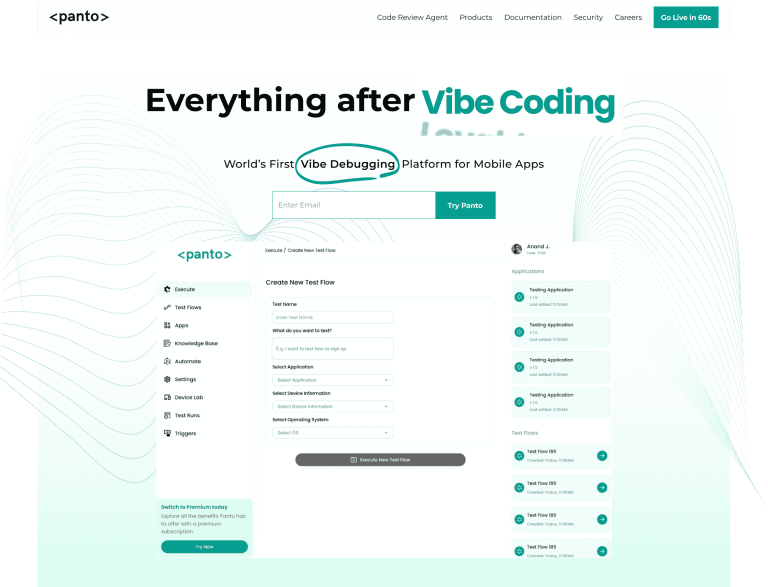
While Appium and Playwright are powerful in their respective domains, they each have significant limitations. Appium struggles with maintenance overhead and debugging, while Playwright cannot test native mobile applications.
What if you needed a solution that excels at both?
Panto AI is a vibe-debugging integrated mobile app testing platform that combines the strengths of both Appium and Playwright while eliminating their weaknesses.
- Unified Platform for Web and Mobile Testing – Write tests once, maintain them in one place, and execute across all platforms in a codeless manner for platform-specific nuances.
- AI-Driven Locator Generation – Automatically identify and select elements across all platforms as AI learns from your app’s structure and adapts to UI changes, dramatically reducing maintenance overhead.
- Intelligent Test Maintenance – AI engine automatically adapts to UI changes and suggests locator updates before tests fail, keeping your test suite resilient without constant manual fixes.
- Superior Debugging Experience – AI-assisted scripted automation with automatic video capture, visual element highlighting, and intelligent error analysis for unified debugging across all platforms and browsers.
- Smart Test Optimization – Automatically analyzes test suites for redundancies and flaky patterns, self-heals tests, reduces execution time, and identifies high-value regression tests.
Let’s Compare: Appium vs Playwright vs Panto AI
| Feature | Appium | Playwright | Panto AI |
|---|---|---|---|
| Web Testing | Limited | Excellent | Excellent with AI optimization |
| Mobile Testing | Excellent (native) | Not supported | Excellent (native + cross-platform) |
| Unified Platform | No | No | Yes—single platform for all |
| AI-Powered Locators | No (manual XPath/ID) | No (manual selectors) | Yes—automatic element identification |
| Automatic Test Maintenance | No | No | Yes—AI adapts to UI changes |
| Debugging Experience | Platform-dependent, complex | Good browser DevTools | Superior with AI assistance |
| Cross-Platform Coverage | iOS and Android only | Browsers only | Web, iOS, Android, and cross-platform |
| Setup Complexity | High | Low | Low with guided setup |
| Test Optimization | Manual | Manual | AI-driven automatic optimization |
| Maintenance Overhead | High (locator fragility) | Moderate | Low (AI handles changes) |
| Code Reusability | Platform-specific code | Browser-agnostic code | Universal code across all platforms |
| Team Onboarding | Steep mobile learning curve | Quick | Quick with AI guidance |
Decision Framework: Choosing Your Test Automation Strategy
For Mobile-First Companies
If your core product is a native mobile application, Appium is still a strong choice if your team has mobile expertise.
However, Panto AI offers superior maintenance and debugging experiences that Appium cannot match.
For Web-First Companies
Playwright is an excellent choice for pure web testing.
If you’re expanding into mobile, consider Panto AI to consolidate your testing infrastructure and benefit from AI-driven maintenance.
For Omnichannel Products
If you test both web and native mobile applications, the choice is between maintaining two separate frameworks (Appium + Playwright) or adopting a unified platform.
Panto AI eliminates the maintenance burden of dual frameworks while providing superior debugging and test optimization.



