


Detox and Appium are two widely adopted tools, but they differ fundamentally in architecture. Choosing between them impacts speed, stability, and long-term maintenance.
This guide compares Detox and Appium across performance, setup, scalability, and team fit. It mirrors the evaluation structure used by modern QA teams building production mobile apps.
Why This Comparison Matters
Test flakiness, execution speed, and developer effort directly affect release velocity. Framework limitations become costly as test suites grow into hundreds of scenarios. Understanding trade-offs early prevents expensive rewrites later.
React Native teams often default to Detox without evaluating alternatives. Cross-platform teams adopt Appium for flexibility but absorb added complexity. Long-term ROI depends on stability more than tooling popularity.
Mobile app releases now happen weekly or daily. Automated mobile QA must keep pace without becoming a bottleneck. The wrong framework choice creates technical debt that compounds with every release cycle.
Teams waste months debugging flaky tests that stem from architectural mismatches. These hidden costs rarely appear in initial framework evaluations. This comparison surfaces those costs before they impact your roadmap.
Market Context and Adoption Patterns
Detox dominates React Native ecosystems, with adoption concentrated in JavaScript-centric startups. Appium powers enterprise mobile testing across diverse technology stacks. Both tools maintain active development and community support.
Large organizations often run both frameworks simultaneously. They use Detox for React Native apps and Appium for legacy native applications. This hybrid approach maximizes team productivity but increases infrastructure complexity.
The mobile testing landscape continues experiencing mobile fragmentation. New tools like Maestro and EarlGrey compete for attention. Yet Detox and Appium remain the default choices for serious automation at scale.
Decision Framework Overview
Choosing between Detox and Appium requires evaluating five core dimensions. These dimensions determine long-term success more than any single feature comparison.
- First, assess your application’s technology stack and architecture. React Native apps align naturally with Detox’s gray-box approach. Multi-platform native apps benefit from Appium’s black-box flexibility.
- Second, analyze your team’s existing skills and language preferences. JavaScript teams ramp faster on Detox. Polyglot organizations leverage Appium’s multi-language support.
- Third, quantify your performance requirements. Sub-hour CI/CD pipelines demand Detox’s speed. Longer cycles accommodate Appium’s overhead.
- Fourth, evaluate your tolerance for test maintenance. Detox reduces flakiness through automatic synchronization. Appium requires disciplined wait strategies.
- Fifth, consider your infrastructure constraints. Detox needs less operational overhead. Appium demands dedicated device management expertise.
Framework Architecture, Capabilities, and Trade-offs
What Is Detox?
Detox is a gray-box end-to-end testing framework built for React Native applications. It runs inside the app process and communicates directly with native components. This allows Detox to automatically synchronize with animations and async operations.
Because Detox controls the app lifecycle, it eliminates most manual waits. Tests execute only when the app is idle, reducing timing-related failures. This makes Detox highly reliable for React Native teams.
The framework injects itself into the application’s build process. It creates a special test build that includes Detox’s native libraries. These libraries monitor the app’s state and report readiness to the test runner.
Key Characteristics of Detox
Gray-box testing with direct app instrumentation provides deep visibility into internal state. Automatic synchronization with UI and network layers eliminates race conditions. JavaScript-only test authoring enables full-stack teams to own debugging.
Optimized for React Native applications ensures first-class support for framework-specific features. The architecture prioritizes developer experience and test reliability over universal compatibility.
Technical Architecture Deep Dive
Detox operates through a client-server model within the app process. The native side runs a synchronization monitor that tracks UI operations, network requests, and animation frames. The JavaScript test runner queries this monitor before executing each command.
This design enables Detox to know exactly when the app becomes idle. It waits for pending network requests to complete. It monitors active animations and timers. It tracks React Native’s JavaScript thread activity.
The synchronization engine distinguishes Detox from black-box tools. Traditional QA guess readiness through timeouts and polling. Detox observes actual application state, reducing false positives dramatically.
Build Integration and Configuration
Detox requires modifications to native build files. iOS projects need Podfile updates and scheme configurations. Android builds require Gradle changes and test infrastructure setup.
These modifications enable Detox to inject its monitoring libraries. The process adds minimal overhead to build times. Once configured, test builds generate automatically alongside production builds.
Configuration lives in `.detoxrc.js` files. These define device profiles, app binaries, and test execution settings. Teams maintain separate configurations for local development and CI environments.
Test Authoring Patterns
Detox tests use JavaScript and follow familiar async/await patterns. The API mirrors user interactions: tap, type, scroll, and swipe. Element selectors support text, IDs, and accessibility labels.
Tests read like sequential user journeys. Each line represents an action or assertion. The synchronization happens transparently, without explicit wait statements.
This simplicity enables developers to write tests alongside features. QA engineers focus on test strategy rather than synchronization boilerplate. The result is higher test coverage and faster feedback loops.
What Is Appium?
Appium is a black-box mobile automation framework based on the WebDriver protocol. It interacts with apps externally through platform-specific automation drivers. Appium does not require access to application source code.
Its architecture enables testing of native, hybrid, and mobile web apps. Appium supports multiple coding languages and testing ecosystems. This flexibility makes it popular in large, heterogeneous organizations.
The framework operates as a server that accepts WebDriver commands. These commands translate into platform-specific automation actions. iOS uses Apple’s XCUITest framework. Android uses UIAutomator2 or Espresso.
Key Characteristics of Appium
Black-box testing with external device control provides independence from application internals. Supports iOS, Android, hybrid, and mobile web apps through a unified API. Multi-language support includes Java, JavaScript, Python, Ruby, and C#.
Large ecosystem and community plugins extend functionality for specialized use cases. The WebDriver protocol ensures compatibility with existing test infrastructure.
WebDriver Protocol Foundation
Appium implements the W3C WebDriver specification for mobile testing. This standardization enables cross-platform test scripts. The same test logic can target iOS and Android with minimal changes.
Commands flow from test code to Appium server to device drivers. Each layer adds latency but increases abstraction. The protocol defines endpoints for element interaction, session management, and device control.
This standardization comes at a performance cost. Network hops between test runner and device introduce milliseconds per command. Large test suites accumulate significant overhead.
Driver Architecture and Extensibility
Appium’s driver model isolates platform-specific logic. The XCUITest driver wraps Apple’s native testing framework. The UIAutomator2 driver interfaces with Android’s automation APIs.
This separation allows independent driver development. Teams can update iOS support without affecting Android functionality. Plugin architecture enables custom drivers for specialized platforms.
However, this modularity increases configuration complexity. Teams must manage driver versions, platform SDKs, and compatibility matrices. Upgrades require coordinated changes across multiple components.
Cross-Platform Strategy
Appium excels when testing multiple app variants. A single test suite can validate native iOS, native Android, and mobile web experiences. This reduces code duplication and maintenance effort.
The framework provides capabilities-based configuration. Tests detect the current platform and adjust selectors accordingly. Page object models encapsulate platform-specific element locators.
This flexibility supports enterprise organizations and their scenarios. Companies with diverse technology stacks standardize on Appium for consistency. The investment in framework expertise pays dividends across many projects.
Execution Model and Performance
Detox executes tests faster due to in-process communication. There is no network hop between the test runner and the app. This results in quicker feedback and shorter CI cycles.
Appium communicates through automation servers and real device drivers. Each interaction incurs latency and synchronization overhead. Execution speed decreases as test suites grow larger.
Scalability and performance differences become pronounced at scale. A 100-test suite might finish 30-50% faster with Detox. This compounds when running tests across multiple device configurations.
Benchmark Metrics and Real-World Data
Independent benchmarks show Detox completing test suites 2-3x faster than Appium for React Native apps. A typical login flow test runs in 8-12 seconds with Detox versus 15-25 seconds with Appium.
Network request handling explains much of this gap. Detox waits for actual request completion. Appium relies on fixed delays or polling, adding 1-2 seconds per asynchronous operation.
The DevOps pipeline impact is measurable. Teams switching to Detox report 20-40 minute reductions in total pipeline time. This enables faster iteration and more frequent deployments.
CPU and Memory Overhead
Detox’s in-process monitoring consumes minimal resources. The synchronization engine runs on native threads with negligible CPU impact. Memory overhead stays below 50MB during test execution.
Appium’s external server architecture requires separate processes. The Appium server, device driver, and test runner each consume memory. Total overhead can exceed 200MB per test session.
Device resource usage affects test reliability. Overloaded devices exhibit slower response times and intermittent failures. Detox’s lightweight profile reduces this risk.
Parallel Execution Strategies
Both frameworks support parallel test execution across multiple devices. Detox’s speed advantage multiplies in parallel configurations. A 4-device parallel run with Detox often matches single-device Appium performance.
Appium requires careful resource management for parallelism. Each device needs a separate Appium server instance. Server resource contention can limit scaling efficiency.
Cloud testing platforms abstract these differences. Services like BrowserStack and Sauce Labs manage infrastructure complexity. However, faster execution still reduces cloud service costs.
Stability and Flakiness
Detox’s automatic synchronization drastically reduces flaky tests. Developers rarely write explicit waits or retry logic. This improves long-term test reliability.
Appium requires manual handling of waits and timing conditions. Improper synchronization is the leading cause of flaky Appium tests. Stability depends heavily on team discipline and framework expertise.
Flaky tests erode team confidence in automation. Developers ignore failing tests that sometimes pass. This defeats the purpose of automated code quality gates.
Root Causes of Test Flakiness
Timing issues dominate flakiness in mobile testing. Elements appear before becoming interactive. Animations mask state transitions. Network requests complete unpredictably.
Detox addresses these systematically. Its synchronization engine tracks all async operations. Tests proceed only when the app reaches true idle state. This eliminates race conditions at the source.
Appium provides automation tools to handle timing but cannot eliminate it. Explicit waits, polling mechanisms, and retry logic become necessary. Each workaround introduces complexity and potential failure points.
Real-World Flakiness Rates
Teams report flakiness rates below 2% with Detox for React Native apps. The same teams experienced 10-15% flakiness with Appium on identical test scenarios. This 5-7x improvement transforms CI reliability.
Flakiness increases with test suite size. Appium suites exceeding 200 tests often require dedicated flakiness management. Teams build custom code and quarantine systems.
Detox suites scale linearly without flakiness spikes. The synchronization model remains effective regardless of test count. This enables confident expansion of test coverage.
Maintenance Burden Over Time
Flaky tests demand ongoing maintenance. Teams spend hours investigating intermittent failures. This diverts resources from new feature testing and test coverage expansion.
Appium tests require regular synchronization tuning. OS updates change animation timings and network behaviors. Tests need updates to wait strategies and timeout values.
Detox tests remain stable across React Native upgrades. The synchronization engine adapts to framework changes automatically. Maintenance focuses on test logic rather than timing fixes.
Setup and Maintenance Effort
Detox setup requires native configuration within the React Native project. Once configured, test maintenance remains relatively low. Upgrades are usually aligned with React Native versions.
Appium setup involves device drivers, platform tooling, and environment management. Maintenance increases with OS updates and driver compatibility changes. Infrastructure ownership is a recurring cost.
Initial setup time differs significantly. Detox configuration takes 2-4 hours for experienced React Native developers. Appium setup often requires 1-2 days of environment troubleshooting.
Initial Configuration Complexity
Detox integrates directly into React Native’s build system. iOS configuration modifies Xcode schemes and Podfile dependencies. Android configuration updates Gradle files and manifest settings.
These changes follow standard React Native patterns. Developers familiar with native builds complete setup quickly. Documentation provides copy-paste configurations for common scenarios.
Appium setup starts with installing the Appium server and device drivers. Each platform needs separate driver installation and configuration. Version compatibility between drivers, Appium server, and platform SDKs creates complexity.
Environment Management Challenges
Appium environments drift over time. OS updates require driver upgrades. Driver upgrades may need new Appium server versions. This creates a continuous maintenance cycle.
Teams dedicate resources to environment management. They maintain internal documentation for setup and troubleshooting. New team members face steep learning curves.
Detox environments stay stable longer. React Native upgrades include Detox compatibility updates. The framework follows React Native’s release cadence, reducing surprise changes.
Upgrade Cycles and Breaking Changes
Detox major versions align with React Native breaking changes. Upgrades happen predictably during React Native version bumps. Migration guides focus on test API changes rather than infrastructure.
Appium upgrades involve multiple components. Driver updates, server updates, and client library updates may not align. Breaking changes can appear unexpectedly in minor releases.
This unpredictability slows adoption of new features. Teams delay upgrades to avoid instability. They miss performance improvements and mobile app bug fixes.
Detox vs Appium: Feature Comparison
| Aspect | Detox | Appium |
|---|---|---|
| Testing Type | Gray-box | Black-box |
| Platforms | React Native (iOS, Android) | iOS, Android, Web, Hybrid |
| Execution Speed | Fast (in-process) | Moderate (network hop) |
| Flakiness | Low (auto-sync) | Medium to High (manual waits) |
| Languages | JavaScript/TypeScript | Java, JS, Python, Ruby, C# |
| Setup Time | 2-4 hours | 1-2 days |
| Maintenance | Low (aligned with RN) | Medium (driver management) |
| Source Code Access | Required | Not required |
| Community Size | Medium (RN focused) | Large (cross-platform) |
| Cloud Support | Limited (local/CI focused) | Extensive (all providers) |
| Debuggability | Excellent (in-process) | Good (external logs) |
| Parallel Execution | Native support | Requires orchestration |
Why Panto AI Goes Beyond Detox and Appium
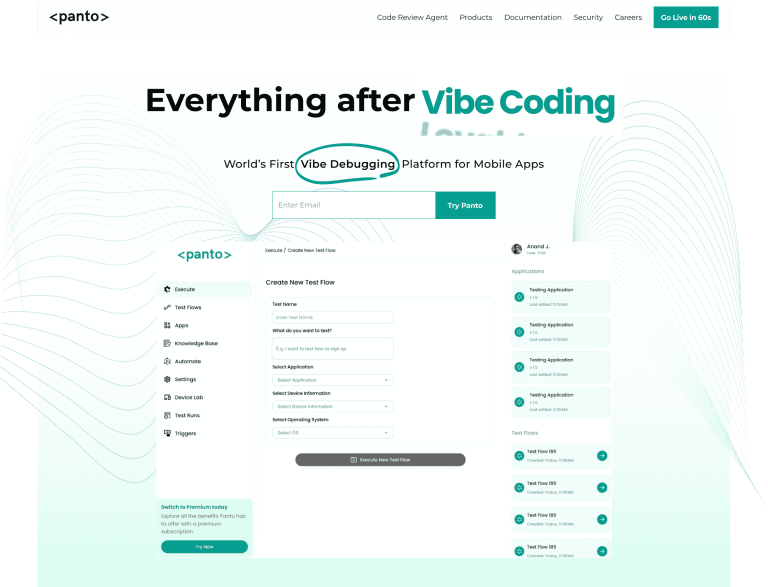
Detox and Appium both solve automation at the framework level. However, they still require teams to design, maintain, and debug test logic. Panto AI abstracts this complexity entirely.
Instead of scripting test flows, Panto AI observes real user behavior. It automatically generates and maintains tests as the app evolves. This eliminates framework-specific limitations.
How Panto AI Improves on Detox and Appium
- No dependency on React Native or WebDriver architectures
- Zero test scripting or framework configuration
- Automatic self-healing adaptation to UI and flow changes
- Consistent results across platforms and releases
| Aspect | Detox | Appium | Maestro |
|---|---|---|---|
| Testing Type | Gray-box | Black-box (WebDriver) | Black-box (YAML) |
| Test Authoring | JavaScript | Multiple languages | No-code YAML |
| Platforms | React Native only | All mobile + web | iOS/Android/RN/Flutter |
| Execution Speed | Fastest | Moderate | Fast |
| Test Flakiness | Low | Medium-High | Very Low |
| Setup Complexity | Moderate | High | Low |
| Maintenance Effort | Low | High | Low |
| Team Access | Developers | Developers | QA + Developers |
| Learning Curve | Moderate | Steep | Hours |
Where Detox and Appium require continuous engineering effort, Panto AI shifts testing from maintenance to automatic test generation. This enables teams to scale quality without scaling test code.



