


Quality assurance (QA) automation is crucial for end-to-end testing of modern applications. Modern software often spans web and mobile, so test automation must handle cross-browser and mobile testing (mobile QA).
Playwright and Cypress are two popular frameworks for test automation, each with its own strengths. This guide compares them in depth to help QA professionals make informed decisions.
Playwright vs Cypress: Key Features and Differences
What is Playwright?
Playwright is an open-source, Node.js-based automation framework developed by Microsoft for end-to-end testing. It was explicitly designed for browser automation across Chromium, Firefox, and WebKit (Safari).
Playwright supports multiple programming languages (JavaScript/TypeScript, Python, Java, C#) and runs on all major operating systems.
Its core capabilities include automatic waits and retries (to reduce flakiness), built-in network interception, and strong parallel execution.
Key Features of Playwright
Playwright is designed as a modern, production-grade QA automation framework built to support large-scale end-to-end testing across complex web and mobile web environments.
Its architecture prioritizes reliability, speed, and cross-platform coverage—three areas where traditional automation tools often struggle.
Below is a deeper look at the capabilities that make Playwright a preferred choice for mature QA teams.
Multi-language support
Unlike frameworks limited to JavaScript, Playwright supports JavaScript, TypeScript, Python, Java, and C#.
This flexibility allows QA automation to integrate seamlessly into diverse engineering ecosystems without forcing teams to change languages or tooling.
For enterprise organizations running polyglot stacks, this dramatically lowers adoption friction and enables broader collaboration between developers, SDETs, and QA engineers.
True cross-browser automation
Playwright provides native automation for Chromium, Firefox, and WebKit (Safari) using real browser engines rather than simulations.
This ensures that tests reflect genuine user behavior across operating systems and rendering engines—critical for accurate mobile QA and responsive web validation.
Because Safari support is included via WebKit, Playwright fills a major testing gap that many other frameworks leave unresolved.
Automatic waiting and intelligent retries
Flaky tests remain one of the biggest blockers in test automation maturity. Playwright addresses this with built-in auto-waiting mechanisms that pause execution until elements are visible, stable, and actionable.
Assertions are also retried automatically within defined timeouts, reducing false negatives and eliminating the need for brittle manual wait logic.
This significantly improves long-term test stability and reduces maintenance overhead for QA teams.
High-performance parallel execution
Speed is essential for scalable QA automation in CI/CD pipelines. Playwright enables true parallel execution by running tests in isolated browser contexts that do not interfere with each other.
This architecture allows large regression suites to complete in minutes instead of hours, making continuous testing practical even for rapidly shipping teams.
Parallelism is built into the framework itself, removing reliance on paid orchestration layers or complex infrastructure workarounds.
Advanced debugging, tracing, and recording
Playwright includes a full suite of developer-grade debugging tools:
- Code generation via record-and-playback
- Interactive inspection using Playwright Inspector
- End-to-end execution visibility through Trace Viewer
Trace Viewer captures screenshots, DOM snapshots, network logs, console output, and timing data for every test step.
This level of observability dramatically shortens failure analysis time and helps QA teams resolve issues faster in both local and CI environments.
CI/CD-ready by design
Modern automation strategies depend on seamless CI/CD integration. Playwright works natively with pipelines such as GitHub Actions, Jenkins, GitLab CI, and CircleCI, requiring minimal configuration.
Because the framework is lightweight and dependency-efficient, test environments spin up quickly and execute consistently across containers, virtual machines, and cloud runners.
This reliability is essential for maintaining trust in automated end-to-end testing results.
Comprehensive testing beyond UI flows
Playwright extends beyond traditional browser automation to support:
- API testing for backend validation
- Visual regression testing for UI consistency
- Component testing for isolated frontend verification
- Network interception and mocking for deterministic scenarios
Having these capabilities in a single framework reduces tooling fragmentation and simplifies QA architecture.
Teams can consolidate multiple layers of test automation into one maintainable system rather than stitching together disconnected solutions.
What is Cypress?
Cypress is another open-source automation tool focused on frontend testing. It runs tests directly inside the browser via an Electron app. This architecture provides fast, reliable execution and an interactive GUI.
Key Features of Cypress
Cypress is purpose-built for fast, reliable front-end QA automation and has become one of the most widely adopted tools for modern end-to-end testing of web applications.
Its developer-centric design emphasizes simplicity, visual feedback, and tight integration with the browser—making it especially effective for teams prioritizing rapid feedback during UI development.
Below is a deeper look at the capabilities that define Cypress within the test automation ecosystem.
JavaScript and TypeScript-first architecture
Cypress is intentionally focused on JavaScript and TypeScript, aligning closely with today’s front-end technology stacks.
Because tests run in the same language as the application code, developers and QA engineers can collaborate more easily, reuse utilities, and maintain a unified tooling environment.
This tight alignment lowers the barrier to entry for QA automation and enables faster adoption across product teams already working within JavaScript-based frameworks.
Native test runner with rich visual interface
One of Cypress’s most distinctive advantages is its interactive graphical test runner, which executes tests directly inside the browser.
As tests run, Cypress provides live reloading, step-by-step command logs, DOM snapshots, and time-travel debugging, allowing engineers to inspect application state at any moment in the execution timeline.
This real-time visibility dramatically shortens debugging cycles and makes Cypress particularly valuable during active feature development, where rapid iteration is critical.
Automatic waiting and retry-ability
Synchronization challenges are a common source of flaky behavior in QA automation.
Cypress addresses this with built-in automatic waiting and command retry logic, ensuring that actions occur only when elements are ready and assertions are retried until they pass or time out.
By eliminating most manual waits and timing workarounds, Cypress simplifies test authoring and improves stability—especially for highly dynamic single-page applications.
Advanced network control and request stubbing
Reliable end-to-end testing often requires controlling backend behavior. Cypress includes powerful, built-in capabilities for intercepting, modifying, and mocking HTTP requests, enabling teams to simulate edge cases, error states, and slow network conditions without changing server code.
This level of control allows QA teams to validate complex user journeys deterministically and ensures consistent test execution across environments.
Mature ecosystem and community support
Cypress benefits from a large, active community and a well-established ecosystem of plugins, promising integrations, and learning resources.
Comprehensive documentation, community forums, and shared best practices make it easier for teams to troubleshoot issues, extend functionality, and scale their test automation strategy over time.
For organizations seeking proven adoption and strong community backing, this ecosystem maturity is a significant advantage.
Playwright vs. Cypress: Architecture and Usage
The two frameworks differ in architecture and usage:
- Execution model: Playwright uses a separate Node.js process and the Chrome DevTools Protocol to control browsers. Cypress runs its commands inside the browser’s event loop. Playwright’s model yields more realistic browser behavior, while Cypress’s in-browser execution provides instant feedback during development.
- Parallelism: Playwright supports parallel tests out of the box (via isolated contexts). Cypress requires using its paid dashboard service or external workarounds to parallelize.
- Browser support: Playwright supports all modern browsers including Safari (WebKit). Cypress officially supports Chrome-family browsers and Firefox, but not Safari.
- Mobile testing: Neither tool automates native mobile apps; both only emulate mobile web on desktop. True mobile device testing requires Appium or cloud services.
- Language and ecosystem: Playwright’s multi-language support allows integration with diverse tech stacks. Cypress’s strength is its simplicity and community focus: it’s easy to get started with JavaScript tests.
Feature Comparison Table
| Feature | Playwright | Cypress |
|---|---|---|
| Language Support | JS/TS, Python, Java, C# (multi-language) | JavaScript, TypeScript only |
| Browser Support | Chrome/Chromium, Firefox, WebKit (Safari) | Chrome, Edge (Chromium), Firefox |
| Execution | External Node process (CDP-based control) | In-browser (Electron app) |
| Parallel Testing | Built-in (multiple contexts) | Limited (via CI/cloud only) |
| Auto-Wait / Retry | Yes (built-in auto-wait & retry) | Yes (automatic waits) |
| Test Types | E2E, API, Visual, Component | E2E, API, Component (frontend only) |
| Mobile/Real Devices | Mobile web emulation only (no native apps) | Mobile web emulation only (no native apps) |
| CI/CD Integration | Easy with any CI (npm scripts) | Easy (native support or cloud service) |
| Community & Ecosystem | Growing (backed by Microsoft) | Large, mature (Slack, plugins) |
This table highlights the core differences. Playwright offers broad flexibility (parallelism, cross-browser, multi-language), while Cypress offers an integrated, beginner-friendly experience.
For example, Playwright’s use of modern async/await syntax makes writing asynchronous tests straightforward, whereas Cypress relies on its own promise-like chaining.
Performance benchmarks have shown Playwright to start up and run tests faster and more scalably than Cypress as projects grow.
Choosing the Right Tool
Selecting between Playwright and Cypress is less about which tool is universally better and more about which debugging needs you are optimizing for.
Each framework excels in specific QA automation scenarios, and understanding these strengths helps teams design a more effective end-to-end testing strategy.
Playwright is most effective when breadth, scale, and cross-environment coverage matter.
It is commonly recommended for:
- Multi-browser validation, including Safari/WebKit support
- Polyglot engineering environments requiring languages beyond JavaScript
- Large regression suites that benefit from built-in parallel execution
- CI-first automation strategies where speed and determinism are critical
- Complex user journeys spanning tabs, contexts, or advanced browser behavior
Because of its architecture and parallelization capabilities, Playwright typically performs better as test volume and system complexity increase.
Organizations scaling QA automation across multiple teams or products often find Playwright better suited for long-term maintainability and performance.
Cypress is most effective when speed of development and front-end feedback are the primary goals.
It is particularly well suited for:
- JavaScript-centric teams working primarily on modern web front ends
- Rapid UI validation during active development
- Smaller or mid-sized test suites where instant visual debugging is valuable
- Component testing workflows for frameworks like React or Vue
- Teams new to automation that benefit from simpler setup and learning curve
Cypress’s interactive runner and time-travel debugging make it extremely efficient for catching UI regressions early in the development cycle, even if it is not always the fastest option for very large CI pipelines.
How mature QA teams often use both together
In real-world automation strategies, the choice is not always exclusive.
Many high-performing QA organizations adopt a layered tooling approach:
- Cypress for fast developer-side feedback and component-level validation
- Playwright for full end-to-end regression coverage executed in CI/CD
This combination balances developer productivity with enterprise-grade automation scale, ensuring rapid iteration without sacrificing release confidence.
Performance, maintainability, and reliability considerations
Performance differences become more visible as automation suites grow. Playwright’s native parallelism generally allows large regression suites to execute faster, while Cypress remains highly efficient for smaller, focused test sets.
From a stability standpoint, both frameworks actively reduce flakiness:
- Playwright uses automatic waiting for element readiness and network stability
- Cypress retries commands and assertions until conditions are satisfied
Even so, highly dynamic applications may still require thoughtful synchronization strategies and resilient test design, regardless of the framework used.
Mobile, browser, and architectural limitations
Neither Playwright nor Cypress provides true native mobile app testing, as both focus on browser-based automation.
They primarily support mobile web emulation, meaning dedicated mobile QA platforms are still required for full device-level validation.
Key limitations include:
- Playwright:
- No support for legacy browsers such as Internet Explorer
- Mobile coverage limited to browser emulation rather than native apps
- No support for legacy browsers such as Internet Explorer
- Cypress:
- Restricted to JavaScript/TypeScript test authoring
- Limited multi-tab, cross-domain, and multi-window automation capabilities
- Restricted to JavaScript/TypeScript test authoring
Community maturity and ecosystem support
Cypress currently benefits from a larger and more established community, offering extensive plugins, tutorials, and shared best practices.
Playwright’s ecosystem, while newer, is growing rapidly and backed by strong enterprise adoption.
For many teams, this means:
- Playwright offers stronger long-term scalability and architectural flexibility
- Cypress offers faster onboarding and community troubleshooting
Panto QA: The Next-Generation Mobile Automation Platform
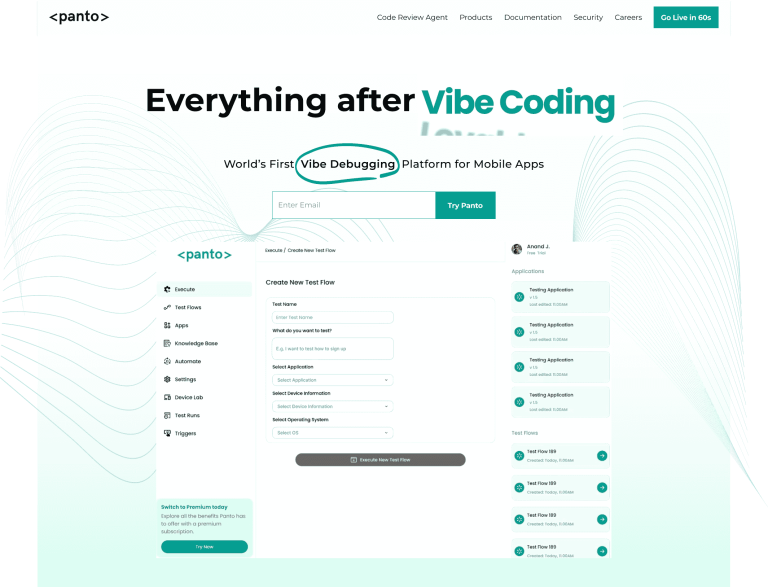
Traditional frameworks like Playwright and Cypress excel at web automation but don’t directly solve native mobile challenges.
Panto QA is an AI-driven mobile test automation platform designed to fill that gap. It was built for today’s fast-paced mobile world: mobile teams ship frequent updates, run on many device configurations, and often lack enough QA engineers.
Manual or code-driven tests struggle under these conditions. Panto addresses this with a no-code, natural-language approach. It converts high-level user flows into deterministic test scripts (no unpredictable LLMs):
- AI-Powered No-Code Testing
- Panto’s AI agent understands plain-English test descriptions and executes them on real devices. For example, you could write “log in, navigate to profile, update email” in English, and Panto will carry out those steps automatically.
- This eliminates the need to write or maintain scripts, so QA engineers or product managers (even without coding skills) can create and update tests easily.
- Panto’s AI agent understands plain-English test descriptions and executes them on real devices. For example, you could write “log in, navigate to profile, update email” in English, and Panto will carry out those steps automatically.
- Deterministic Script Generation:
- After running a user-defined flow, Panto generates a stable test script (for Appium or Maestro) behind the scenes. Each run follows the same deterministic steps, avoiding randomness.
- The AI also handles waits and retries intelligently, fixing flakiness by correctly identifying UI elements even after minor changes.
- After running a user-defined flow, Panto generates a stable test script (for Appium or Maestro) behind the scenes. Each run follows the same deterministic steps, avoiding randomness.
- Real-Device Coverage:
- Panto runs on real mobile devices and emulators, including integration with device farms like BrowserStack or LambdaTest. It supports native, hybrid, and web apps on both iOS and Android.
- Unlike Playwright/Cypress (which only emulate browsers on desktop), Panto handles mobile-specific actions (gestures, native dialogs, OTP flows) out of the box.
- Panto runs on real mobile devices and emulators, including integration with device farms like BrowserStack or LambdaTest. It supports native, hybrid, and web apps on both iOS and Android.
- Built-in Self-Healing:
- The platform automatically adapts to UI changes. If an element moves or changes attributes, Panto’s AI remaps the step on the fly.
- This self-healing means tests rarely break from minor UI tweaks, greatly reducing maintenance.
- The platform automatically adapts to UI changes. If an element moves or changes attributes, Panto’s AI remaps the step on the fly.
- Comprehensive Reporting:
- Every test execution produces detailed logs, screenshots, and videos for each step.
- This “vibe debugging” approach shows exactly what happened on the device, making it easy to diagnose failures.
- Every test execution produces detailed logs, screenshots, and videos for each step.
- Empowers all QA:
- Non-technical team members can contribute to automation. Natural language test creation lets QA engineers, developers, and product owners all build tests.
- Non-technical team members can contribute to automation. Natural language test creation lets QA engineers, developers, and product owners all build tests.
- Appium compatibility:
- Panto exports tests as standard Appium or Maestro scripts, so you can integrate with existing device farms or CI setups.
- Panto exports tests as standard Appium or Maestro scripts, so you can integrate with existing device farms or CI setups.
- Scalability and Coverage:
- Panto is designed for large-scale testing. A single test flow can be validated across hundreds of device/OS combinations without rewriting tests.
- It supports any mobile tech stack (native iOS/Android, React Native, Flutter, etc.).
- Panto is designed for large-scale testing. A single test flow can be validated across hundreds of device/OS combinations without rewriting tests.
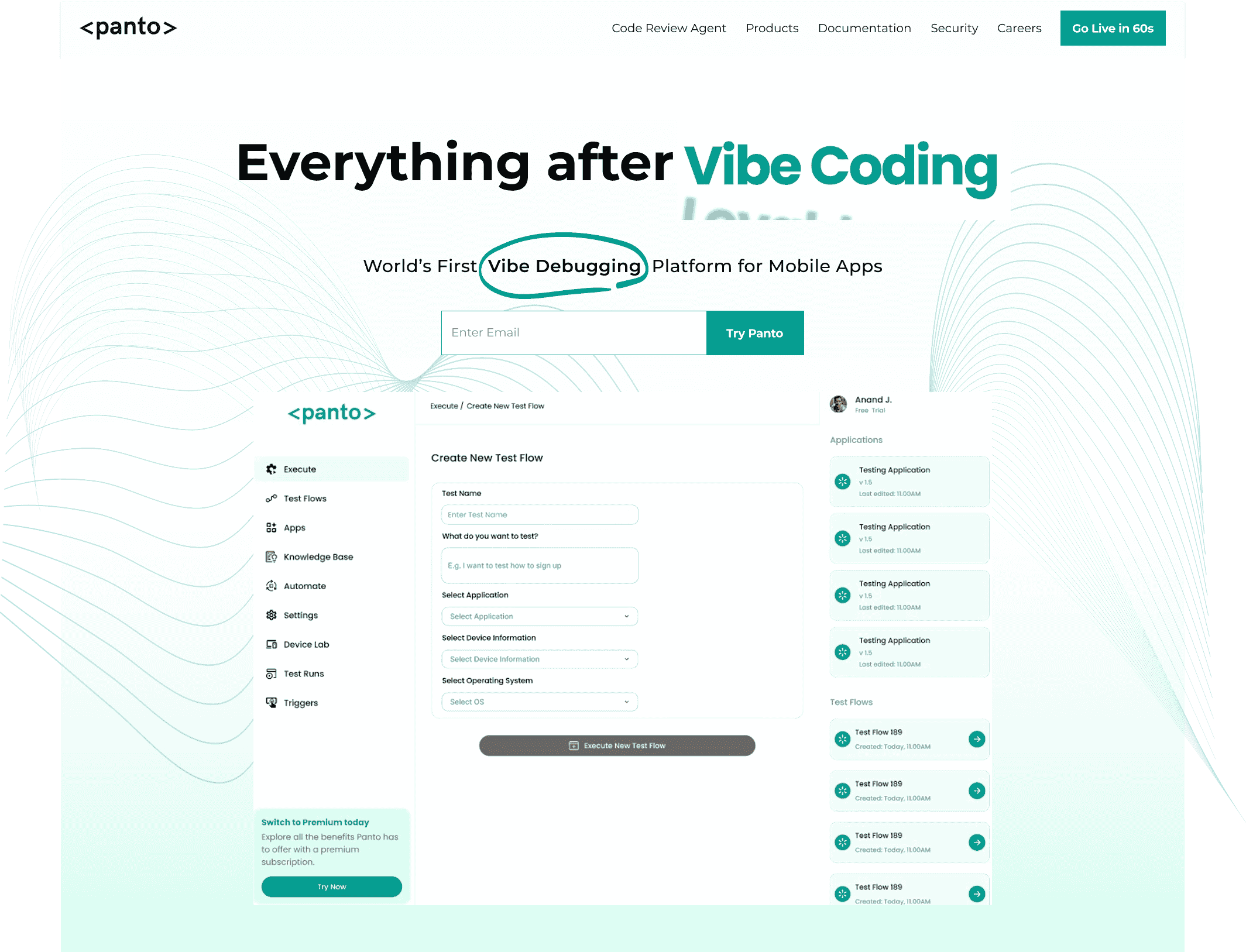
Everything After Vibe Coding
Panto AI helps developers find, explain, and fix bugs faster with AI-assisted QA—reducing downtime and preventing regressions.
- ✓ Explain bugs in natural language
- ✓ Create reproducible test scenarios in minutes
- ✓ Run scripts and track issues with zero AI hallucinations
Key Benefits of Panto QA
- Faster coverage: Teams can automate new tests in minutes instead of days.
- Lower QA costs: Automation reduces the need for manual regression and specialist effort.
- Stable tests: AI adaptation to UI changes dramatically reduces flaky failures.
- Designed for scale: Suitable for thousands of tests across multiple device/OS combinations.
- Any tech stack: Supports native iOS/Android, React Native, Flutter, and more.
Panto’s AI-driven approach yields substantial gains in productivity and reliability. Teams report covering new features much faster and with significantly less test maintenance.
By empowering entire QA teams (not just coders), Panto helps organizations address mobile fragmentation and QA shortages.
Conclusion
Playwright and Cypress have revolutionized end-to-end web testing and QA automation.
However, as testing needs expand to mobile and larger scales, new approaches are emerging. Platforms like Panto QA (with AI-driven, no-code workflows) illustrate how QA automation is evolving, especially for mobile testing.
Such tools complement traditional frameworks and show that the future of automation is increasingly driven by AI and cross-platform coverage.



