

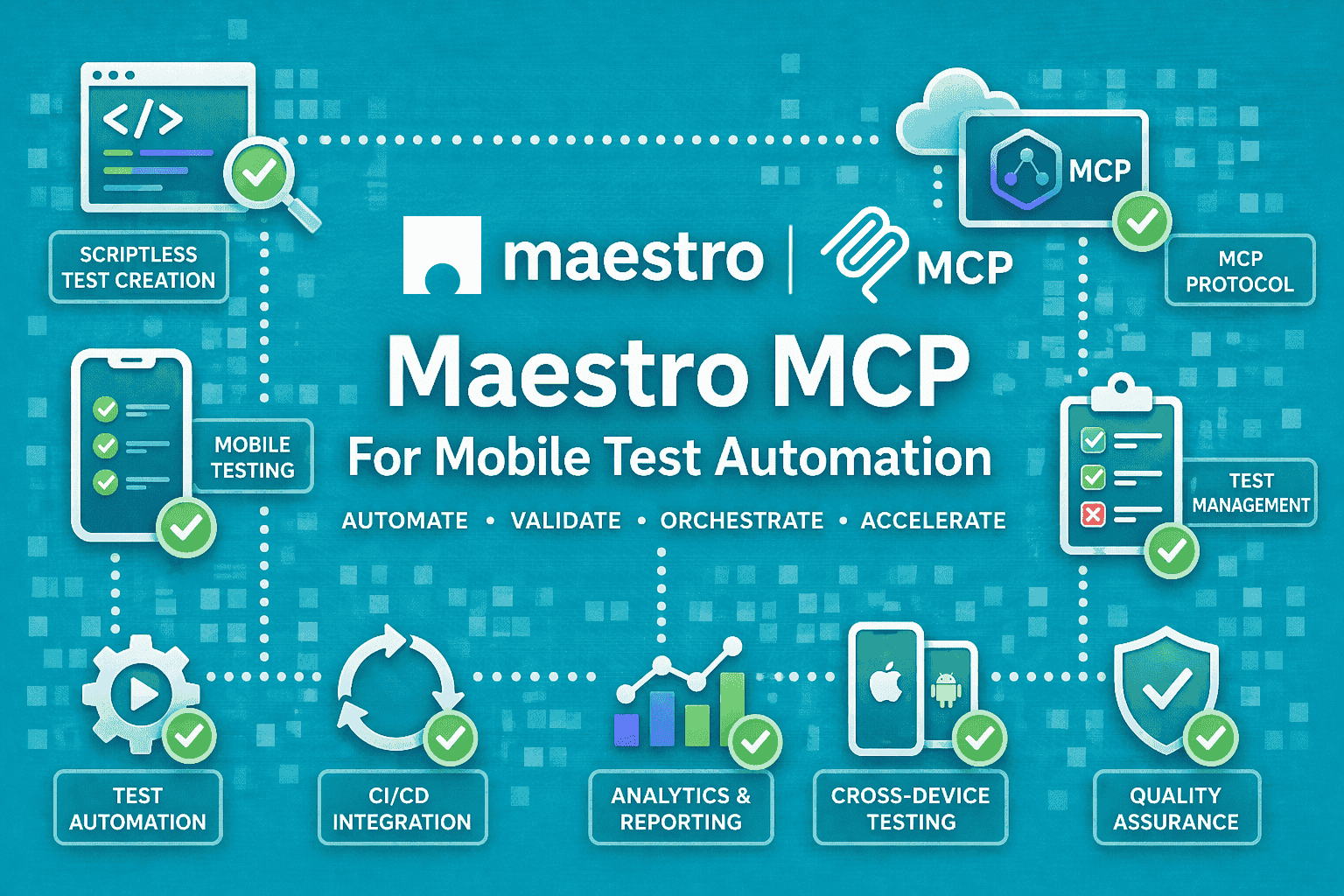

Mobile QA teams are under constant pressure to ship faster without letting flaky tests slow everything down.
That is where Maestro MCP becomes interesting. Maestro already gives teams a YAML-first way to automate mobile and web UI flows, with built-in tolerance, zero-wait intelligence, and device-level interaction through the accessibility layer.
The MCP server then adds a standard way for AI assistants to work with those capabilities without one-off integrations.
It is about making mobile automation easier to author, easier to run, and easier to debug when the app, the device, or the pipeline behaves badly.
What Maestro Already Does Well
Maestro is an open-source UI automation framework for mobile and web. Its docs describe it as a framework with built-in tolerance, zero-wait intelligence, and declarative YAML syntax.
It is built to pilot the device rather than reach into app internals, which is why it behaves more like a black-box mobile testing tool than an instrumentation-heavy framework. That matters in day-to-day QA work.
When a flow is written in YAML, the test is easier to read, easier to review in code review, and easier to update when the UI changes. Maestro’s docs and repository also emphasize fast iteration, with human-readable flows such as launchApp, tapOn, and assertVisible.
Maestro is not limited to one kind of app. Its docs and site show support for Android, iOS, and web, including mobile browsers and web views. That makes it useful for teams that need one approach across native apps, hybrid surfaces, and browser-based journeys.
For QA teams, the appeal is simple: less ceremony, less waiting, and less friction when building flows that represent actual user behavior.
What MCP Adds To The Workflow
MCP, or Model Context Protocol, is an open-source standard for connecting AI applications to external systems and tools. The point of MCP is not testing by itself. The point is interoperability: one protocol that lets AI clients talk to tools in a consistent way.
Maestro’s MCP server uses that standard to connect AI assistants with mobile testing. Maestro’s docs say it implements MCP and supports MCP-compliant clients such as Claude, Cursor, and Windsurf. The key idea is that the assistant can interact with Maestro through a protocol-defined interface instead of custom SDK glue for each client.
In QA terms, that creates a few immediate benefits.
- Test creation becomes faster because an assistant can help translate intent into a flow structure.
- Test control becomes easier because the same assistant can help trigger runs or extend a flow.
- Debugging also becomes more contextual, because the assistant can work from the test state rather than from raw logs alone.
The real shift is that mobile automation starts to feel more agent-friendly. Instead of asking a tester to manually stitch together commands, MCP gives the assistant a standard way to participate in the workflow.
Why Mobile Teams Should Care
Mobile testing has always been messy in the places where real apps are messy. Permissions appear at awkward times. Network calls finish late. Navigation transitions do not always settle cleanly. Device state changes underneath the test. That is the kind of environment where flaky assertions and timing problems show up quickly.
Maestro’s docs directly emphasize built-in tolerance and zero-wait behavior, and they describe the framework as working at “arm’s length” by piloting the device through the accessibility layer. In practice, that means Maestro is designed around the visible user journey, not hidden app internals. That is why MCP is a good fit here.
When the underlying tool already speaks in observable device actions, AI assistants have a clearer surface to work with. They can reason over steps the way a human tester would: launch the app, tap the button, verify the screen, inspect the failure, and move on.
For teams already exploring AI-assisted QA, Maestro MCP is less of a novelty and more of a practical layer that reduces friction around the work they are already doing.
Maestro MCP At A Glance
| Area | Details |
|---|---|
| Core framework | YAML flows, black-box automation, accessibility-layer interaction |
| MCP layer | AI assistants connecting through a standard protocol |
| Best fit | Mobile QA teams, CI debugging, AI-assisted automation |
| Main value | Faster authoring, debugging, and orchestration |
| Key limitation | Still depends on strong test design and reliable environments |
How Maestro MCP Works In Practice
The easiest way to think about Maestro MCP is as a chain of control. An AI assistant receives context, sends a request through the MCP interface, Maestro performs the mobile action on the device or emulator, and the result comes back to the assistant for the next step.
That is the practical loop. The assistant does not replace the test framework; it coordinates with it. The important part for QA is that the assistant stays close to the test lifecycle. It can help shape the flow, run it, interpret the result, and decide what to do next.
The Basic Workflow
A typical flow is straightforward. First, the assistant gets the test goal and enough context to understand the app state. Then it calls Maestro through MCP.
For mobile QA, that structure is valuable on both sides of the workflow. It helps with authoring when a test does not yet exist, and it helps with triage when a test already exists but starts failing in CI.
Maestro executes the device-level actions, just as it would in a normal automation run. Finally, the assistant gets the output and uses that to continue the workflow or diagnose the failure. That is useful because the assistant is not guessing blindly. It is operating with a protocol, a test framework, and a concrete UI state.
Setup Steps For Maestro MCP
1) Make Sure The Prerequisites Are In Place
Before using Maestro MCP, the Maestro CLI needs to be installed, and you need an IDE that supports MCP servers. Maestro’s docs say the MCP server is used to integrate AI assistants with mobile testing, and the setup assumes the CLI is available on your PATH.
2) Install The MCP Server
Open your terminal and run maestro mcp. Maestro’s docs note that the Maestro CLI preinstalls the MCP server, so that command is enough to install it.
3) Add The Server To Your IDE
Next, open your IDE’s MCP configuration file and point it to Maestro. The docs call out common locations such as Claude Desktop’s config file on macOS or Windows, and .vscode/mcp.json for VS Code workspaces. If Maestro is not on your PATH, use the full path to the CLI executable instead of maestro.
A minimal configuration looks like this:
{
  "mcpServers": {
    "maestro": {
      "command": "maestro",
      "args": ["mcp"]
    }
  }
}
4) Use The Available MCP Commands
Once connected, the server exposes commands such as launch_app, run_flow, run_flow_files, tap_on, take_screenshot, inspect_view_hierarchy, list_devices, start_device, stop_app, input_text, check_flow_syntax, query_docs, and back. These are the actions an MCP client can use to control and inspect mobile test flows.
5) Verify The Connection In Your QA Workflow
After setup, the practical test is simple: ask the assistant to launch a device, run a flow, inspect the screen hierarchy, or take a screenshot. If those commands work from your MCP client, the integration is set up correctly. That follows directly from the command set Maestro exposes through MCP.
What The AI Can Do With Maestro MCP
1. Create Or Extend Flows
Natural language is most useful when it can become a runnable flow quickly. A tester can describe a login, signup, or checkout journey in plain language, and the assistant can turn that into a Maestro-style flow. This is especially helpful for teams that have limited automation bandwidth or a backlog of journeys that still live in manual test cases. Because Maestro uses readable YAML, the output is easier for a QA engineer to review than code-heavy scripts that mix boilerplate with test intent.
2. Run Tests Against Real Devices Or Emulators
Maestro’s repository says flows can run on emulators, simulators, or browsers, and its site positions the framework for iOS, Android, and web. That gives teams a practical target for both local validation and automated pipeline runs. In a test lab, that means an assistant can help trigger a run on the right surface without the tester manually stitching together the whole command path.
3. Inspect Failures With More Context
Raw logs are useful, but they are not always enough. A failed step might be caused by a delayed transition, an unexpected modal, a missing permission, or a selector mismatch. An assistant sitting on top of Maestro MCP can help interpret the failure in the context of the flow rather than just printing the error line. That makes failure review faster and often less repetitive.
4. Debug Mobile Flows
This is where the value becomes obvious. When a flow breaks, the assistant can help narrow down where the break happened and what likely changed. That is especially relevant for flaky UI steps, permission dialogs, timing-sensitive screens, and navigation paths that behave differently across devices or build variants. Maestro’s own docs emphasize handling flakiness and UI settling through built-in tolerance and automatic waiting. That makes it a strong base for AI-assisted debugging, because the underlying framework is already designed to tolerate some of the instability that usually confuses test automation.
Why Maestro’s Architecture Fits MCP Well
Maestro operates at the device layer and through the accessibility layer, not inside the app code. That matters because AI assistants work best when the tool surface is observable and predictable. In other words, the assistant does not need to understand app internals to be helpful. It needs clear signals: what screen is visible, what action happened, what step failed, and what changed afterward.
That is a good match for QA workflows. Testing is already about observable behavior, and Maestro MCP simply makes that behavior easier for an AI client to access.
Real-World Use Cases
1. AI-Assisted Test Authoring
This is the cleanest use case. A QA engineer asks the assistant to create a login flow, a first-time onboarding flow, or a purchase path. The assistant drafts the Maestro flow, and the tester reviews it before it goes into the suite. That saves time without removing human judgment from the process.
2. CI Failure Triage
When a nightly run fails, the assistant can help inspect the broken step and summarize the likely cause. That does not eliminate debugging. It just reduces the time spent scanning through logs, re-running the same flow, and checking the same transitions by hand.
3. Permission and System Flow Automation
Maestro’s device-level approach is a good fit for OS-level steps such as permissions and system dialogs. Those are the flows that often make tests brittle, especially on mobile. When assistants can work through MCP, they can help model those edge cases more consistently instead of treating them as exceptions in every test suite.
4. Cross-App Mobile Journeys
Some mobile journeys do not stay inside one app. A user might authenticate in one app, verify something in another surface, then return to the original app. That kind of cross-app path is exactly where a device-level framework is useful, because the test has to follow the user, not just the codebase.
Maestro MCP Use Cases
| Use Case | Why It Helps | Best For |
|---|---|---|
| AI test creation | Speeds up flow authoring | New automation work |
| CI failure debugging | Reduces log-scanning time | Failing mobile pipelines |
| Permission handling | Covers system-level steps | iOS / Android edge cases |
| Cross-app journeys | Handles real user-like flows | End-to-end regression |
| Test maintenance | Helps interpret and update flows | Growing QA suites |
Where Maestro MCP Fits In A Modern QA Stack
Maestro MCP is not trying to replace every test tool in the stack. It is trying to reduce the pain around mobile UI automation, and that starts with authoring, reliability, and debugging.
Maestro’s built-in tolerance and zero-wait model already help with flaky and slow mobile interactions. MCP adds another layer by making those capabilities easier for AI-driven workflows to reach. That makes it a good fit for teams that want speed without giving up test readability.
What Problems It Solves Better Than Traditional Automation
Traditional mobile automation often runs into the same three problems: tests are slow to write, flows break too easily, and debugging takes too long.
Maestro’s docs position the framework as a simpler, more reliable way to express user journeys in YAML, with automatic waiting and device-level interaction. That reduces some of the usual maintenance friction before MCP even enters the picture. MCP then makes the tool easier to plug into AI-assisted workflows. That matters because many teams already use AI for summarizing, drafting, or triaging. Maestro MCP gives that behavior a standard path into mobile testing.
Where It Still Needs Careful Use
Test Design Still Matters
AI can help write a flow, but it cannot rescue a weak test structure. Stable selectors, clean setup steps, and isolated test data still matter. If the test is poorly designed, the assistant will only help you fail faster.
CI Parity Still Matters
A clean local run does not guarantee a clean CI run. Device version, simulator state, network conditions, and pipeline configuration still need discipline. Maestro and MCP improve the workflow, but they do not remove environment management from the equation.
Not Every Failure Should Be Auto-Fixed
Some failures are symptoms, not the problem itself. A product regression, an unstable dependency, or a changed business rule still needs human review. The best use of AI here is triage and acceleration, not blind auto-fixing.
Maestro MCP Vs Appium MCP Vs Playwright MCP
A lightweight way to compare the tools is by the kind of surface they are best at.
Appium is an open-source ecosystem for UI automation across many app platforms, including mobile, browser, desktop, TV, and more. Playwright is a browser automation framework focused on web testing across Chromium, Firefox, and WebKit. Maestro, by contrast, is centered on mobile and web UI automation with YAML flows and device-level interaction.
That means Maestro MCP makes the most sense when the workflow is mobile-first and the team wants readable flows plus AI-assisted orchestration. Appium-based setups may be a better fit when the team already lives inside the Appium ecosystem and needs its broader platform reach. Playwright fits best when the problem is browser-heavy automation or hybrid web testing.
When To Use What: Maestro vs Appium vs Playwright
| Tooling | Best For | Strength |
|---|---|---|
| Maestro MCP | Mobile-first QA | Fast authoring, device-level flows |
| Appium MCP | Broader mobile automation | Ecosystem familiarity |
| Playwright MCP | Web and hybrid testing | Strong browser automation |
Beyond MCP: From Assisted To Autonomous Testing
Step back from the individual tools and a pattern emerges. Maestro MCP, Appium MCP, and Playwright MCP are all the same shape: they connect an AI assistant to a test framework you still operate. That is a real improvement. Authoring gets faster, debugging gets more contextual, and the assistant reaches the tool through a standard protocol instead of custom glue.
But notice what does not change. You still stand up and maintain the devices. You still keep flows current as the app evolves. You still own the CI wiring, the environment parity, and the cost of every LLM call the assistant makes. MCP makes the existing workflow more assistant-friendly; it does not change who owns the workflow. The assistant is a faster pair of hands, but the hands are still yours.
For many teams that is exactly the right trade, and the open-source route is the honest answer. The question worth asking is what sits one level beyond assisted testing.
That next level is autonomous testing, and it is a different category rather than a better MCP server. Instead of helping you write a flow, an autonomous system learns how real users move through your app, decides what is worth testing, generates those tests itself, runs them on managed real devices, and repairs them when the UI shifts. The engineer moves from operating the tests to reviewing what the system found.
This is the direction Panto takes. Rather than asking you to wire up an MCP server and maintain a device farm, it owns the loop end to end: it generates tests from real user flows, runs them across 150+ real devices, self-heals when screens change, and reports results back through CI and Slack. The MCP tools above are a great way to make your current process faster. Panto is built for teams that would rather not run that process by hand at all.
Open-Source Maestro MCP vs a Managed Platform
Here is that difference laid out concretely, from the open-source Maestro MCP route to a managed autonomous platform:
| Consideration | Open-source Maestro MCP | Panto (managed) |
|---|---|---|
| Setup | Install the CLI, wire up MCP, manage your own devices | None; runs in the browser |
| Devices | Your own emulators or a farm you maintain | 150+ real devices included |
| Flow authoring | AI-assisted, but you review and maintain YAML | Autonomous generation from real user flows |
| Flakiness & self-healing | You tune and maintain | Built in |
| CI/CD | You build and own the integration | CI-native, results to Slack or dashboard |
| Best for | Teams that want full control of the stack | Teams shipping on every release |
Conclusion
Maestro MCP makes mobile testing more accessible to AI-assisted workflows. The real value is not just test execution. It is faster authoring, better triage, and less time spent on noisy failures. That is the part readers should remember.
FAQs
Q: What is Maestro MCP?
A: Maestro MCP is Maestro’s implementation of the Model Context Protocol (MCP), allowing AI assistants to interact with mobile testing workflows through a standardized interface. It enables agents to launch apps, execute test flows, inspect results, and automate testing tasks using natural-language instructions.
Q: How do I set up Maestro MCP?
A: Install the Maestro CLI, start the built-in MCP server using maestro mcp, and add the Maestro configuration to your MCP-compatible client, such as Claude Desktop or .vscode/mcp.json. Once configured, verify the setup by asking your AI assistant to launch a device, run a flow, or inspect a test result.
Q: Is Maestro MCP free?
A: Yes. Maestro is open source, and the MCP server is included with the Maestro CLI at no additional cost. The only ongoing expense is any usage charges associated with the AI model powering your assistant.
Q: Maestro MCP vs. Appium MCP — which should I use?
A: Choose Maestro MCP if you want fast, mobile-focused test automation with human-readable YAML flows and minimal setup. Choose Appium MCP if your team already relies on Appium and needs broader automation flexibility, deeper ecosystem support, or existing Appium-based infrastructure.
Q: Does Maestro support Android and iOS?
A: Yes. Maestro supports Android, iOS, and web applications, including browser-based testing and mobile webview scenarios. This makes it suitable for teams testing across multiple platforms with a single workflow definition.
Q: Is Maestro a black-box testing tool?
A: In practice, yes. Maestro interacts with applications through the device’s accessibility layer rather than through internal application code. This black-box approach mirrors real user behavior and makes tests more resilient across implementation changes.
Q: Why use MCP with Maestro?
A: MCP allows AI assistants to interact with Maestro through a standard client-server protocol instead of custom integrations. This simplifies automation workflows, improves interoperability between tools, and enables AI-driven mobile testing with minimal configuration.



