
AI coding assistants in 2026 are no longer “nice-to-have.” They are essential to ship faster, safer and more maintainable code.
But GitHub Copilot is not always the best fit for every team. You may need stronger code review, stricter data security, or better on‑premise options.
That is where a new wave of GitHub Copilot alternatives comes in. From PR review bots to context-aware AI OS platforms, engineers now have serious choices.
What Is a GitHub Copilot Alternative?
A GitHub Copilot alternative is any AI-assisted developer tool that replaces or augments Copilot’s core functions—primarily code generation—while addressing gaps in code review quality, security, compliance, repository-scale understanding, or deployment control.
In 2026, these alternatives fall into five categories:
- Autocomplete-focused assistants (typing speed, boilerplate)
- AI code review agents (PR quality, security enforcement)
- Whole-repo intelligence tools (monorepos, legacy systems)
- AI-native editors (workflow redefinition)
- Self-hosted or local LLM solutions (privacy-first environments)
This guide evaluates tools across those categories for modern engineering organizations.
Why Teams Are Re-evaluating GitHub Copilot in 2026
GitHub Copilot accelerated adoption of AI in development, but engineering leaders increasingly cite limitations:
- Weak PR review and architectural enforcement
- Limited business or ticket context
- Data residency and compliance constraints
- Noisy or generic suggestions at scale
As teams mature, code quality, security, and predictability matter more than raw typing speed—driving demand for alternatives.
Top GitHub Copilot Alternatives for 2026
1. Panto AI Code Review Agent (AI-Driven PR Review)
Category: AI Code Review & Security Enforcement
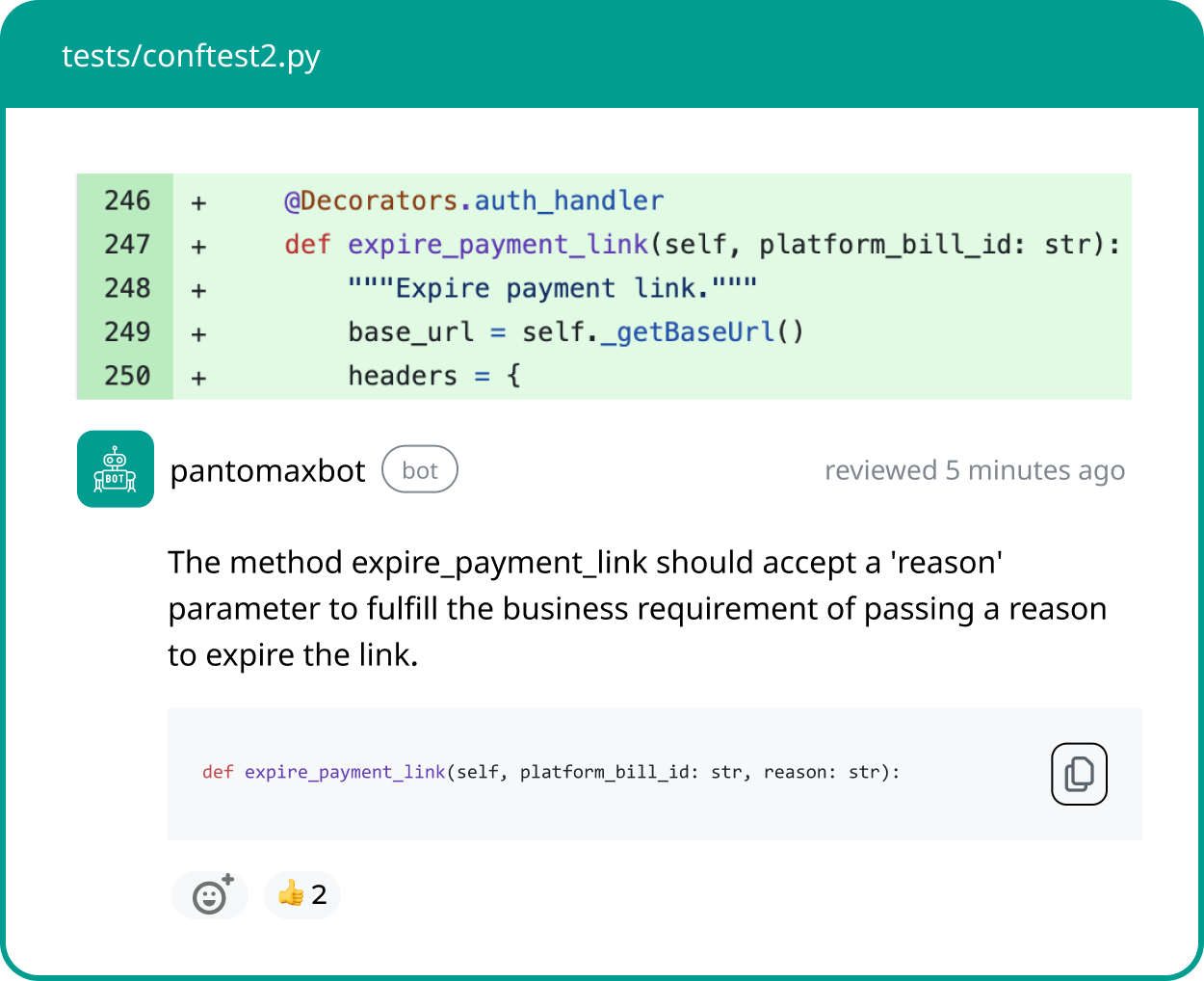
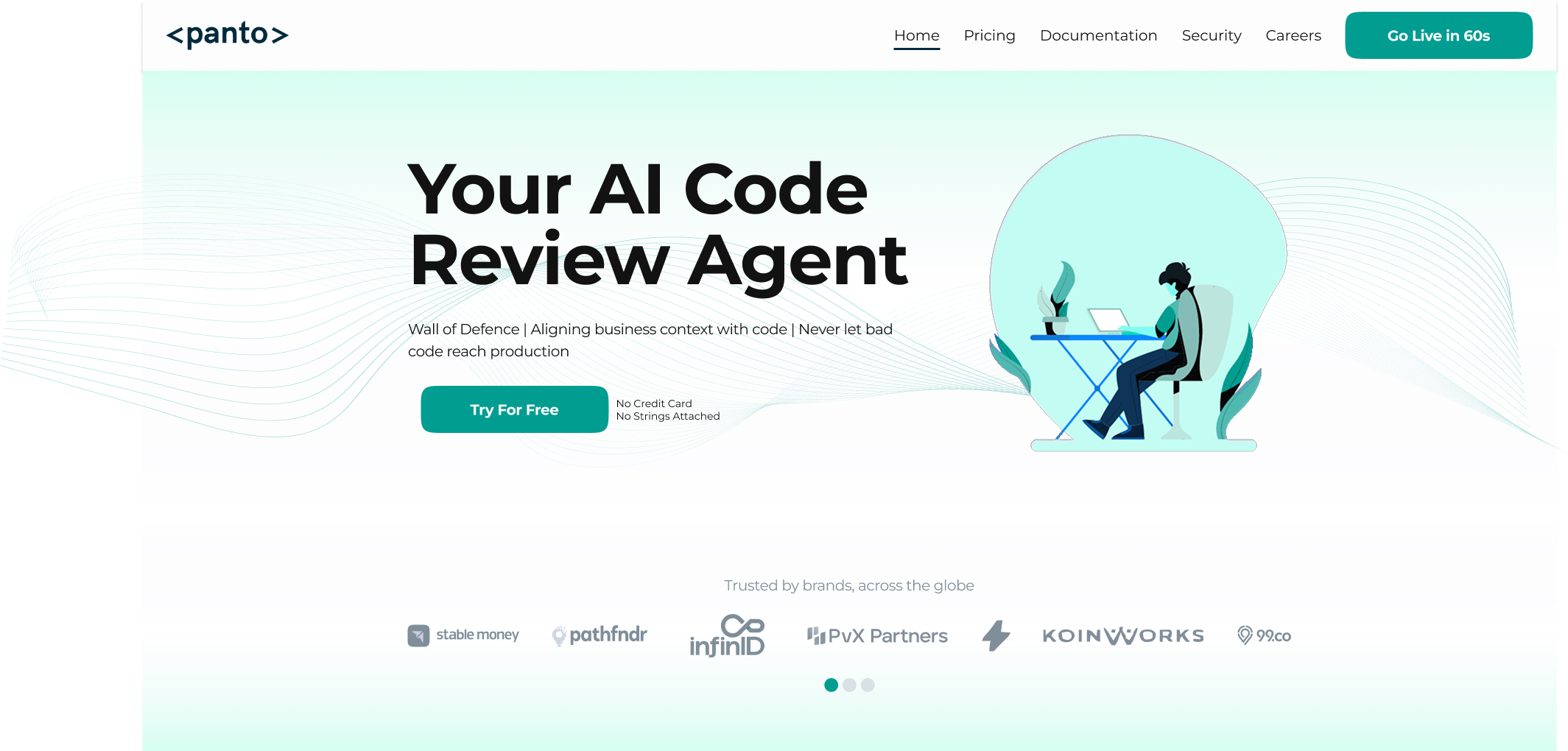
Panto AI is an AI-driven code review and security enforcement platform that focuses on post-generation code quality rather than inline code completion. It integrates directly into GitHub, GitLab, and Bitbucket pull request workflows to analyze code against security policies, architectural standards, and business-specific rules before it is merged into production.
Notable Capabilities
- Automated AI Code Review: Continuously analyzes pull requests to detect bugs, security vulnerabilities, logic flaws, and code quality issues, helping teams maintain high standards even with large volumes of AI-generated code.
- Pull Request Summaries and Inline Review Feedback: Generates structured PR summaries and contextual inline comments that accelerate review cycles and reduce manual reviewer effort.
- Context-Aware Code Reviews (Jira & Confluence Integration): Incorporates product requirements, tickets, and documentation into the review process so feedback aligns with intended functionality, not just static code rules.
- Policy-Driven Quality and Security Enforcement: Allows teams to define and enforce custom rules for architecture, security, and compliance, ensuring all code meets organizational standards before merge.
- 30,000+ Security Checks Across 30+ Languages: Performs large-scale static analysis across modern programming languages to identify vulnerabilities and enforce secure coding practices.
- Risk Detection for AI-Generated Code: Specifically optimized to catch issues common in AI-generated code, including insecure patterns, hallucinated logic, and non-compliant implementations.
- Zero Code Retention and Secure Deployment Options: Ensures enterprise-grade data privacy with no code storage, along with support for on-premise and private deployments.
- CERT-IN Compliance and Enterprise Governance: Meets regulatory and compliance requirements for organizations operating in security-sensitive or regulated environments.
- Seamless CI/CD and DevOps Integration: Embeds directly into existing development pipelines, enabling automated enforcement without disrupting developer workflows.
Best for: Teams and enterprises that prioritize code review quality, security, compliance, and governance, especially when adopting AI-generated code at scale.
Primary trade-off: It is not designed for inline code generation or real-time autocomplete within IDEs.
2. SonarQube (Automated AI Code Review)
Category: AI Code Review & Code Security
SonarQube is a code quality and security verification platform that integrates into CI/CD pipelines and pull requests. It analyzes 40+ languages to detect maintainability issues, reliability risks, and security vulnerabilities before release.
Notable Capabilities
- Automated AI Code Review: Continuous inspection of code to detect bugs, vulnerabilities, and code smells, helping teams maintain high software quality and reduce technical debt.
- Pull Request Decoration: Integrates with Git platforms to provide inline feedback on pull requests, highlighting security issues, maintainability problems, and reliability concerns before AI code is merged.
- Quality Gates: Enforce quality and security standards by automatically blocking merges when new AI code fails defined thresholds for issues, coverage, or duplication.
- Security Vulnerability Detection: Built-in static application security testing (SAST) and vulnerability scanning that identify security weaknesses and help developers apply secure coding practices to AI-generated code.
- Code Coverage Integration: Connects with testing frameworks to display unit test coverage and test results, ensuring new AI code changes meet quality benchmarks.
- Multi-language Support: Supports analysis for 40+ programming languages commonly generated by AI (such as Java, JavaScript, Python, C#, and more) within a unified code quality and security platform.
Best for: Growing teams and enterprises that want scalable, consistent, policy-driven code review of AI code focused on both code quality and application security, embedded directly into CI/CD pipelines and DevOps workflows.
Primary trade-off: Requires separate CI/CD integration rather than acting as a self-contained DevOps platform.
3. Tabnine (Safe, IDE-Based Autocomplete)
Category: AI Autocomplete
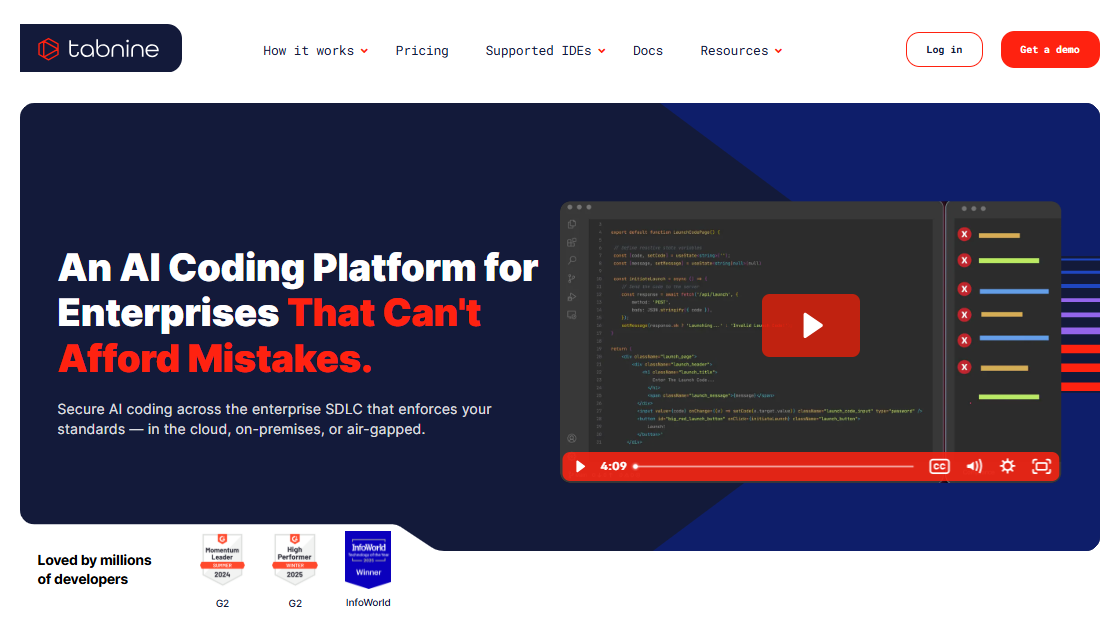
Tabnine is an AI-powered code completion platform designed to assist developers directly within their IDEs. Unlike repository-level tools, it focuses on real-time, predictive code suggestions as developers write code. It emphasizes privacy-first AI by training on permissive open-source code and enabling teams to leverage private repositories without exposing sensitive data externally.
Notable Capabilities
- Real-Time AI Code Completion: Provides fast, context-aware autocomplete suggestions as developers type, helping accelerate coding workflows and reduce repetitive tasks.
- Privacy-First AI Models: Trained on permissive open-source datasets, with options to avoid public code entirely and rely on private, organization-specific data.
- Team-Trained Custom Models: Allows teams to train models on internal repositories, improving suggestion relevance and aligning with company-specific coding standards and patterns.
- IDE-Native Integrations: Works seamlessly within popular development environments such as VS Code and JetBrains IDEs, ensuring minimal disruption to existing workflows.
- Self-Hosted and Enterprise Deployment Options: Supports on-premise and private cloud deployments, enabling full control over data, model usage, and compliance requirements.
- Multi-Language Support: Offers autocomplete across a wide range of coding languages used in modern full-stack development environments.
Best for: Teams that want Copilot-style autocomplete with stronger IP protection, data privacy, and control over how AI models are trained and deployed.
Primary trade-off: Limited capabilities for pull request review, architectural analysis, and repository-wide code reasoning compared to full code review platforms.
4. Amazon CodeWhisperer (AWS-Centric Development)
Category: Cloud-Native Code Generation
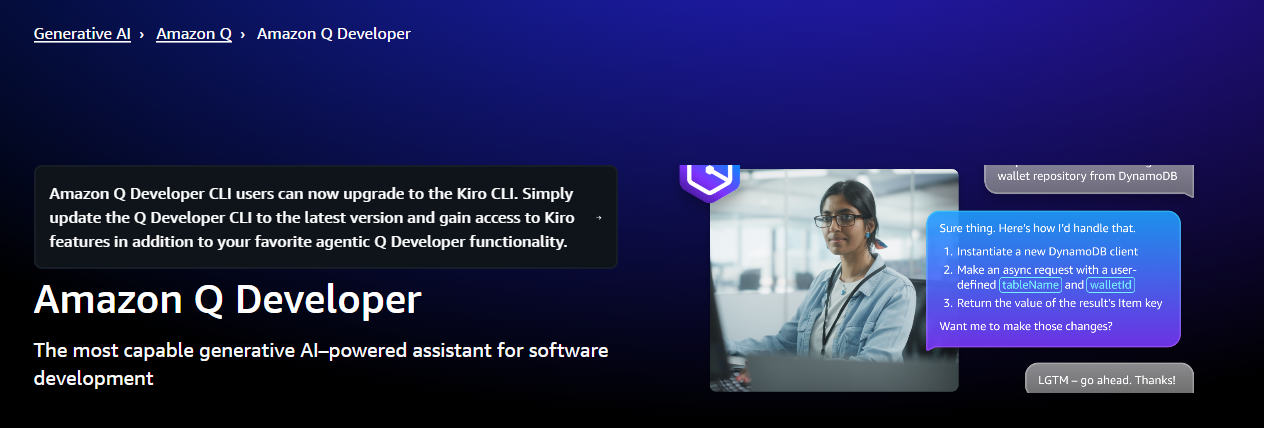
Amazon CodeWhisperer is an AI-powered code generation tool designed for developers building applications within the AWS ecosystem. It provides real-time code suggestions aligned with AWS SDKs, services, and cloud-native architectures, helping teams accelerate development while adhering to best practices for cloud infrastructure and application design.
Notable Capabilities
- Real-Time AI Code Suggestions: Generates context-aware code completions as developers write, helping accelerate development workflows and reduce manual coding effort.
- Deep AWS Service Integration: Provides optimized suggestions for AWS services such as Lambda, DynamoDB, S3, and EC2, enabling faster development of cloud-native applications.
- Built-In Security Scanning: Continuously analyzes generated code for common vulnerabilities and insecure patterns, helping developers adopt secure coding practices early in the development lifecycle.
- AWS Toolkit and IDE Integration: Integrates directly with AWS Toolkit and popular IDEs, allowing developers to build, deploy, and manage applications within a unified workflow.
- IAM-Based Access Control: Leverages AWS Identity and Access Management (IAM) to enforce enterprise-grade access controls and governance over usage.
- Support for Infrastructure as Code: Assists in generating cloud infrastructure configurations, including templates and scripts aligned with AWS best practices.
Best for: Teams building and scaling applications primarily on AWS who want tightly integrated AI assistance aligned with cloud services and infrastructure patterns.
Primary trade-off: Its effectiveness is significantly reduced outside AWS-centric environments and multi-cloud or non-cloud-native stacks.
5. Windsurf (Fast, Cost-Effective Autocomplete)
Category: Autocomplete & AI Chat
Windsurf is an AI-assisted coding tool that combines real-time autocomplete with conversational AI capabilities inside modern IDEs. It is designed to provide fast, accessible coding assistance across a wide range of programming languages, making it particularly attractive for individual developers and small teams seeking a low-cost alternative to premium AI coding tools.
Notable Capabilities
- Real-Time Autocomplete Across 70+ Languages: Delivers fast, context-aware code suggestions across a broad set of programming languages used in frontend, backend, and scripting environments.
- Integrated AI Chat for Development Tasks: Enables developers to ask questions, generate code, and receive explanations directly within the IDE, reducing context switching.
- Workspace-Aware Context Understanding: Uses information from active files and the surrounding workspace to generate more relevant and accurate suggestions.
- Seamless IDE Integrations: Provides strong support for popular development environments such as VS Code and JetBrains, allowing easy adoption without major workflow changes.
- Lightweight Setup and Onboarding: Designed for quick installation and minimal configuration, making it accessible for individuals and small teams.
- Cost-Effective Access with Generous Free Tier: Offers a pricing model that lowers the barrier to entry for developers exploring AI-assisted coding tools.
Best for: Individual developers and small teams looking for fast, affordable AI-assisted coding with both autocomplete and chat capabilities.
Primary trade-off: It offers limited enterprise-grade governance, compliance controls, and policy enforcement compared to more mature DevOps and code quality platforms.
6. Replit Ghostwriter (Browser-Based Development)
Category: In-Browser AI Coding Assistant
Replit Ghostwriter is an AI-powered coding assistant built into the Replit cloud IDE, enabling developers to write, run, and deploy code entirely from the browser. It focuses on simplifying development workflows by combining code generation, explanation, and transformation within a fully managed, cloud-based environment.
Notable Capabilities
- Fully Browser-Based Development Environment: Eliminates the need for local setup by allowing developers to code, execute, and debug applications directly in the cloud.
- AI-Powered Code Generation and Completion: Assists with writing code in real time, helping developers quickly build features and reduce manual effort.
- Code Explanation and Transformation: Explains existing code and supports refactoring or modification tasks, making it useful for both learning and iteration.
- Full-Stack Prototyping Support: Enables rapid development of frontend, backend, and integrated applications within a single workspace.
- Integrated Deployment and Hosting: Connects directly with Replit’s deployment infrastructure, allowing users to move from development to production without leaving the platform.
- Collaboration and Educational Features: Supports collaborative coding and is widely used for teaching, experimentation, and hackathon environments.
Best for: Students, educators, hackathons, and teams focused on rapid prototyping or lightweight application development in a cloud-native environment.
Primary trade-off: Replit is not optimized for large-scale, production-grade engineering workflows or complex enterprise systems.
7. JetBrains AI Assistant (JetBrains-Centric Teams)
Category: IDE-Native AI Assistant
JetBrains AI Assistant is an AI-powered development tool embedded directly within JetBrains IDEs, designed to enhance developer productivity through deep integration with the IDE’s core features. It leverages rich project context and static analysis capabilities to assist with refactoring, debugging, navigation, and documentation tasks within a unified development environment.
Notable Capabilities
- Deep Integration with IDE Inspections and Refactoring Tools: Works seamlessly with JetBrains’ built-in code inspections and refactoring engines to provide context-aware suggestions and improvements.
- Project-Aware Code Assistance: Uses full project context, including dependencies and structure, to deliver more accurate and relevant recommendations.
- Strong Support for JVM Languages: Offers particularly robust assistance for Java, Kotlin, and Scala, aligning with JetBrains’ strengths in JVM-based development.
- AI-Powered Test Generation and Code Explanation: Helps in test case generation and understand complex code paths, improving maintainability and onboarding.
- Intelligent Navigation and Debugging Support: Assists in exploring codebases, identifying issues, and understanding execution flow within large projects.
- Native JetBrains Workflow Experience: Fully embedded into JetBrains IDEs, ensuring a consistent and streamlined developer experience without requiring external tools.
Best for: Organizations and teams standardized on JetBrains IDEs that want tightly integrated AI assistance across development, debugging, and maintenance workflows.
Primary trade-off: Its usefulness is limited outside the JetBrains ecosystem and offers less flexibility for teams using diverse IDE environments.
8. Sourcegraph Cody (Large Monorepos)
Category: Whole-Repository AI Intelligence
Sourcegraph Cody is an AI-powered coding assistant built on top of Sourcegraph’s code search and intelligence platform. It is designed to understand and reason across entire repositories, enabling developers to work effectively with large, complex, and interconnected codebases, including monorepos and legacy systems.
Notable Capabilities
- Whole-Repository Context Awareness: Analyzes entire codebases rather than individual files, allowing it to generate insights and suggestions that reflect full system context.
- Cross-Service and Dependency Reasoning: Understands relationships between services, modules, and dependencies, making it effective for navigating distributed and microservices architectures.
- Advanced Code Search and “Where Is This Used?” Queries: Enables developers to trace code usage, references, and dependencies quickly, improving debugging and refactoring workflows.
- Impact Analysis for Code Changes: Helps teams evaluate how changes in one part of the system affect other components, reducing the risk of unintended side effects.
- Support for Monorepos and Legacy Codebases: Optimized for environments where code is large, complex, and often poorly documented.
- Flexible Deployment Options: Available in both cloud-hosted and self-hosted configurations, supporting enterprise security and compliance requirements.
Best for: Enterprises with large-scale, complex, or legacy codebases that require deep repository-level understanding and cross-service analysis.
Primary trade-off: It involves higher setup complexity and cost compared to lightweight IDE-based AI coding tools.
9. StarCoder & Open-Source Models (Full Control)
Category: Self-Hosted AI Coding Models
StarCoder and similar open-source AI coding models enable organizations to deploy AI-assisted development tools entirely on their own infrastructure.
These models provide full control over data, model behavior, and deployment environments, making them suitable for teams that require high levels of customization, privacy, and independence from third-party vendors.
Notable Capabilities
- Fully Self-Hosted Deployment: Allows organizations to run AI coding models on their own infrastructure, ensuring complete control over data flow and system architecture.
- No Vendor Lock-In: Eliminates dependency on proprietary platforms, giving teams flexibility to modify, extend, or replace components as needed.
- Full Data Residency and Privacy Control: Keeps all code, prompts, and outputs within internal environments, supporting strict compliance and security requirements.
- Custom Fine-Tuning on Internal Codebases: Enables organizations to train or adapt models using proprietary code, improving relevance and alignment with internal standards.
- Extensibility and Integration into Internal Tools: Supports embedding AI capabilities into custom developer portals, IDE extensions, and internal DevOps workflows.
- Flexible Model Selection and Optimization: Allows teams to choose, modify, and optimize models based on performance, cost, and use-case requirements.
Best for: Privacy-sensitive enterprises, regulated industries, and organizations that require full control over AI systems and data handling.
Primary trade-off: It requires significant machine learning expertise, infrastructure investment, and ongoing maintenance to deploy and operate effectively.
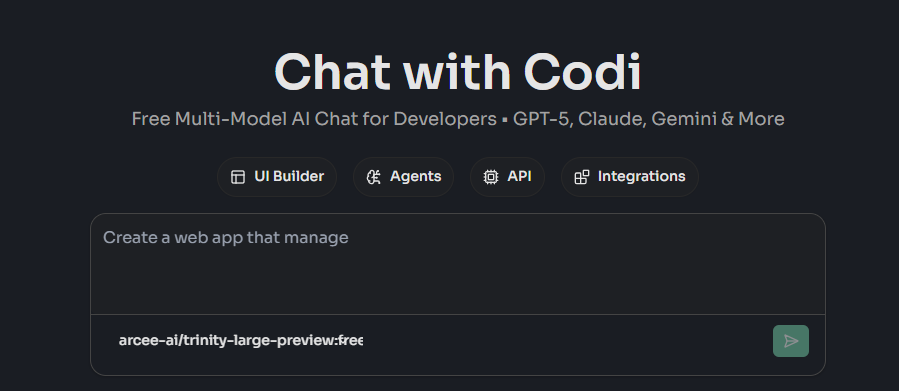
10. AskCodi (Lightweight Daily Tasks)
Category: General-Purpose AI Coding Helper
AskCodi is an AI-powered coding assistant focused on simplifying everyday developer tasks such as generating snippets, writing tests, and assisting with database queries. It is designed for speed and ease of use, prioritizing quick outputs and accessibility over deep repository-level understanding or complex system reasoning.
Notable Capabilities
- Snippet and Boilerplate Code Generation: Helps developers quickly generate common code patterns, reducing time spent on repetitive tasks.
- Automated Test Case Generation: Assists in creating basic unit tests and test scenarios to improve code reliability with minimal effort.
- SQL Query and Database Assistance: Generates and explains SQL queries, making it useful for developers working with databases and data-driven applications.
- Documentation and Code Explanation Support: Provides simple explanations and generates documentation for functions and code blocks to improve readability and maintainability.
- Multi-Language Support: Works across a variety of programming languages, supporting common development workflows.
- Simple UI and Fast Onboarding: Designed with ease of use in mind, allowing developers to start using the tool quickly without complex configuration.
Best for: Solo developers and small teams looking for a fast, lightweight assistant to handle routine coding tasks and improve productivity.
Primary trade-off: It lacks deep contextual understanding and is less effective for complex systems, large codebases, or enterprise-grade development workflows.
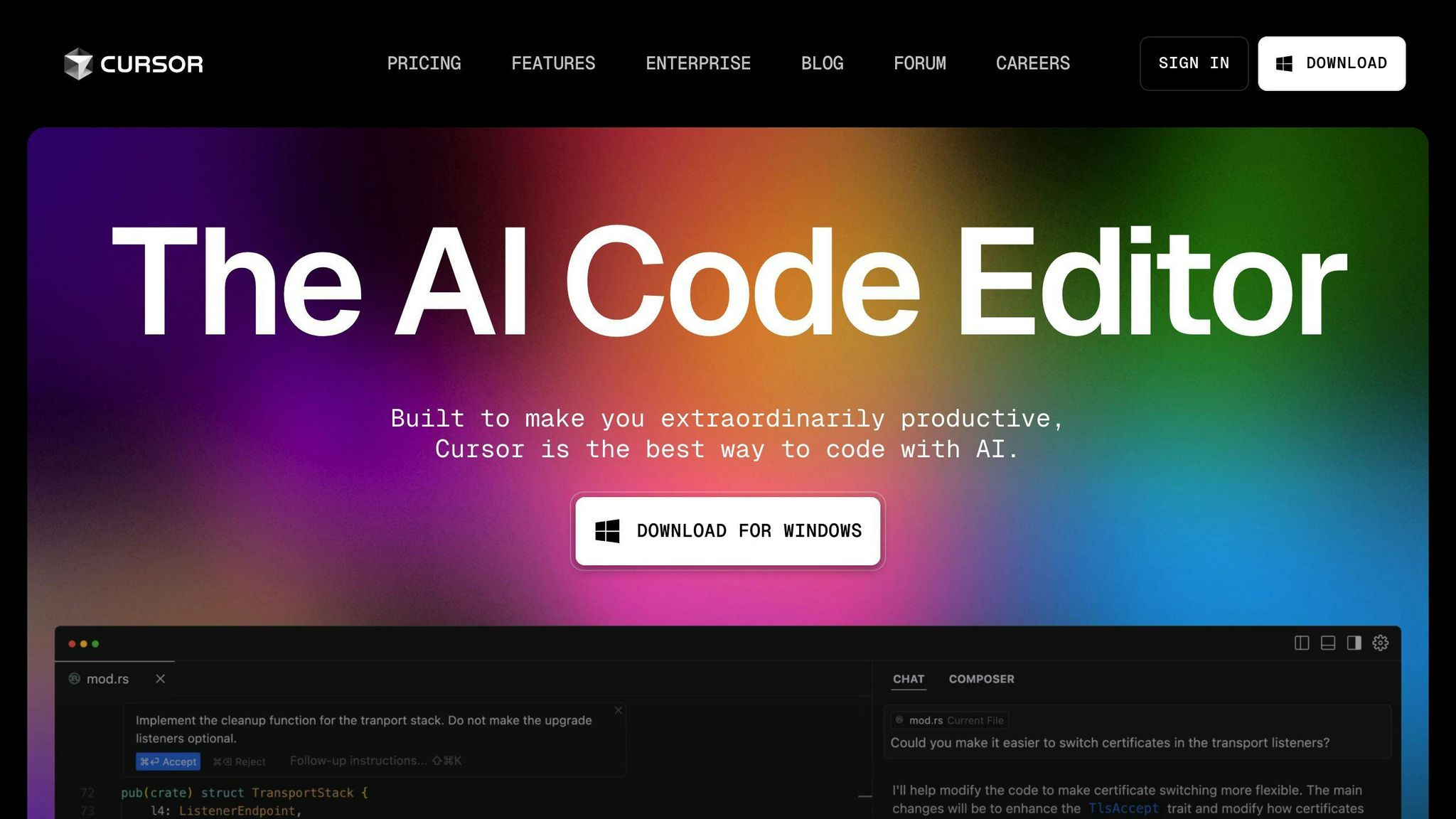
11. Cursor (AI-Native Editing)
Category: AI-First Code Editor
Cursor is an AI-powered code editor built as a fork of VS Code, designed to make AI a core part of the development interface rather than an add-on. It enables developers to interact with their codebase conversationally, supporting multi-file edits, refactoring, and navigation through a tightly integrated AI workflow.
Notable Capabilities
- AI-Driven Multi-File Refactoring: Allows developers to modify and refactor code across multiple files simultaneously using natural language instructions.
- Project-Aware In-Editor Chat: Provides a conversational interface that understands project context, enabling developers to ask questions, generate code, and make changes without leaving the editor.
- Conversational Code Navigation and Editing: Lets developers explore codebases, locate logic, and apply edits through dialogue rather than manual searching and editing.
- Contextual Understanding of Entire Projects: Uses broader project context to generate more accurate suggestions and maintain consistency across files and modules.
- Optimized for Greenfield Development: Particularly effective for building new applications where AI can shape architecture and implementation from the start.
- Seamless VS Code-Based Experience: Retains familiarity for developers while extending the editor with deeply integrated AI capabilities.
Best for: Teams and developers willing to adopt an AI-first development workflow and rethink how they interact with code through conversational interfaces.
Primary trade-off: It introduces editor lock-in, making it harder for teams to switch tools or maintain consistency across diverse development environments.
12. Local LLM-Based Assistants (Maximum Privacy)
Category: Fully Private AI Coding Assistants
Local LLM-based assistants are AI coding tools built on models such as Llama or Mistral that run entirely on private infrastructure, including developer machines, on-premise servers, or isolated clusters. These solutions are designed for organizations that require complete control over data, model behavior, and system access, eliminating reliance on external APIs or third-party platforms.
Notable Capabilities
- Fully Offline and Private Execution: Runs entirely within local or controlled environments, ensuring that no code, prompts, or outputs are transmitted to external services.
- Complete Data Privacy and Residency Control: Keeps all development data within organizational boundaries, supporting strict compliance, regulatory, and security requirements.
- Customizable Guardrails and Policies: Allows organizations to define and enforce internal policies around code generation, usage, and security constraints.
- Integration with Internal Systems and Tooling: Can be connected to proprietary developer tools, CI/CD pipelines, and knowledge bases for a unified internal workflow.
- On-Premise and Air-Gapped Deployment Support: Suitable for highly secure environments where internet access is restricted or prohibited.
- Model Flexibility and Customization: Enables teams to choose, fine-tune, and optimize models based on performance, domain requirements, and infrastructure constraints.
Best for: Security-sensitive enterprises, regulated industries, and organizations that require full control over AI systems, data handling, and deployment environments.
Primary trade-off: It involves high operational overhead, requiring significant infrastructure, maintenance, and machine learning expertise to deploy and manage effectively.
Feature Comparison Summary of GitHub Copilot Alternatives
| Tool | Primary Focus | Key Strength | Supported VCS / IDEs | Security & Deployment |
|---|---|---|---|---|
| Panto AI Code Review Agent | AI code review & PR summaries | Context from Jira & Confluence, 30k+ security checks | GitHub, GitLab, Bitbucket | Zero code retention, CERT‑IN, on‑premise compatible |
| Tabnine | AI autocomplete | Team‑trained models, permissive OSS focus | VS Code, JetBrains, more | Cloud and self‑hosted options |
| Amazon CodeWhisperer | Code suggestions for AWS | Deep AWS SDK and cloud integration | VS Code, JetBrains, AWS Toolkit | AWS‑managed, enterprise‑grade IAM |
| Codeium | Autocomplete & chat | Fast, generous free tier | Major IDEs and editors | Cloud and enterprise models |
| Replit Ghostwriter | Browser‑based AI coding | Tight integration with Replit IDE | Replit online IDE | Replit cloud environment |
| JetBrains AI Assistant | IDE‑native AI helper | Deep project structure awareness | JetBrains IDEs | JetBrains cloud / enterprise |
| Sourcegraph Cody | Whole‑repo AI assistant | Excellent for large monorepos | Editor plugins + Sourcegraph | Cloud and self‑hosted |
| CodeGeeX / similar | Multilingual code assistant | Strong in APAC languages | VS Code and others | Varies by deployment |
| StarCoder‑based tools | Open‑source AI coding | Full control and extensibility | Custom IDE integrations | Self‑hosted on your infra |
| AskCodi | General coding helper | Lightweight multi‑purpose features | Popular IDE plugins | Cloud‑hosted |
| Cursor | AI‑first code editor | Deep AI refactoring & chat | Cursor editor | Cloud + local components |
| Local LLM Assistants | Private AI coding | Maximum data control | Custom tooling | Fully on‑prem / self‑hosted |
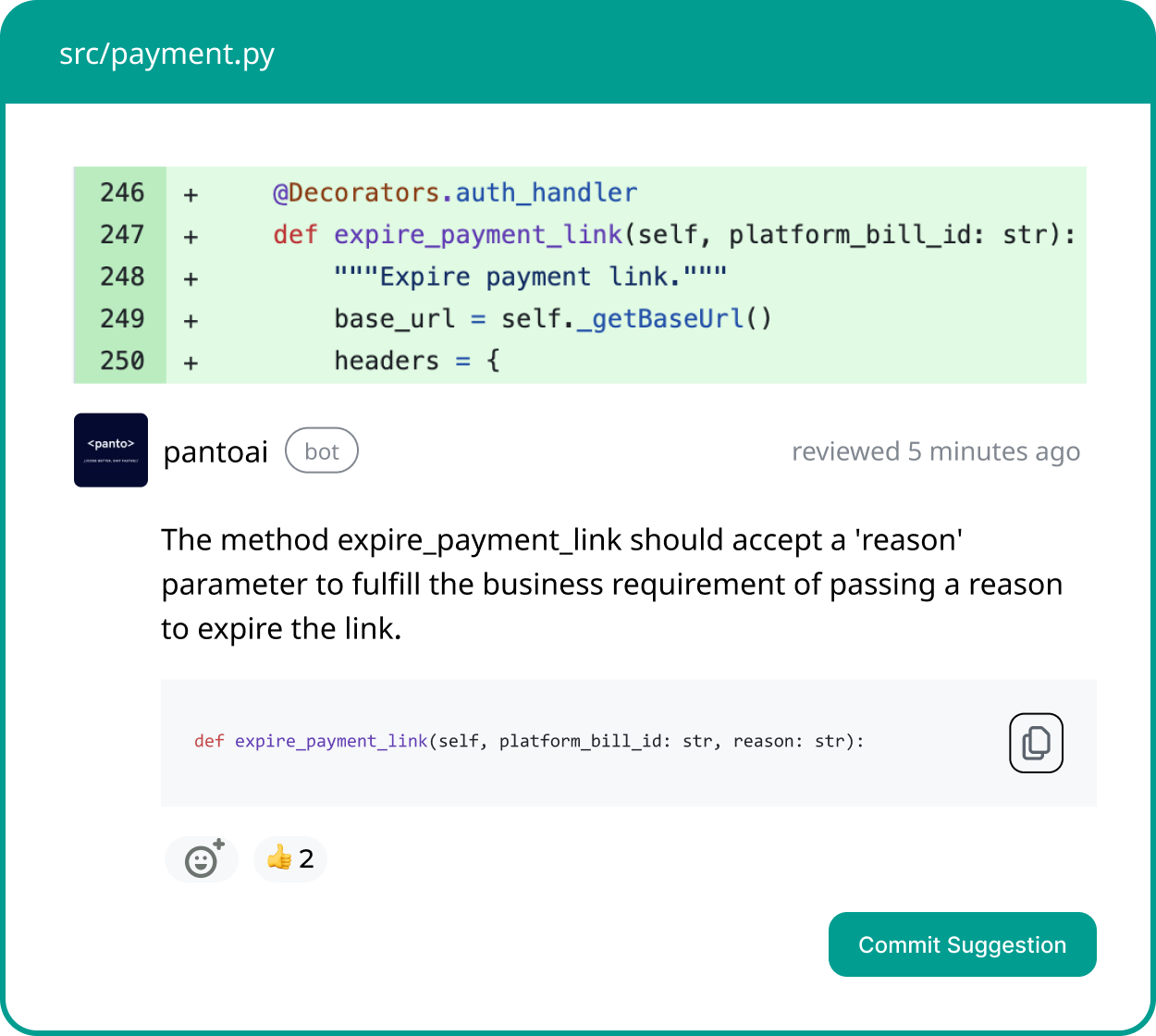
Your AI Code Review Agent
Panto reviews every pull request with business context, architectural awareness, and consistent standards—so teams ship faster without hidden risk.
- ✓ Aligns business intent with code changes
- ✓ Catches bugs and risk in minutes, not days
- ✓ Hallucination-free, consistent reviews on every commit
Why Review-Focused AI Is Gaining Ground
Autocomplete accelerates writing. Review automation reduces risk.
In 2026, teams shipping regulated, revenue-critical systems increasingly prioritize:
- Fewer regressions
- Faster approvals
- Stronger security posture
This is why tools like Panto AI represent a structural shift, not just a Copilot replacement.
Final Takeaway
GitHub Copilot remains useful—but it is no longer sufficient on its own.
The strongest engineering organizations in 2026 combine:
- Autocomplete for speed
- AI review agents for trust
- Repo intelligence for scale
If your organization’s biggest delays come from PR reviews, security approvals, or inconsistent standards, start by evaluating an code review agent alongside generation tools—before scaling Copilot-like autocomplete across teams.
FAQ’s
Q: Is anything better than GitHub Copilot?
“Better” depends on what you are optimizing for. :contentReference[oaicite:0]{index=0} is strong for inline autocomplete, but tools like :contentReference[oaicite:1]{index=1} focus on automated PR review and security enforcement, while :contentReference[oaicite:2]{index=2} provides whole-repository reasoning. :contentReference[oaicite:3]{index=3} offers AI-native multi-file refactoring, and :contentReference[oaicite:4]{index=4} emphasizes controlled training and IP safety. If your bottleneck is review quality or compliance rather than typing speed, specialized tools may outperform Copilot. There is no universal replacement—only better alignment with specific engineering priorities.
Q: Which AI is better than Copilot?
Alternatives may outperform Copilot in targeted domains. :contentReference[oaicite:5]{index=5} is often stronger for AWS-centric development. :contentReference[oaicite:6]{index=6} can offer tighter IP controls for enterprises. :contentReference[oaicite:7]{index=7} excels in navigating large monorepos with cross-file awareness. AI code review agents such as :contentReference[oaicite:8]{index=8} prioritize architectural and security validation over generation. The “best” AI depends on whether the objective is speed, governance, infrastructure alignment, or privacy.
Q: Is there a free alternative to GitHub Copilot?
Yes. Several AI coding tools offer free tiers, including :contentReference[oaicite:9]{index=9} and :contentReference[oaicite:10]{index=10}. Open-source models such as :contentReference[oaicite:11]{index=11}-based assistants can be self-hosted at no licensing cost, though infrastructure expenses remain. Free versions typically provide autocomplete and chat features but limit advanced enterprise controls. They are well suited for individuals, students, and small teams testing adoption before committing to paid plans.
Q: What is free AI similar to Copilot?
Free Copilot-style tools generally focus on IDE-based autocomplete and lightweight chat assistance. :contentReference[oaicite:12]{index=12} and :contentReference[oaicite:13]{index=13} provide inline code suggestions comparable to Copilot’s core functionality. Open-source LLM integrations built on :contentReference[oaicite:14]{index=14} can also deliver similar experiences inside VS Code or JetBrains environments. However, they often lack enterprise-grade auditability, compliance certifications, or deep repository intelligence. They are best positioned as entry-level or experimentation tools.
Q: Are open-source AI coding assistants a viable Copilot replacement?
Open-source models such as :contentReference[oaicite:15]{index=15} allow full self-hosted deployments, offering maximum control over data residency and customization. They are viable for privacy-sensitive or regulated organizations. However, they require GPU infrastructure, ML expertise, and ongoing maintenance. Latency, model tuning, and scaling must be managed internally. The trade-off is operational complexity in exchange for sovereignty and vendor independence.
Q: Is GitHub Copilot good enough for enterprise teams?
:contentReference[oaicite:16]{index=16} accelerates developer productivity but does not enforce architectural standards or business-rule validation. Enterprise teams typically require additional layers such as AI review agents, static analysis, and compliance workflows. Copilot does not replace security scanning or governance processes. Mature organizations often combine generation tools with review and intelligence systems to balance speed and risk management.
Q: What is the difference between autocomplete AI and AI code review tools?
Autocomplete AI operates during code writing, generating suggestions in real time to increase velocity. AI code review tools analyze pull requests after code is written, identifying security issues, architectural violations, and logic risks. The former optimizes output speed; the latter reduces regression and compliance risk. They serve different phases of the software development lifecycle. Advanced teams increasingly deploy both in complementary workflows.
Q: Can Copilot alternatives improve code security?
Some alternatives emphasize built-in security analysis. :contentReference[oaicite:17]{index=17} includes security scanning for common vulnerabilities. AI review agents such as :contentReference[oaicite:18]{index=18} perform rule-based and contextual security checks during PR evaluation. Open-source self-hosted models like :contentReference[oaicite:19]{index=19} can integrate with internal security pipelines. However, no generation tool alone guarantees secure code—security still depends on review, testing, and governance layers.
Q: Are free Copilot alternatives safe for proprietary code?
Safety depends on deployment and vendor policies. Cloud-hosted free tiers may process code externally unless configured otherwise. Self-hosted or on-premise solutions provide stronger data residency guarantees. Enterprises should review data retention, model training usage, and compliance certifications before adoption. Free pricing does not automatically imply insecure handling, but due diligence is required.
Q: Should teams replace Copilot or combine it with other tools?
Many engineering organizations adopt a layered AI strategy. :contentReference[oaicite:20]{index=20} or similar tools handle inline generation, while review agents such as :contentReference[oaicite:21]{index=21} enforce quality and security standards. Repository intelligence platforms like :contentReference[oaicite:22]{index=22} add large-scale context awareness. Combining tools can address Copilot’s limitations without sacrificing developer speed. Replacement versus augmentation depends on organizational priorities and risk tolerance.